


How to sign up for an online consultation
Through the list of doctors
On the doctor's page
On the clinic's page
Paying for an online consultation
Connecting to the consultation
There are two types of online consultations:
Information consultation
It is suitable for receiving general recommendations from a doctor. Following the consultation, the doctor will send you recommendations on your issue. Such consultation does not require proof of identity.
Important! According to the order of the Ministry of Health dated 04/11/2025 No. 193n, as part of an online information consultation, a doctor cannot diagnose, prescribe prescriptions and prescribe treatment. The doctor can only prepare recommendations based on the results of the consultation.
We recommend using the following formulations: «При данных симптомах обычно рекомендуют...», «В подобных случаях, как правило, диагностируют...»and the like.
Telemedicine consultation
This is a full-fledged medical service. To carry it out, it is necessary to confirm the identity through the ESIA (Public Services). Upon completion of the consultation, the doctor will issue and send you an official medical report.
You can only sign up for a telemedicine consultation from the age of 18.
The type of online consultation depends on the contract under which the clinic operates. If a telemedicine consultation is available for the selected clinic, the medical center will ask you to confirm your identity through Public Services.
How to sign up for an online consultation 
You can make an appointment for an online consultation on the websiteProDoctorov: through the general list of doctors, on the page of a specific doctor or on the clinic's page.
You must confirm your email address. You will receive a payment receipt.
Video instruction for the patient«Как записаться и подключиться к онлайн-консультации»
Important! The available time for recording in the doctor's card is displayed according to the time zone of your device when recording.
Through the list of doctors
- Log in to ProDoctorov.
- Select the required specialty of the doctor.
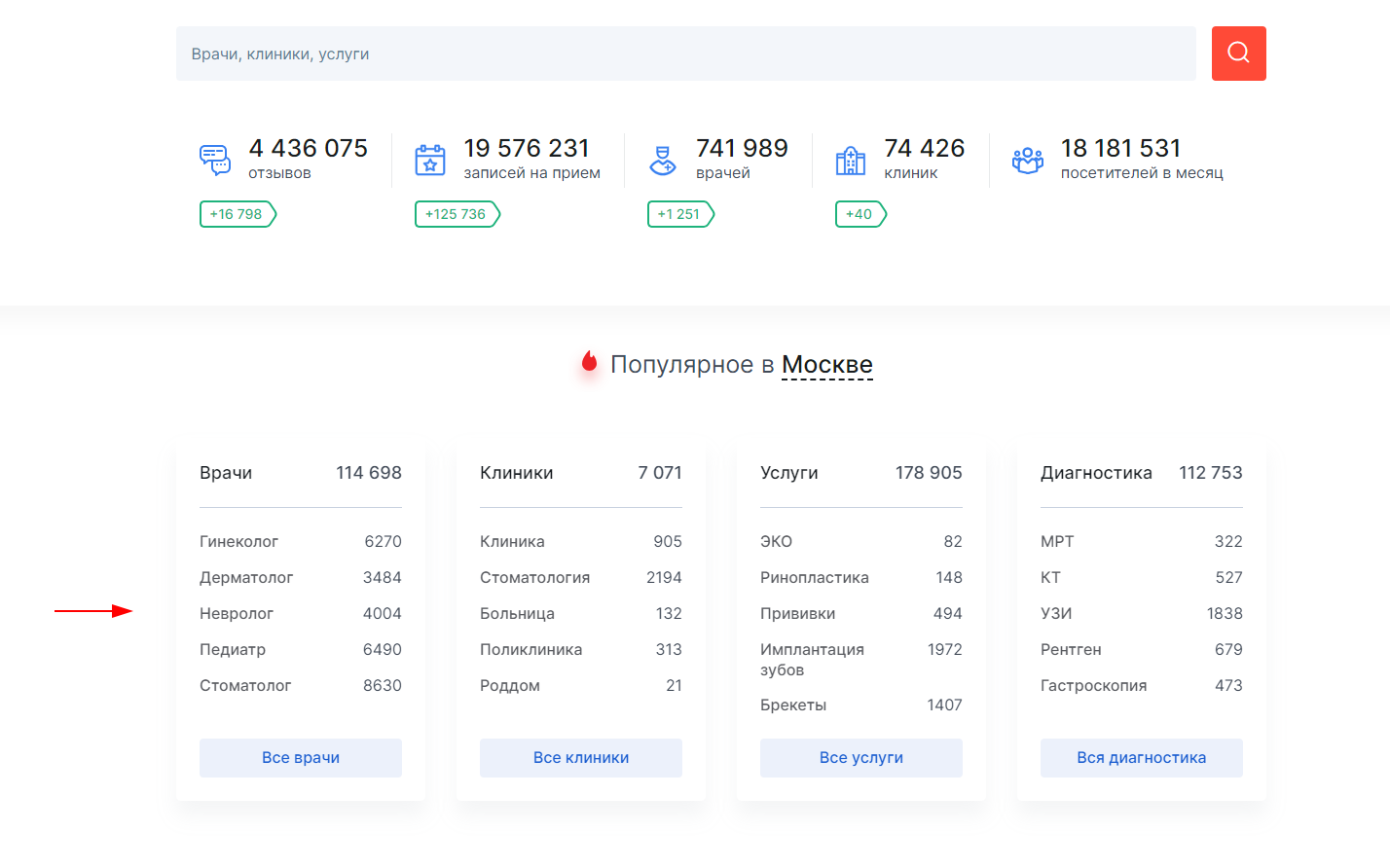
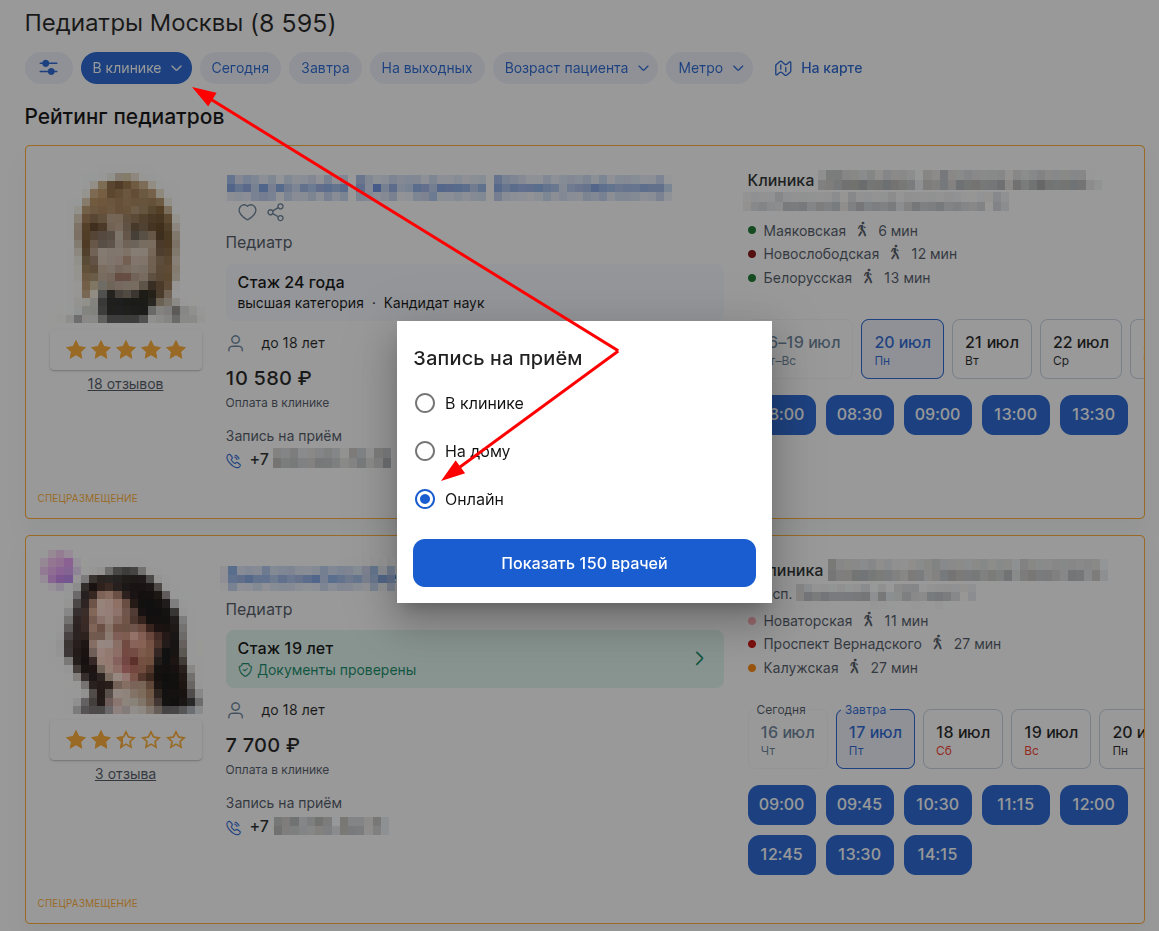
3. Click on the button«В клинике», then select «Онлайн»to see the list of doctors who provide online consultations.
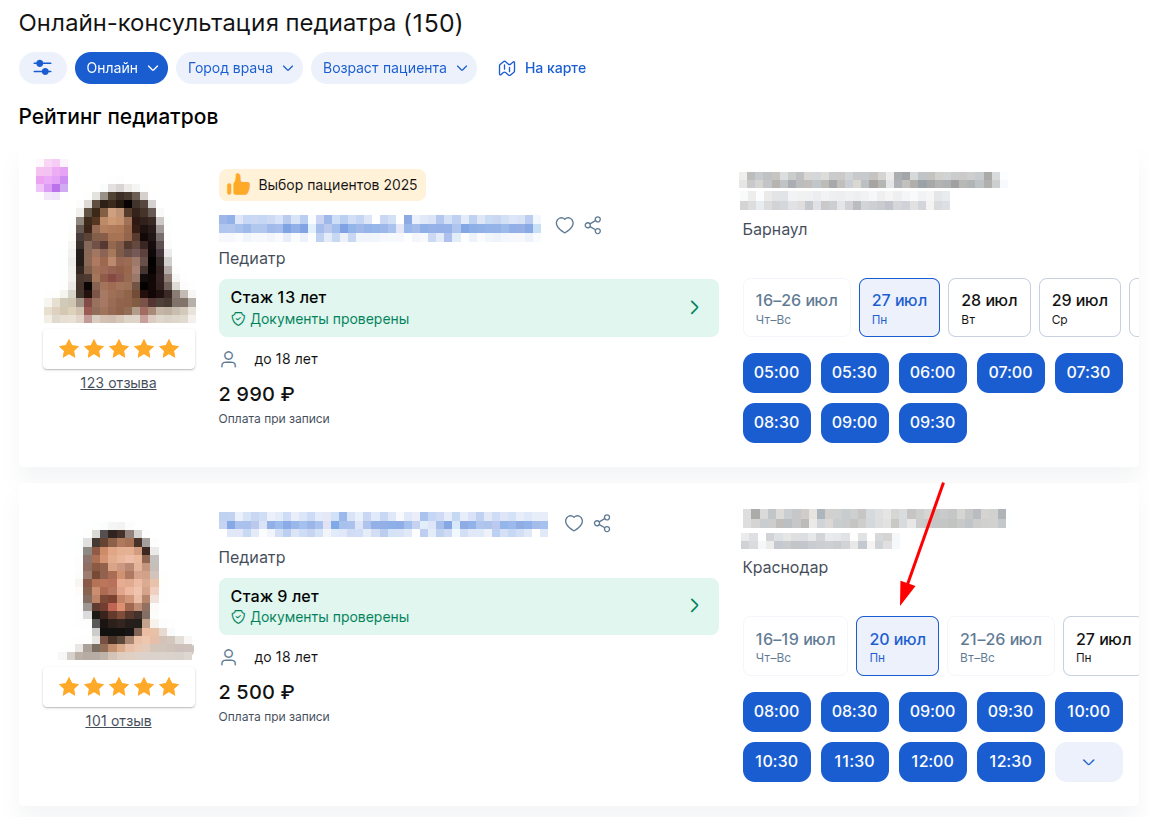
4. Select a specialist and a suitable date.
5. Click on the appropriate free time.
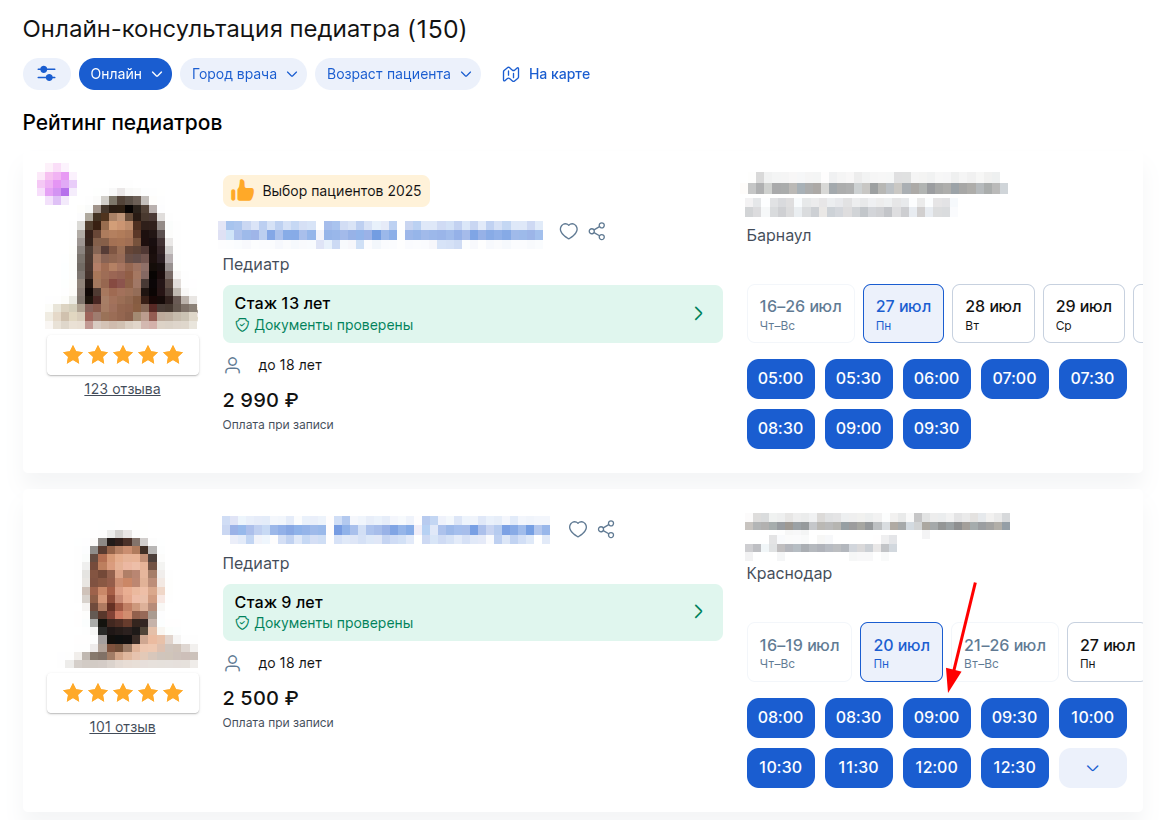
An email address and payment confirmation window will open.
On the doctor's page
- In the block«Запись на приём», click on the tab «Онлайн».
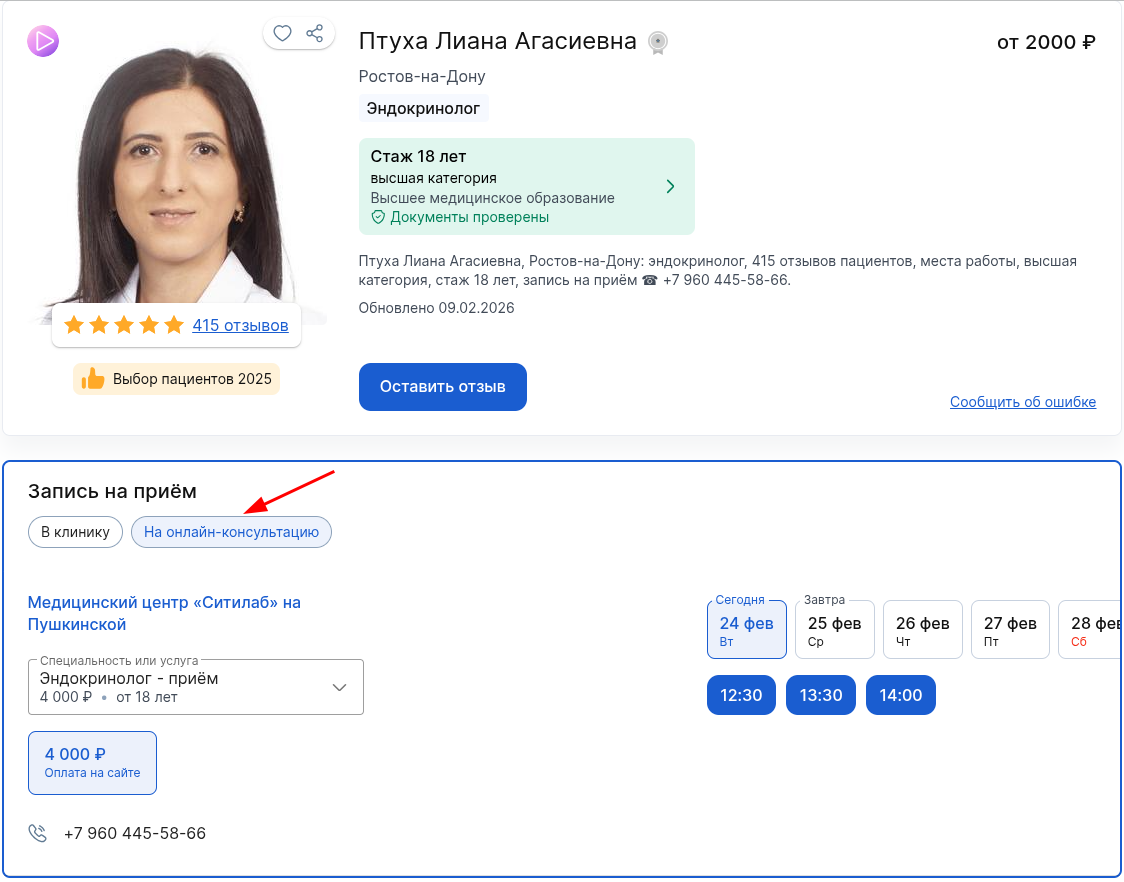
2. Select the desired date and click on the appropriate free time..
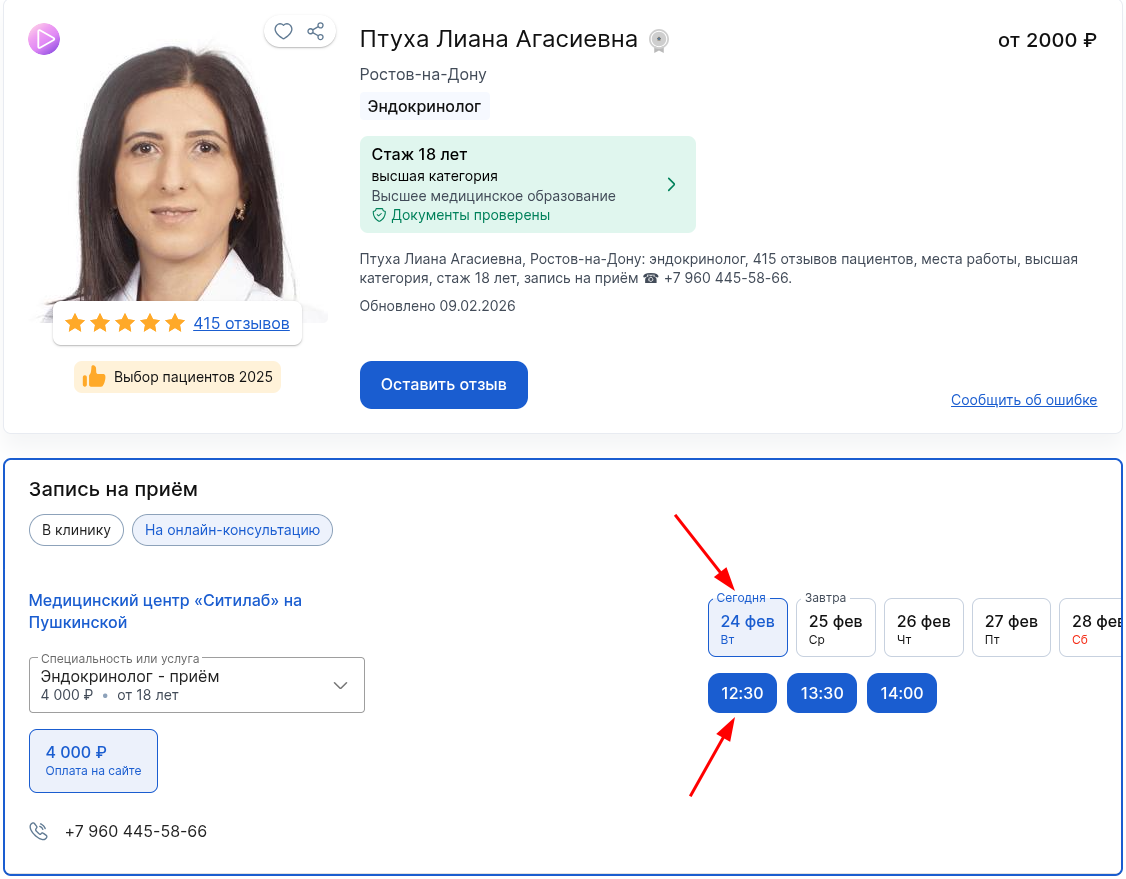
An email address and payment confirmation window will open.
On the clinic's page
- On the clinic's page, select a specialist and click on his full name.
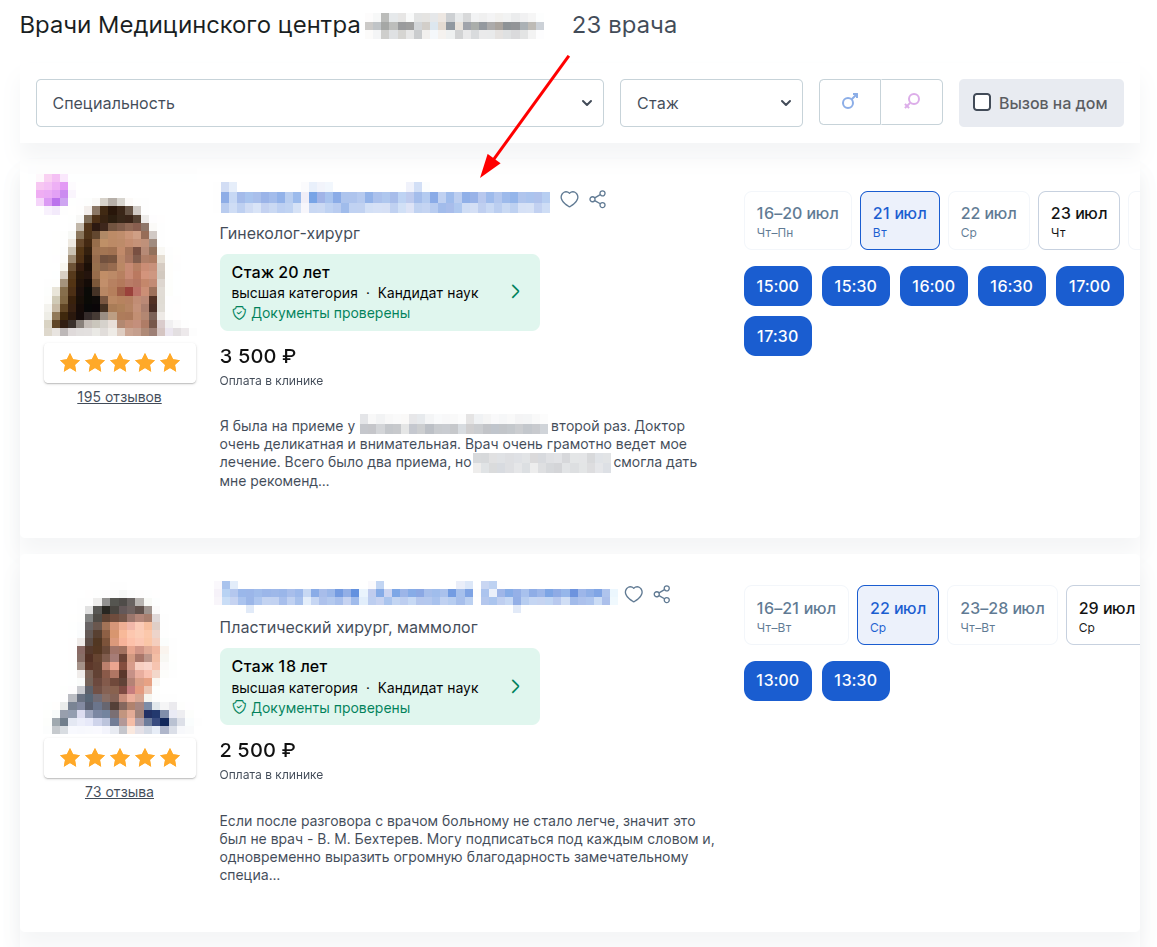
2. If the doctor accepts online, a tab will be displayed on his page«На онлайн-консультацию». Click on it.
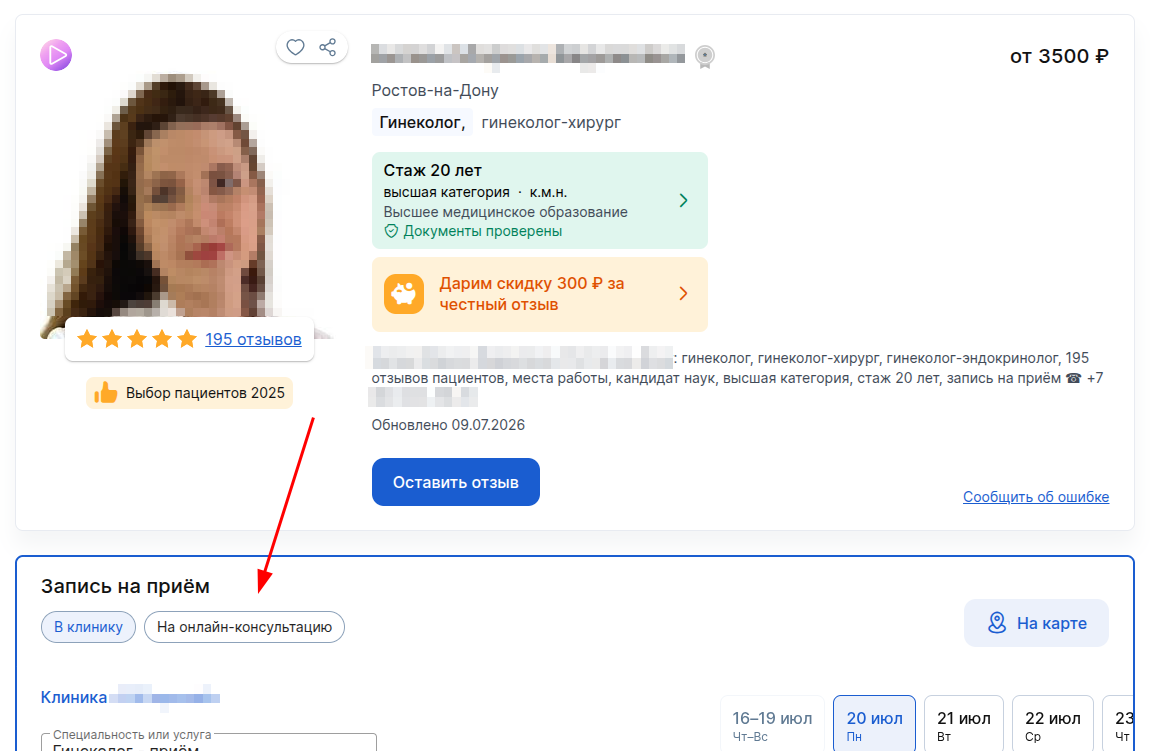
3. Select the desired date.
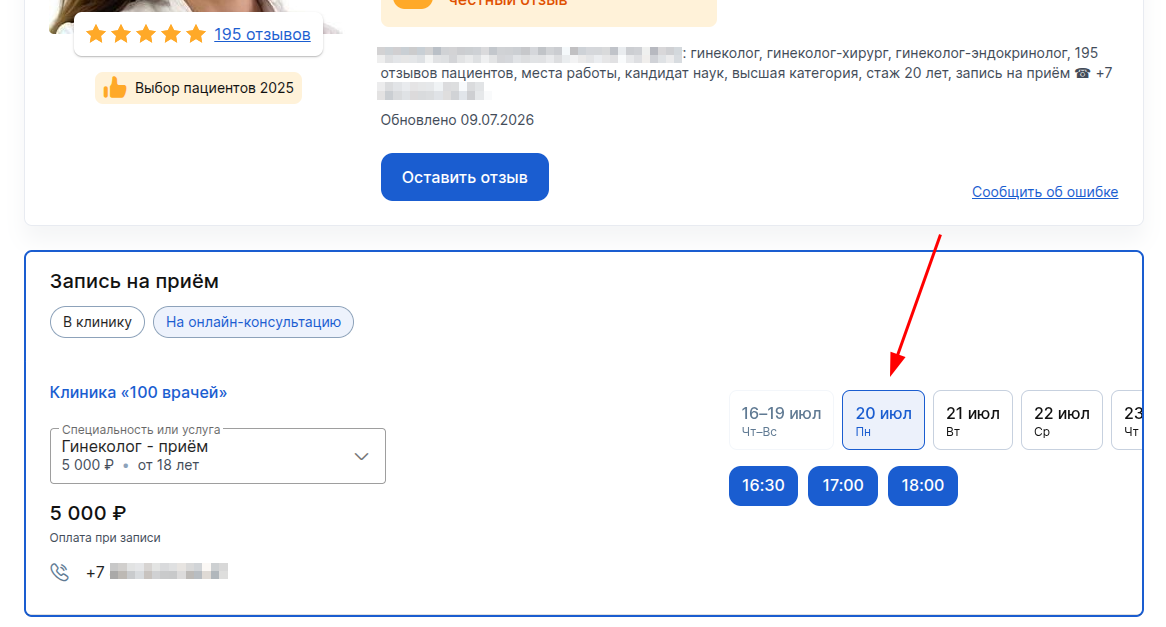
4. Click on the appropriate free time.
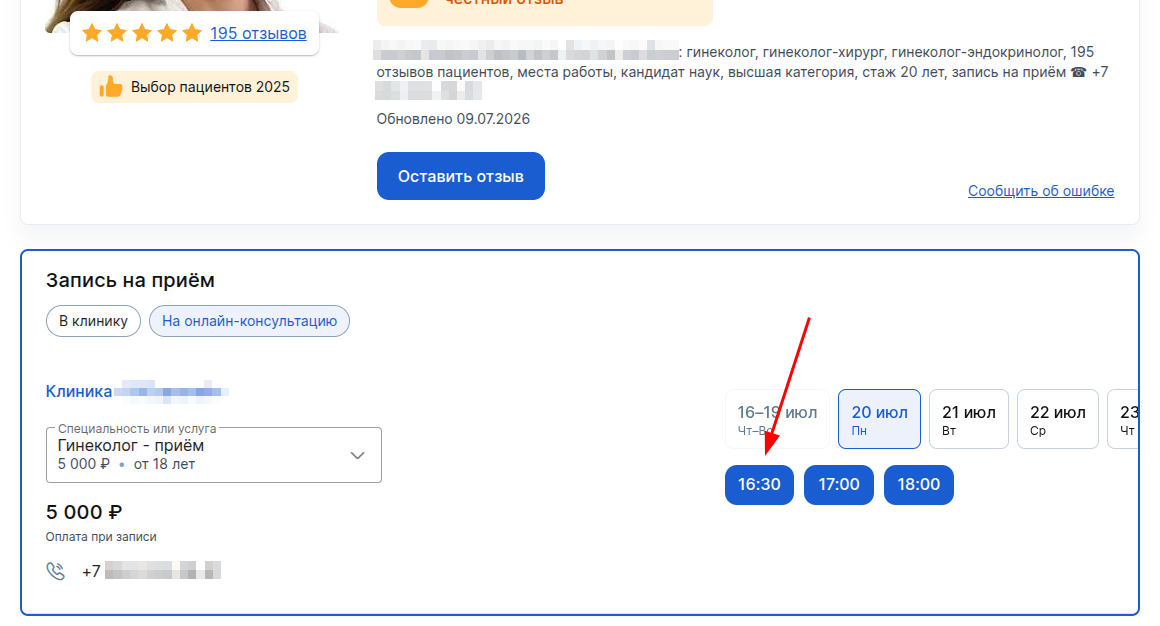
An email address and payment confirmation window will open.
Paying for an online consultation
You will need to pay for the consultation immediately on the website.
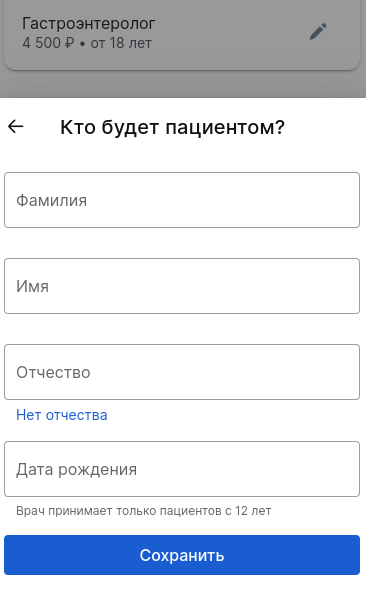
- After selecting the appropriate cell in the doctor's schedule, specify your full name and date of birth.
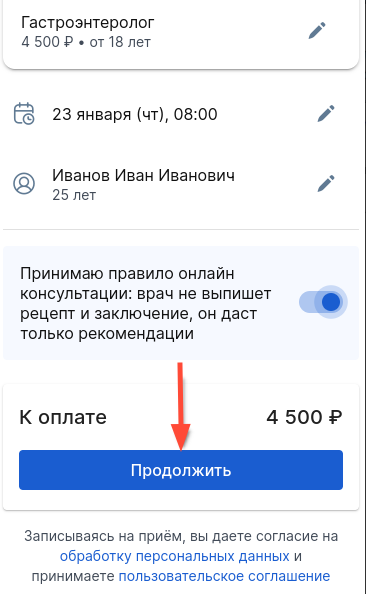
If you are recording another person, be sure to mark it with the slider by moving it to the right.
Click«Далее».
2. Enter your phone number and tap «Записаться».
You will receive a call, but you do not need to answer the call. You only need the last four digits of the number. They must be entered in the confirmation code field. Confirmation is possible not only through a call, you can find out more about this in the Video Instruction for the patient«Как записаться и подключиться к онлайн-консультации».
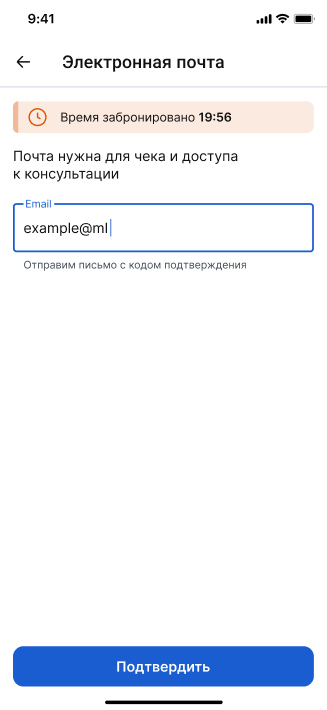
3. Provide your email address so that we can send you a receipt and open access to an online consultation.
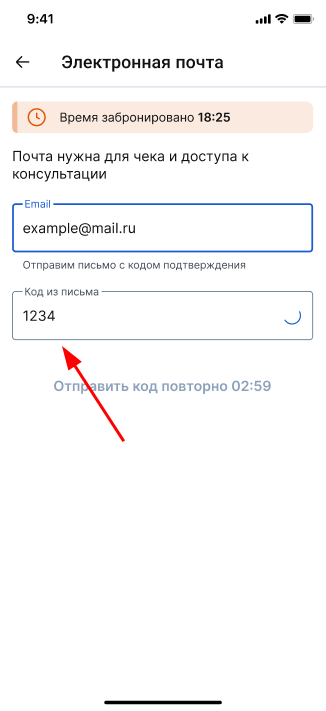
4. An email with an access code will be sent to your email address.
Enter the code in the special field.
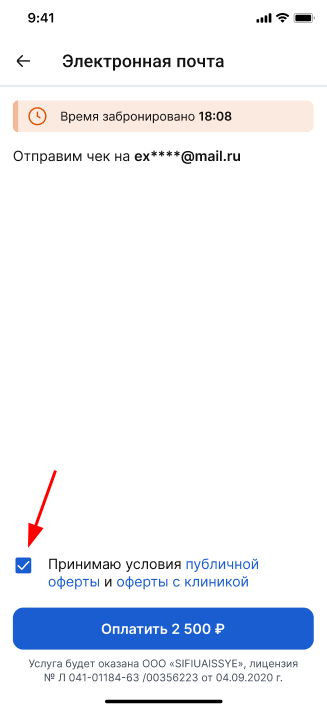
5. Read the text of the contract with the clinic and check the box if you agree to the terms. Click the button«Оплатить».
6. Select a convenient payment method and click «Оплатить».

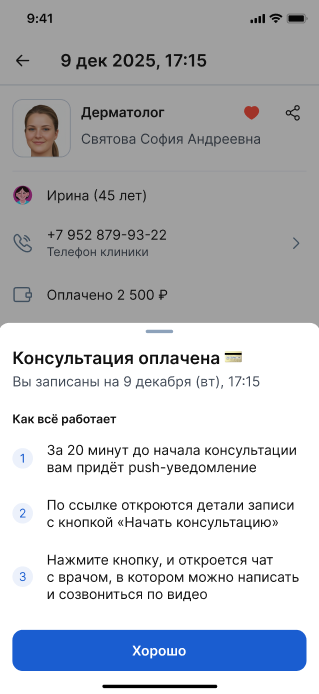
7. After confirming the payment, the patient's personal account will open, where the details of the record will be displayed.
Connecting to the consultation
You can connect to the consultation via a computer or the Medtochka application.
You can prepare for the consultation by uploading new studies or conclusions to the medical record, and making a list of questions to the specialist.
We also recommend checking the video call to avoid unpleasant surprises.
You will receive a push notification in the app 15 minutes before the start of the consultation. The link will open the details of the recording with a button«Начать консультацию».
For more information, see the article Connecting to a consultation.