


Conditions for adding a doctor to the waiting list
How to add a doctor to the waiting list if the required time is busy
How to add a doctor to the waiting list if the doctor does not have any free windows in the schedule
The waiting period for an appointment has expired on the doctor's card.
The waiting list will help you not to miss a suitable appointment slot. You will choose a convenient date, time, and clinic, and when there is an empty seat, the app will notify you.
The waiting list only works for clinic doctors who have online registration enabled.
Conditions for adding a doctor to the waiting list 
- A maximum of 15 doctors can be added to the waiting list.
- The waiting list is valid for up to 30 days from the moment the doctor is added.
- One doctor can be added to the waiting list only once.
- You can select no more than three time intervals for admission.
How to add a doctor to the waiting list if the required time is busy
If the doctor has free appointment windows for the next 30 days, but they are not suitable for you
- Find a doctor by full name or specialty.
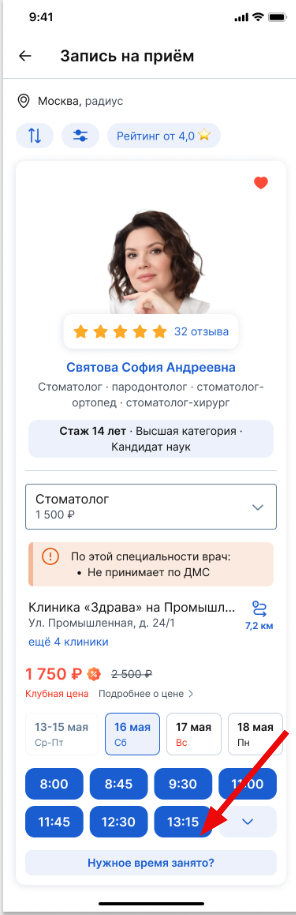
- Click«Нужное время занято?»
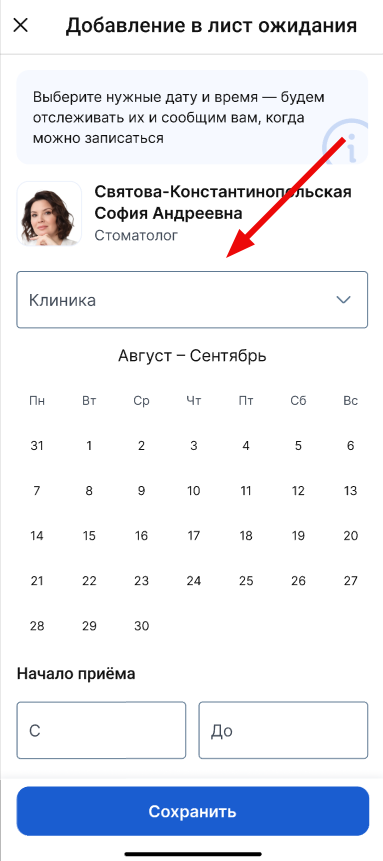
3. Select a clinic and branch if the doctor has several appointment locations.
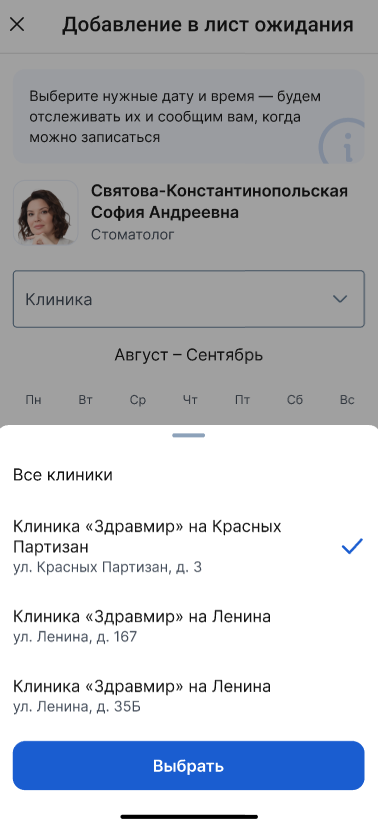
You can choose «Все клиники»either one specific one. After selecting it, click «Выбрать».
4. A 30—day calendar will open. Select convenient dates and times for the appointment. Click«Сохранить».
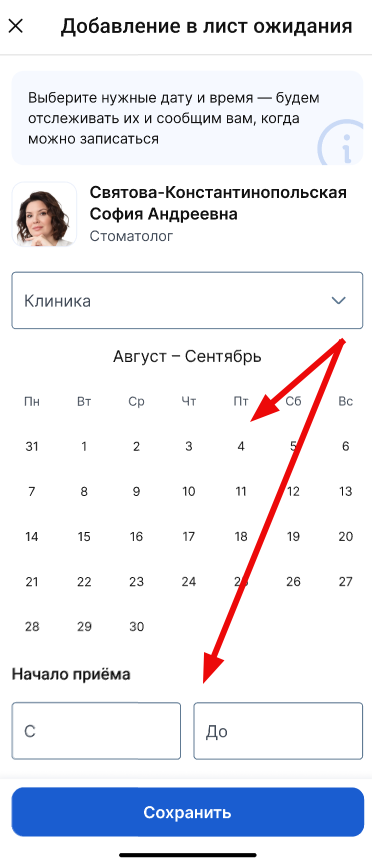
You can specify three time intervals for the start and end of the reception (for example, 9.00–12.00, 14.00–20.00).
To do this, tap «+ Начало приёма», select the time, and tap «Сохранить».
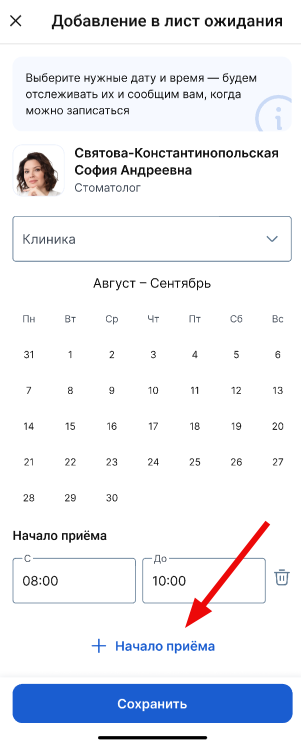
Important! You can change the waiting conditions after adding a doctor.
To do this, go to «Мои врачи и клиники»the find a doctor section on the waiting list, tap the three dots on the card and select edit.
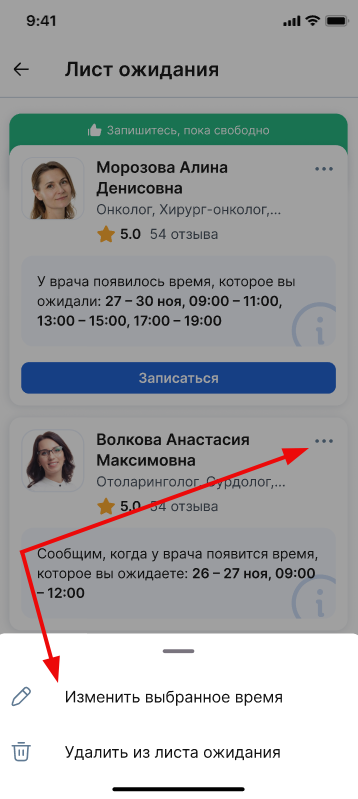
More information about how to view the waiting list is described in the article.
How to add a doctor to the waiting list if the doctor does not have any free windows in the schedule
- Find a doctor by full name or specialty.
- Click«Добавить в лист ожидания»./
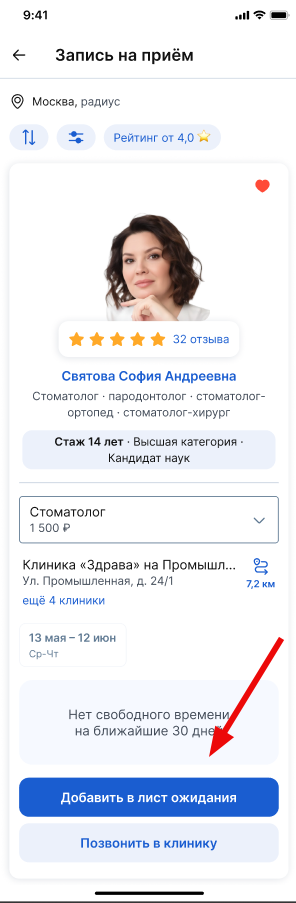
3. Select a branch of the clinic if it has several. Click«Сохранить».
4. The doctor has added a waiting list.
The doctor will appear on your waiting list in the section «Мои врачи и клиники».
When the doctor has a suitable date and time, you will receive a push notification and a chat message inside the app.
Notifications about the appropriate date and time will be received within 90 days from the date of adding the doctor.
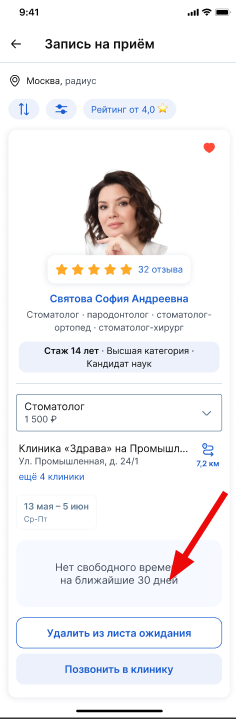
Important! Check if you have notifications enabled in the app. This way you won't miss the opportunity to sign up for a suitable vacant slot.
The doctor's card has expired the waiting period for an appointment
The corresponding label will appear in the doctor's card, and the card will move down the list.
1. You can delete an out-of-date doctor's card. To do this, click on the bucket icon and confirm the deletion.
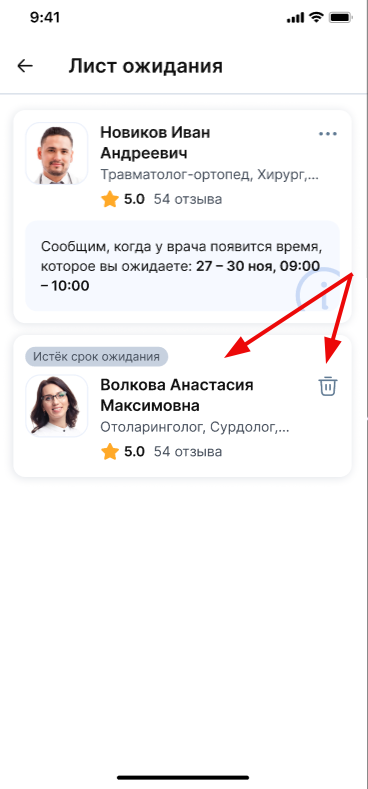
2. To add a doctor to the waiting list again, click on the doctor, the doctor's card will open, where you can select free appointment windows for the next 30 days or if the doctor does not have any free windows in the schedule at all.