


You can change the phone number in the Medtochka app through the main profile if:
- You have access to the phone number that your account is currently linked to or you are logged in to the app.,
- The new phone number is not linked to another medical account.,
- the old and new phone numbers are registered in the same country.
Important! You can only replace the phone number in a profile that has not verified its profile through«Госуслуги»
You can replace the phone number in the profile only in the mobile application. The functionality is not available in the PC version and in the mobile browser.
What data will we transfer? 
- medical card,
- reviews,
- promo ProDoctorovcodes based on the strength of the review,
- club statusProDoctorov,
- chats and message history,
- video recordings of online consultations,
- selected doctors and clinics,
- my clinics,
- Rewards and levels,
- finance,
- future and repeat recordings.
Changing the phone number
- Go to your profile from the main page.
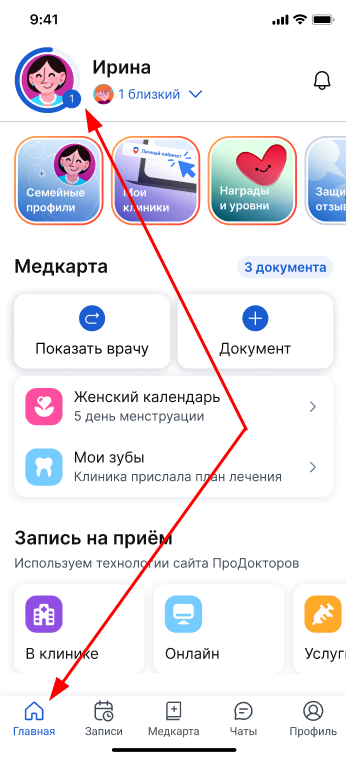
Or through a button «Профиль»in the menu.

2. Select the main profile by clicking on the three dots next to the profile.

3. Select «Данные пациента»to edit.
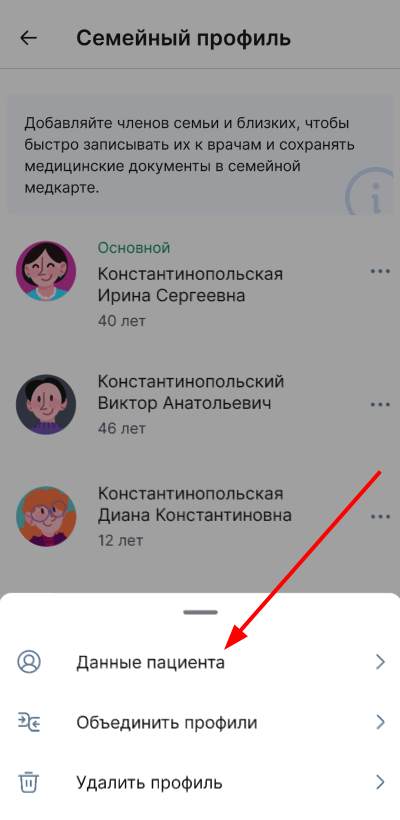
An edit window for the selected profile opens.
4. Click on the pencil icon next to the phone number.

A window opens with information about the data that will be transferred to the account to the new phone number.
- Click«Продолжить».

- Enter a new phone number in the window that opens.

- Click the button «Далее»and you will receive an SMS with a replacement number code.

If another account has already been registered to the specified phone number, you will see an information message. To replace the number, delete the account that this number is registered to, or enter a different number. The next attempt to use the number will be available in 24 hours.
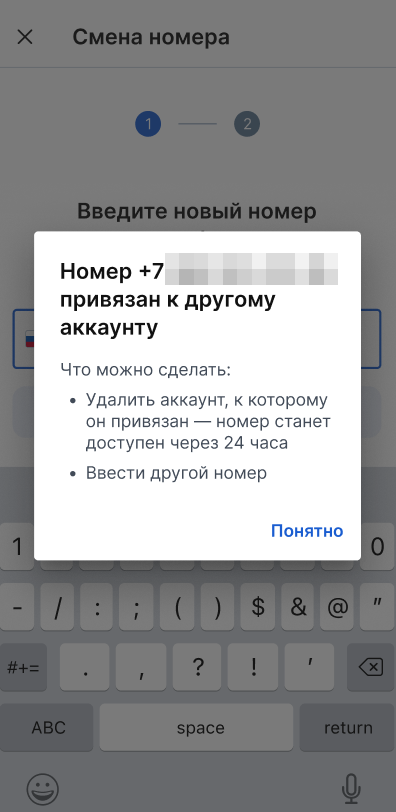
Read more about deleting a profile in the article«Удаление профиля».
- Enter the code you received from the SMS.
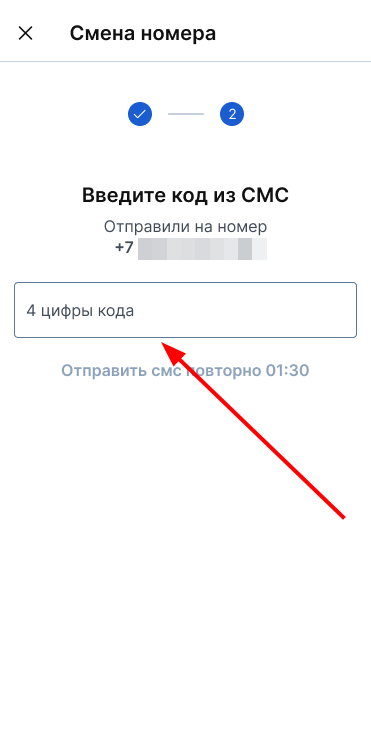
The request for a change of number has been sent.
Your profile number remains the same for 14 days.
Cancel the number replacement
The phone number will change to a new one in 14 days. During this time, you have the option to cancel the number change. In the profile, you will see the date before which you can cancel the phone number change.
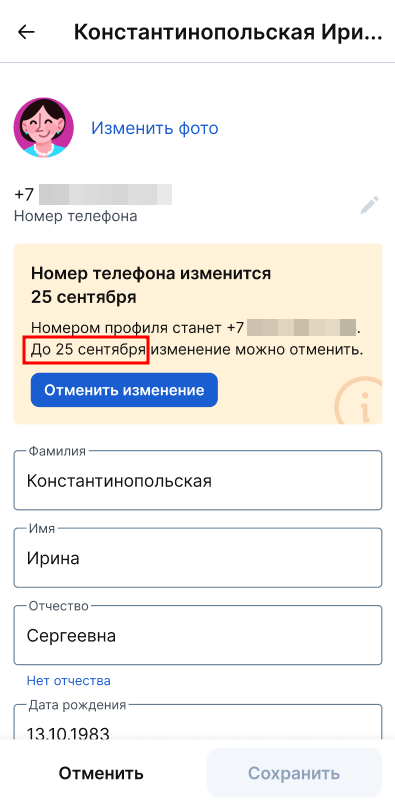
To cancel the number change:
- Go to your profile from the main page.
Or through a button «Профиль»in the menu.
- Select the main profile by clicking on the three dots next to the profile.
3. Select «Данные пациента».
- Click«Отменить изменение».

- Confirm the change and click «Да, отменить».

Number change notifications
If you request a number change and 24 hours before the number change, you will receive an SMS notification to your old phone number, a push notification from the Medtochka app, and an email so that you can cancel the number change in case of an error.
If you cancel the number change request, you will receive a push notification from the Medtochka app. To avoid missing notifications from the app, turn on notifications.