


How to view test results
How to access the test results on the laboratory's website
If there are several tests, the clinic can send partial results when each test is ready.
When the analysis result is ready, you will receive a push notification from the medical center.
The status of the test order will change from «На исследовании»to «Результаты готовы»or «Результаты частично готовы».
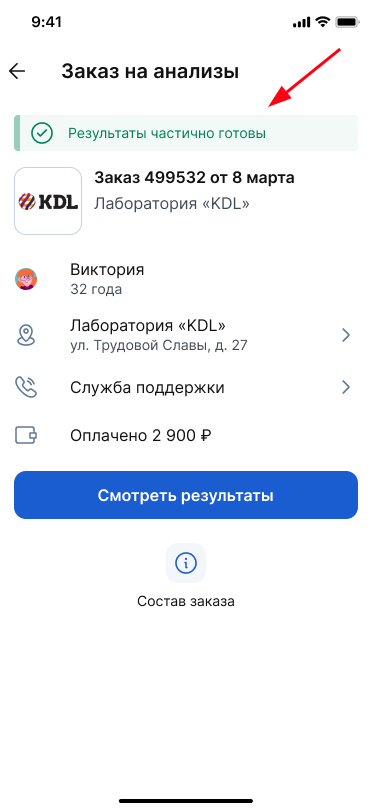
How to view test results 
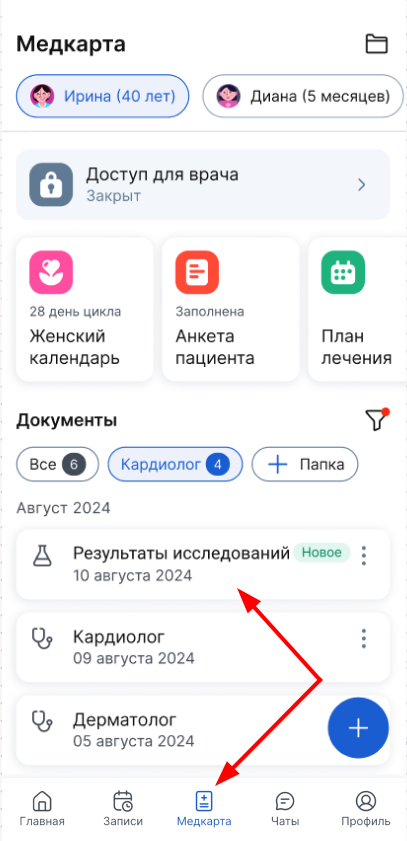
- Log in to the medical center via a computer or an application.
- Open the section«Медкарта».
Select a document from the list of documents«Результаты исследований».
It will have a status «Новое».
Important! If you have deleted the test results from the medical record in the medical center, then you can open them on the laboratory's website.
How to access the test results on the laboratory's website
- Go to the section«Записи»
- Select the desired test order.
- Open the order details.
- Go to the laboratory's website via a special link.
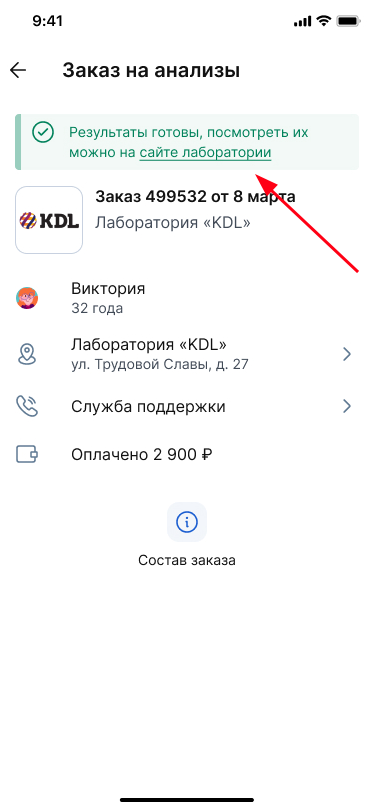
Important! If you have passed several tests, the result of each one will be stored in one document of the medical record. When you receive notifications about the results, each time go to the same file that you received from the laboratory first.