


Important! Currently, an appointment for tests is only available in KDL laboratories.
There are 2 ways to place an order for tests:
Method 1
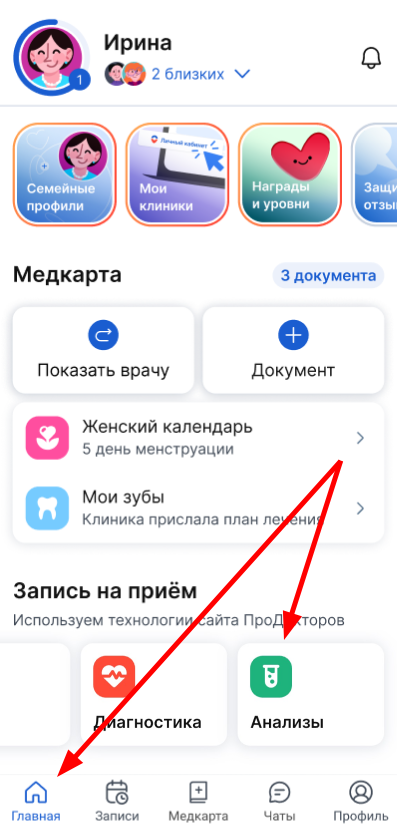
Through the Appointment block in the Home section, click «Анализы».
Method 2
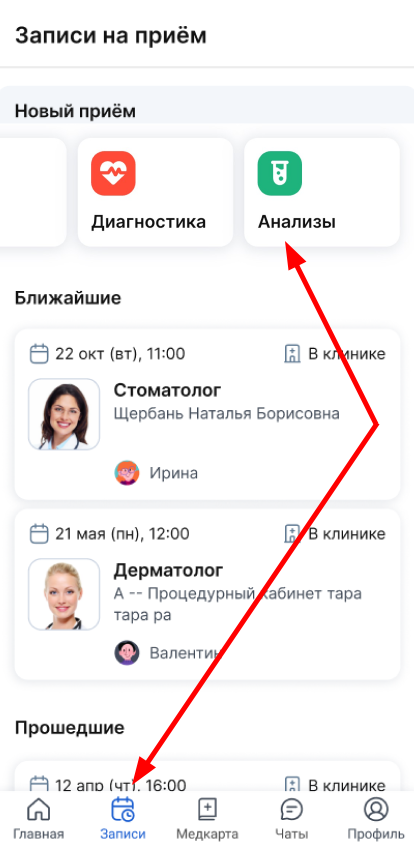
Through the Recordings section, click «Анализы».
You can create an order for tests on the websiteProDoctorov. To do this, click in the window that opens«Перейти».
Detailed instructions on how to create an order for tests on ProDoctorov.
You must pay for the tests from the shopping cart immediately on the website ProDoctorovwhen making an order. After successful order formation, you will be redirected to your personal account at the Medical center.
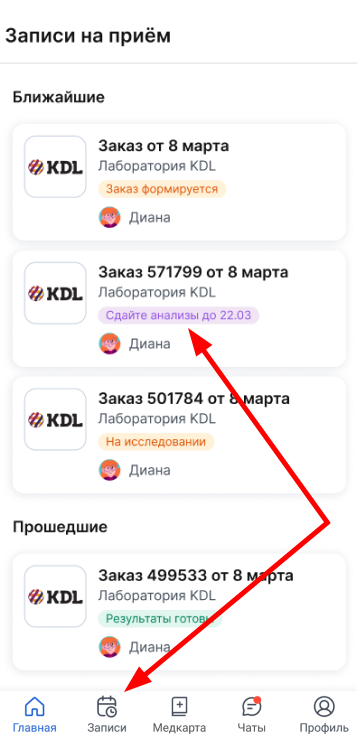
Your test order is displayed in a medical card in the section «Записи».
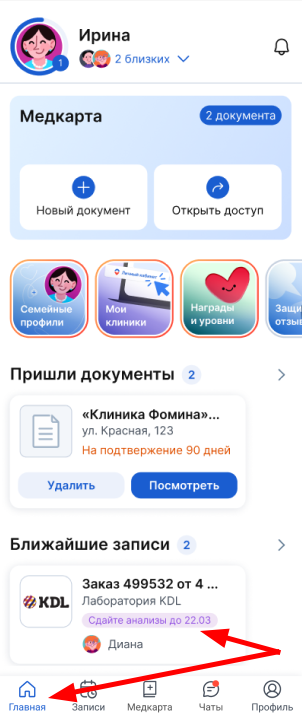
And on «Главной»the block «Ближайшие записи».
Important! The tests must be completed within 14 days from the date of the order formation. If you have not passed the tests within 14 days, the order will be automatically canceled and the money will be refunded to your card within 10 days.
In the medical section, you can view the composition of the order, cancel the order and study the recommendations for preparing for the tests.