


- Notification of a message from the clinic
- How to get into the list of all clinic chats
- How to start a chat with a specific clinic
A chat has appeared in the medical center where you can chat with the clinic administrator before or after the appointment.
The chat will be available if the clinic has enabled the ability to write messages to her.
The clinic administrator can write to you first. To avoid missing a message, turn on push notifications.
How to enable notifications
Notification of a message from the clinic 
You will receive a push notification about a new message. Click on it to get into the chat.
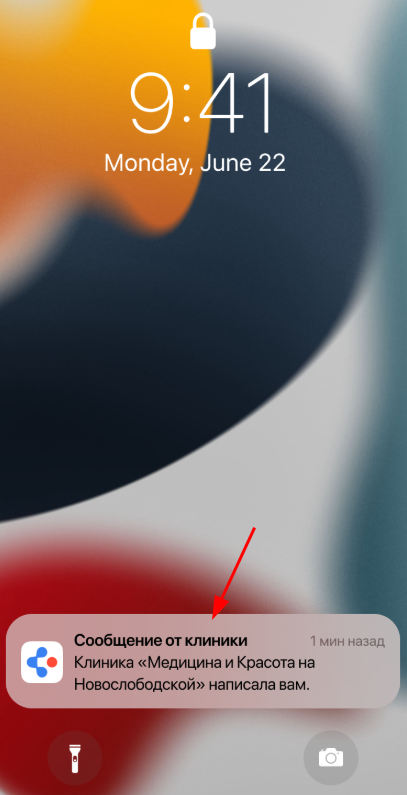
If you missed a push notification, there are several ways to log in to the chat. How to start a chat with a specific clinic
Important! If the clinic has disabled the ability to write to her after the conversation, you will not be able to send a new message, but the chat history will be available to you.
How to get into the list of all clinic chats
- On the main page, in the lower menu, select «Чаты».
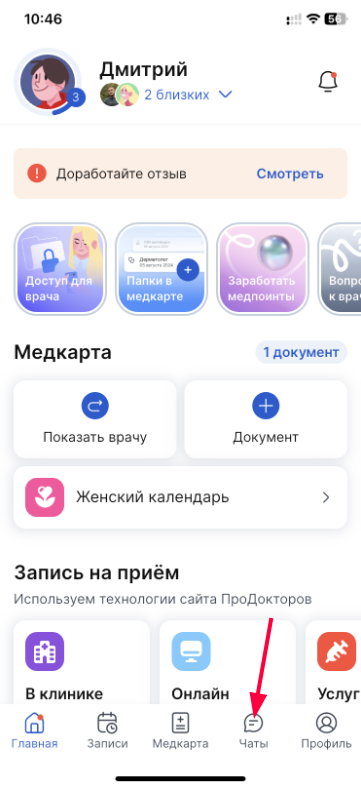
2. Select the chat you want to write to.
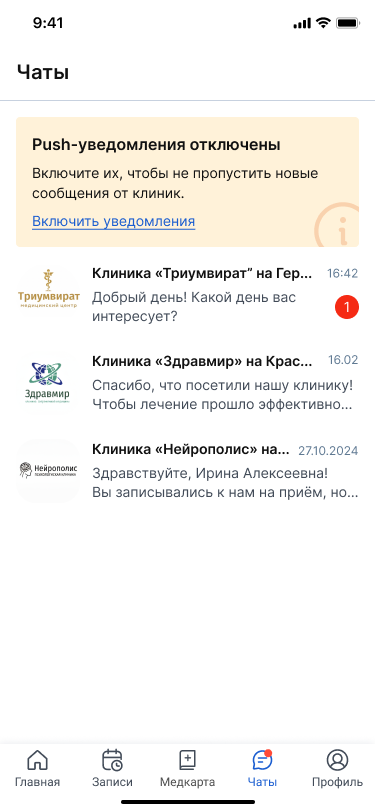
3. Write a message and wait for the administrator to respond.
How to start a chat with a specific clinic
Through«Мои клиники»
- Open the block on the main page«Мои клиники».
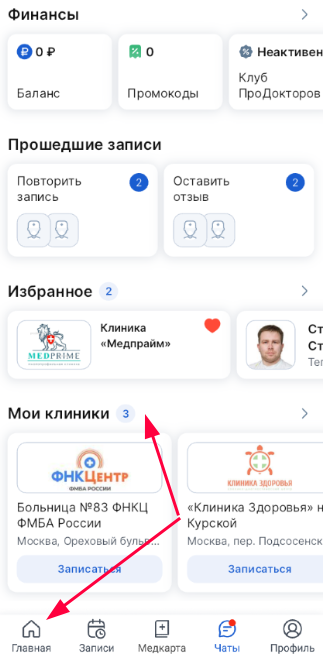
A page opens with a list of clinics that you have visited.
2. Click on the button«Чат с клиникой».
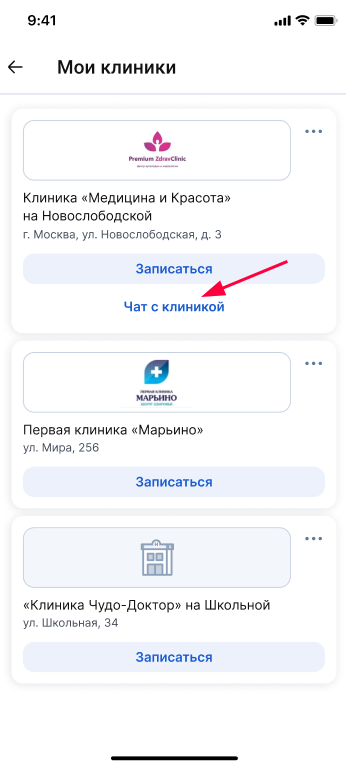
3. Write a message and wait for the administrator to respond.
Through«Избранное»
- Open the block on the main page«Избранное».
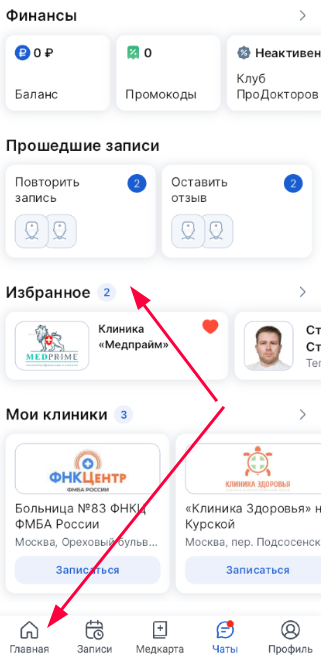
A list of clinics that you have added to «Избранное»the portal ProDoctorovopens.
2. Click on the button«Чат с клиникой».
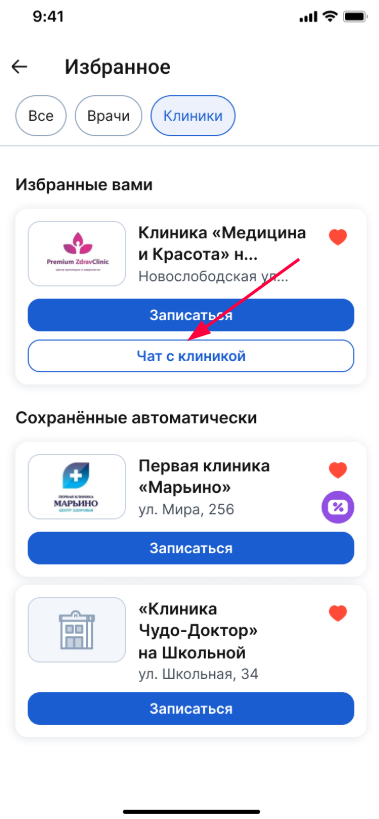
3. Write a message and wait for the administrator to respond.
Through«Детали записи»
- In the application, select a section«Записи».
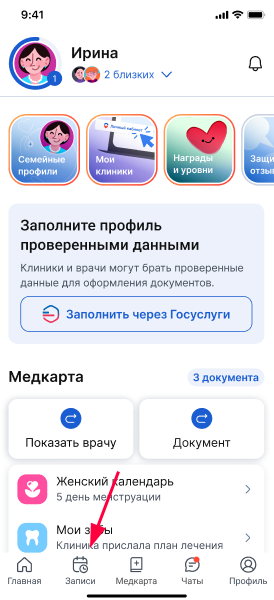
A list of all your entries (past, future, and canceled) will open.
2. Select the desired entry.
3. Click on the button«Чат с клиникой».
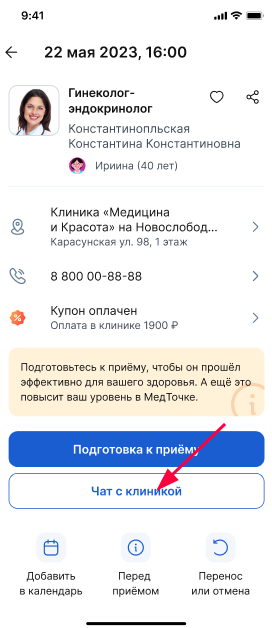
4. Write a message and wait for the administrator to respond.