


Delete a review from a page«Мои отзывы»
Delete a review from the detailed review page
You can delete a review with any status in the HonEybox app.
After deleting the review, it will disappear from your account, and you will no longer receive notifications about it.
Important! If you delete the review supplement, the entire review will be deleted, including the main review and all its additions.
When can I delete a review?
1. The review has already been published (displayed on the websiteProDoctorov).
You can delete it.
Important! You will not be able to leave a review about this specialist or clinic again.
The ProDoctorovreview will be hidden on the website and marked«Отзыв удалён автором».
2. The review is still under review (moderation).
In this case, you can also delete the review. There will be no restrictions: later you will be able to leave a new review about the same doctor or clinic.
Delete a review from a page«Мои отзывы» 
To access the page«Мои отзывы», read the article How to view my reviews.
- Select the review you want to delete and open the menu in the upper-right corner of the review card.
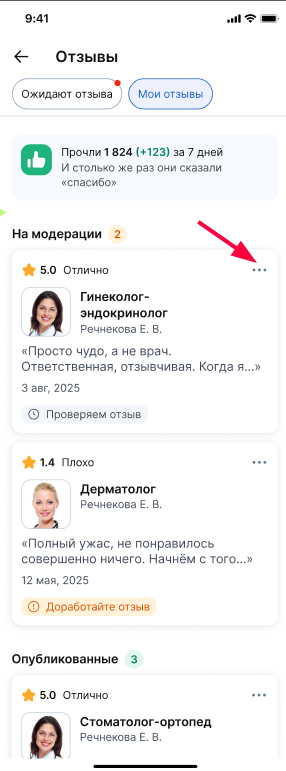
A menu with available actions will open.
2. Select an item «Удалить отзыв».
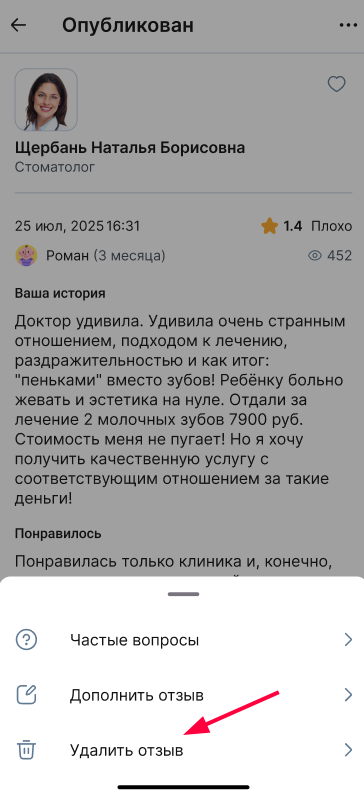
The deletion confirmation screen will open.
Important! If you want to correct a review, you don't have to delete it. For more information, see the Edit Review article.
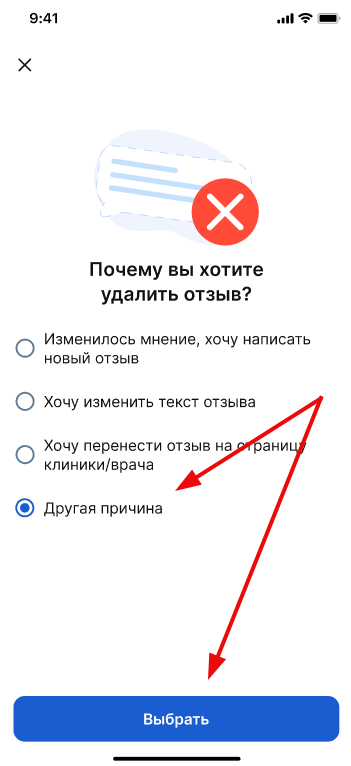
3. If you need to delete the review, select the item «Другая причина»and click «Выбрать».
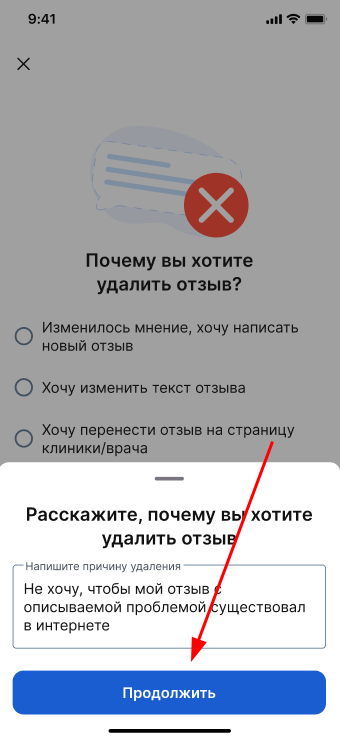
4. In the window that opens, specify the reason for deleting the review and click «Продолжить».
5. Confirm the deletion of the review.
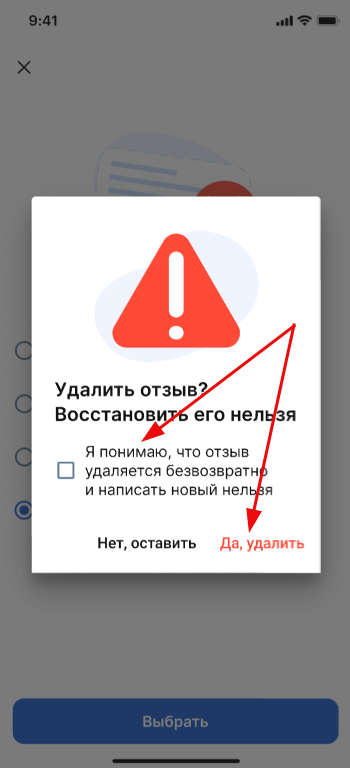
If the review has already been published and you delete it, you will no longer be able to leave a new review about this doctor.
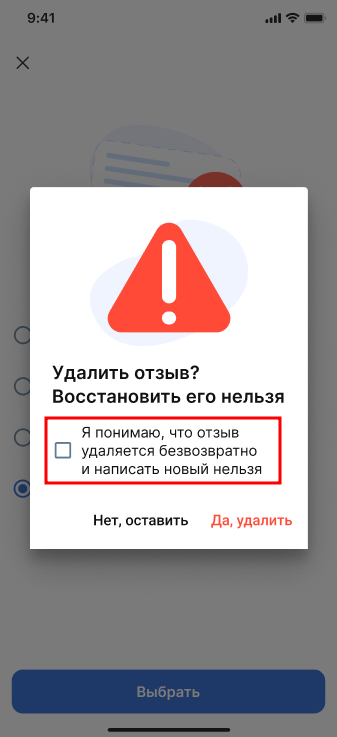
Important! If you delete a review before publication (while it is under moderation), you can leave a new review later.
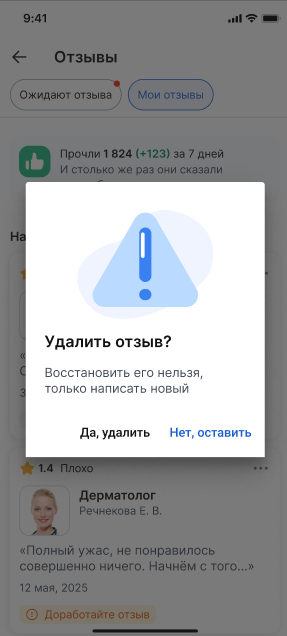
Delete a review from the detailed review page
Click on the review card on the page «Мои отзывы»or in the block «Отзывы на модерации»on the main page.
- On the detailed review page, open the menu in the upper-right corner.
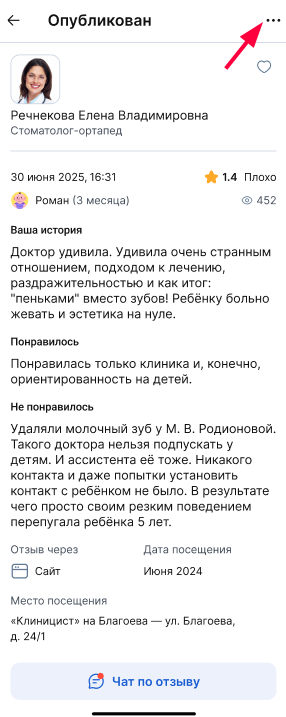
A menu with available actions will open.
2. Select an item «Удалить отзыв».
Next, repeat the steps described above, starting from step 3.