


Salary availability conditions
View salary in detail by day
View salary for a full month
In the Medtochka Doctor app, you can track your salary for 12 months (current and 11 previous months), view detailed information on a specific date within 60 days.
Clinics operating on the Medlock medical information system can transmit salary data.
Salary availability conditions 
- The clinic must enable and configure the module «Зарплата»in the Medlock
- Activate the salary transfer slider in the Doctor's office.
View salary in detail by day
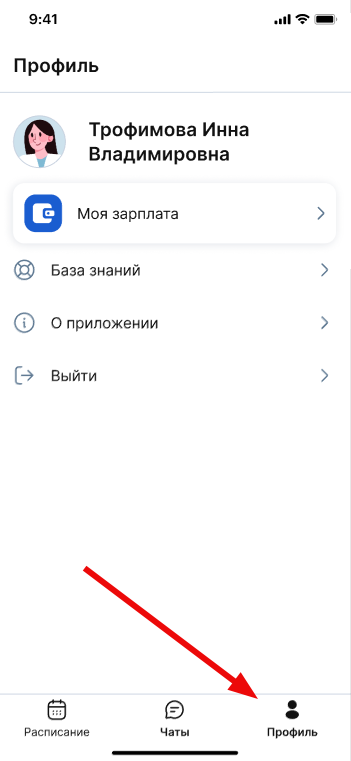
- Open the Medtochka Doctor app and select a block«Профиль».
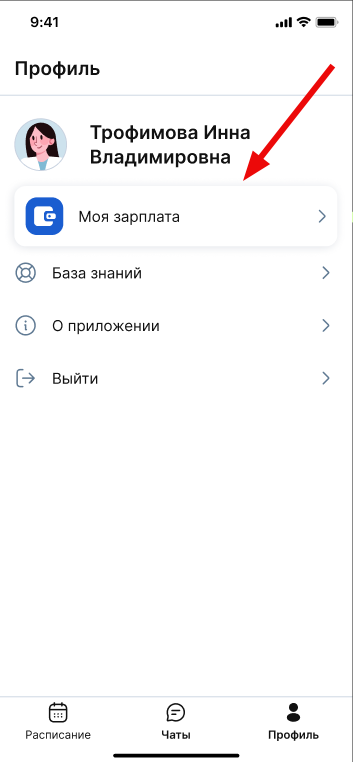
2. Go to the section«Моя зарплата».
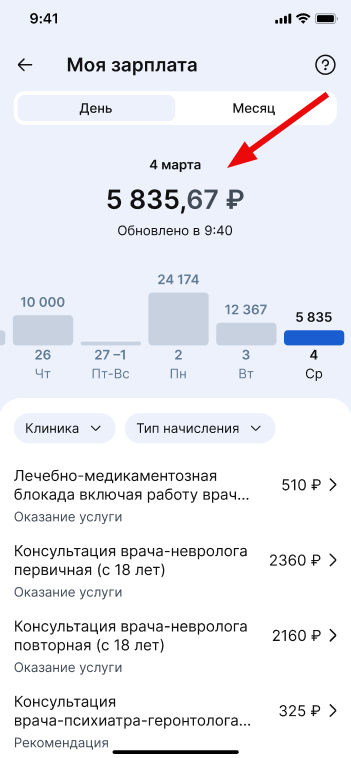
3. The page that opens displays the total amount of your salaries for all branches and clinics that transmit salary data, and a filter for the current day is immediately set.
4. To view the accrual type in detail, select a specific day and click «Тип начисления».
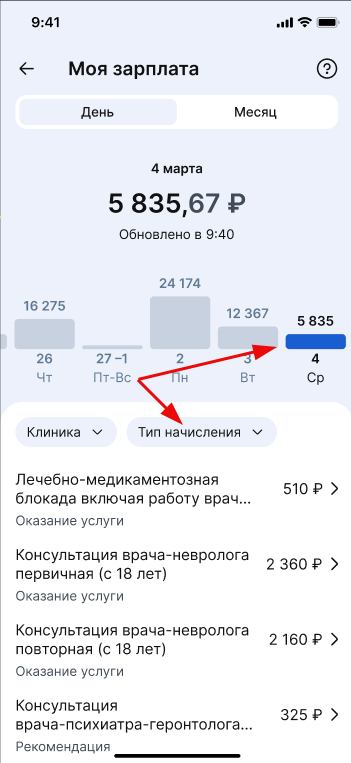
5. Select the required type of transfer to view the information for the day.
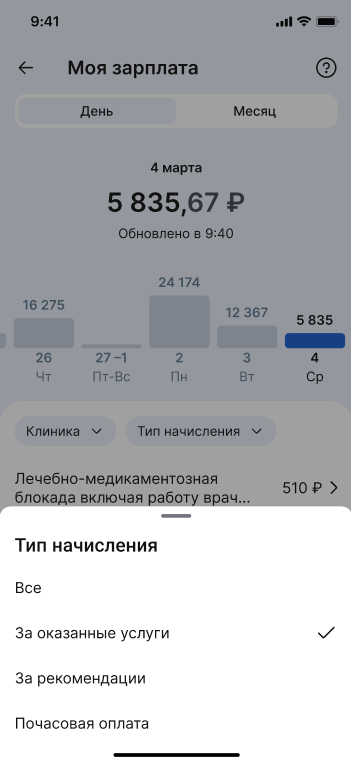
- All - a general list of details for all types of charges per day
- For services rendered
- For recommendations
- Hourly payment
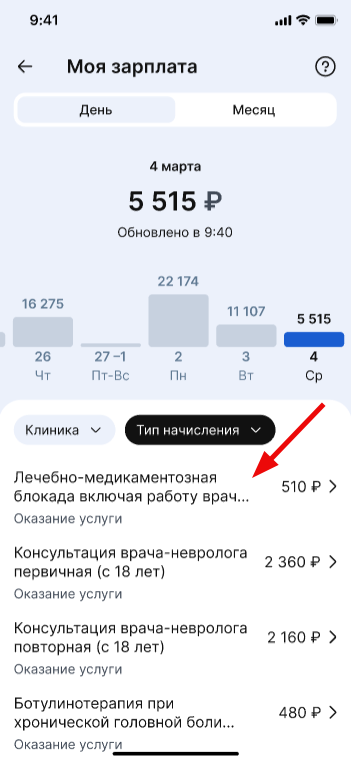
6. After selecting the accrual type, a list of services provided for which the salary was accrued will open. To view detailed information, click on a specific service in the general list.
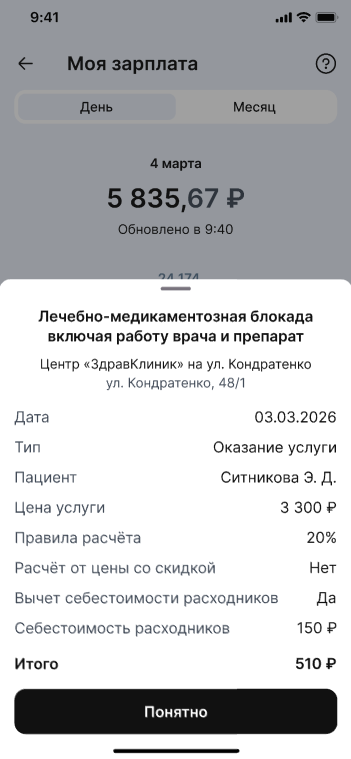
7. In the window that opens, you can study detailed information on a specific service, including calculation rules, deduction of the cost of consumables and calculation of the discounted price.
Important! If you notice that the amount in the application is incorrect, contact the head of the clinic.
8. To view the accruals for other jobs, select a section «Клиника»and click on the specific month for which you want to view the accruals.
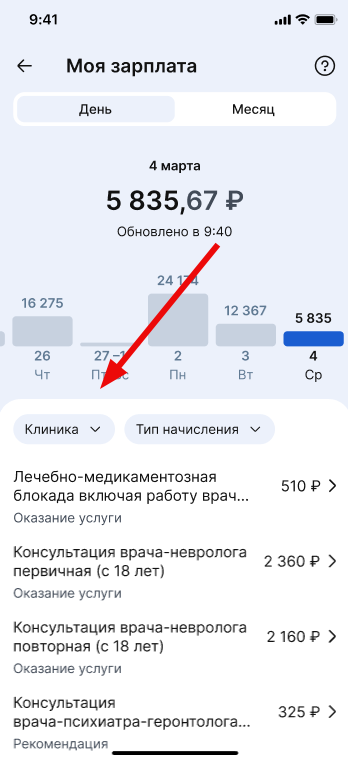
9. On the page that opens, select the required branch or clinic to view the detailed salary, and click «Применить».
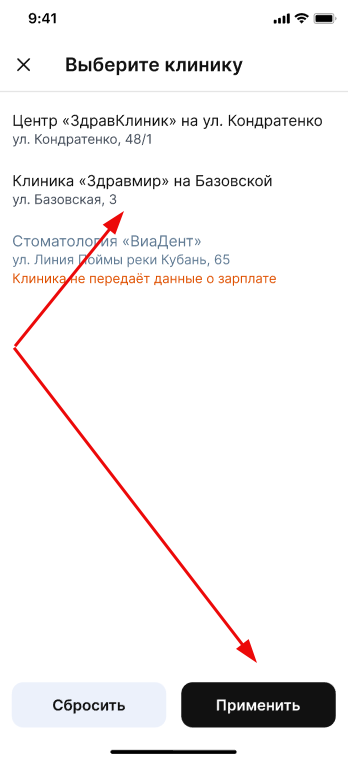
After selecting a clinic, a list of services provided for which a salary has been accrued will open.
Days running in a row for which there were no salary accruals are glued together as one day, you cannot click on them.
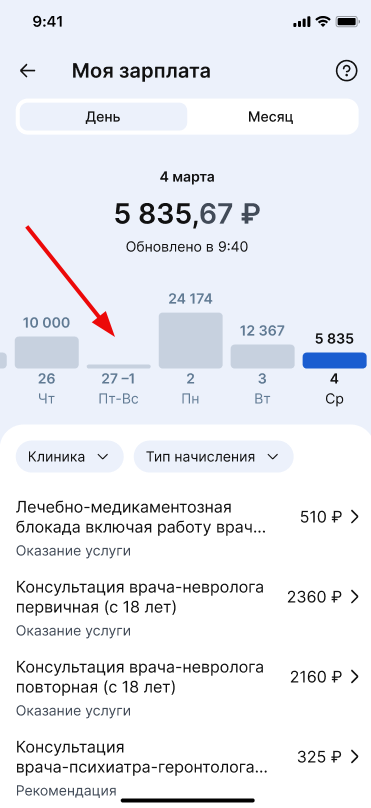
View salary for a full month
- To view information for a full month, select a section «Месяц»and click on the specific period for which you want to see the accruals.
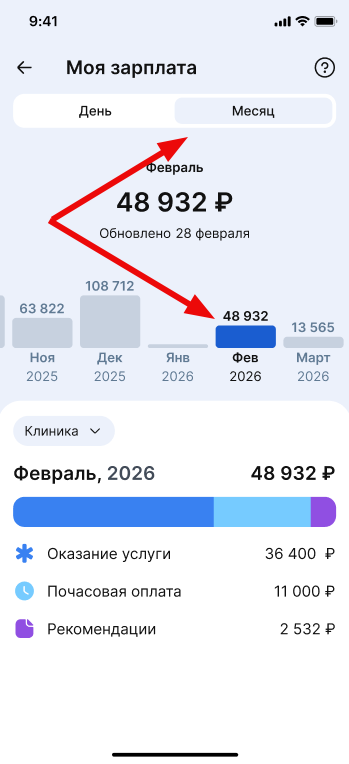
The «Месяц»total amount of charges for specific types of charges is available in the section.:
- provision of services
- hourly payment
- recommendations
2. To view the accruals for other jobs, select a section «Клиника»and click on the specific month for which you want to view the accruals.
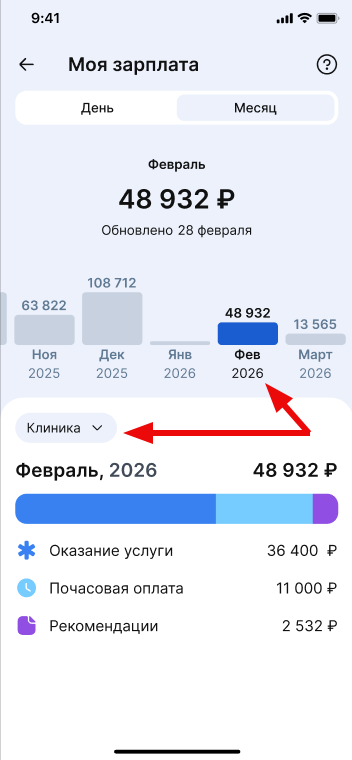
Important! If the clinic has not configured the module «Зарплата»or has not granted access to transfer salary data to the Doctor's medical center, contact the head of the clinic.
The information in the app is updated every 15 minutes.
If there were no charges during the day or month, you cannot click on them.