


How to block a chat with a specific clinic
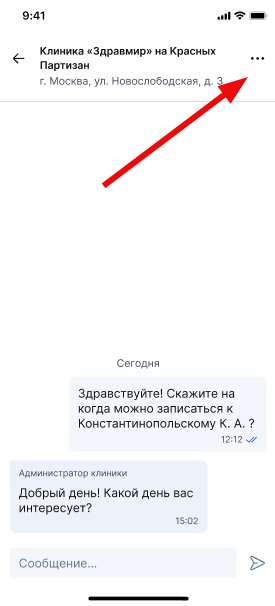
If you do not want to receive messages from a specific clinic, you can block the chat. To do this, log in to the chat and click on the three dots in the chat with the clinic
Next, select «Заблокировать клинику».
Read the article on how to access the chat page.
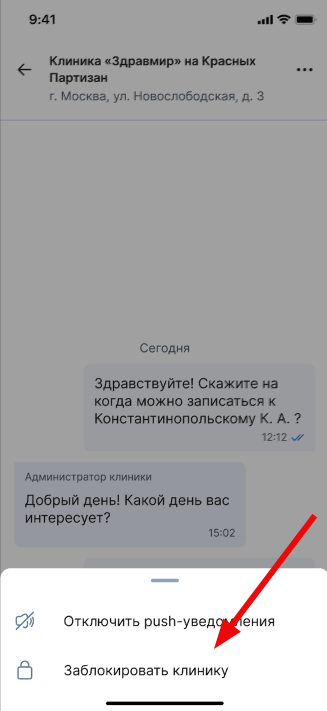
Important! If you have blocked the chat, you will not be able to write to the chat and will not receive new messages. The message history will be saved.
How to unblock a chat
To be able to write in a blocked chat again, click on the button«Разблокировать клинику».
How to disable notifications of a specific chat
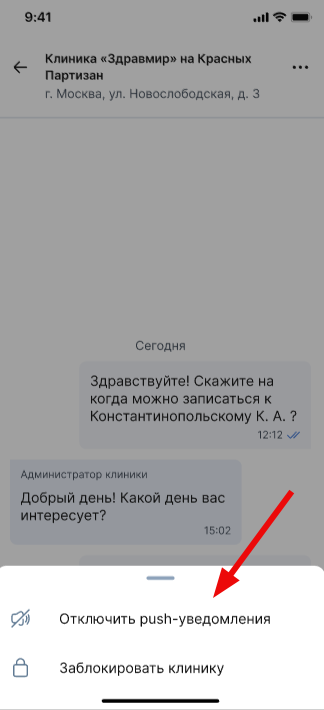
If you do not want to receive push notifications about messages from a particular clinic, click on the button «Отключить push-уведомления»on the chat page.
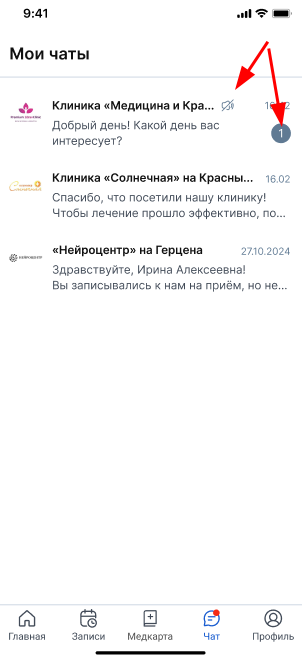
The label of unread messages from the clinic with push notifications turned off will be displayed in gray.
How to enable notifications from the clinic
If you have previously disabled notifications, you can enable them in the same chat. To do this, click on the button «Включить push-уведомления»on the chat page with the clinic.