


How to grant access to the app in the smartphone settings
How to enable notifications in the app
Types of notifications
To receive information about new appointments, schedule changes, and patient reviews, enable push notifications in the Medtochka Doctor app.
Important! Notifications about entries are received for the next two days — today and tomorrow.
To enable notifications in the app, you need to perform two steps::
- In the smartphone settings, grant access to send notifications from the app.
- Enable and configure notification types in the app settings.
How to grant access to the app in the smartphone settings 
1. On your smartphone, go to the section«Уведомления».
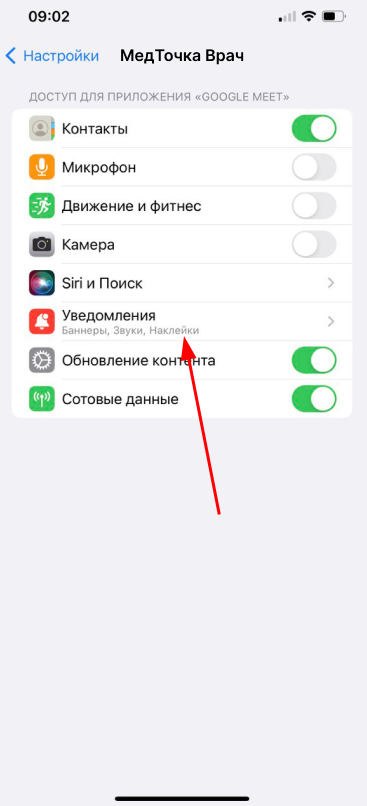
2. Select the Medtochka Doctor application from the list.
3. Turn «Допуск уведомлений»it on.
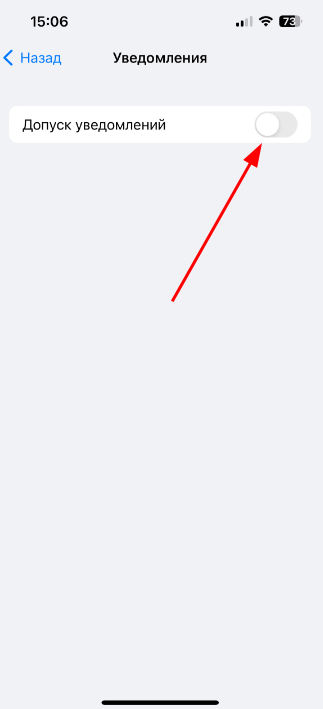
4. Go back to the Medtochka Doctor app.
How to enable notifications in the app
1. Log in to the Medtochka Doctor app.
2. Go to the section «Профиль».
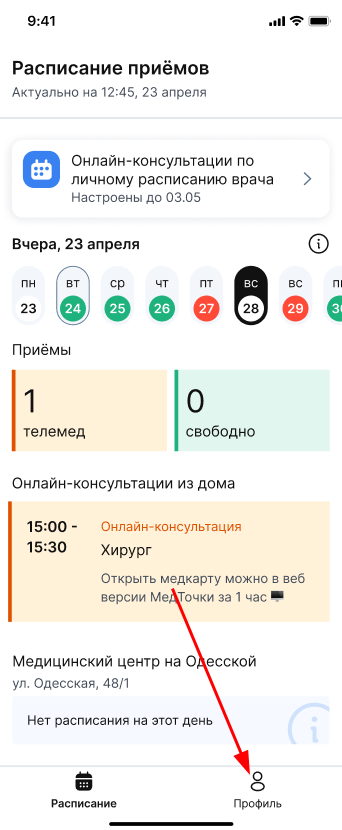
3. Select «Настройки приложения».
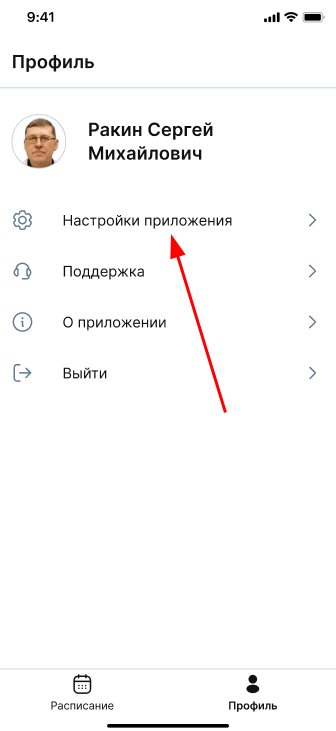
4. Turn on the necessary notifications.
By including all notifications, you won't miss anything important and will be able to use the app to the maximum.
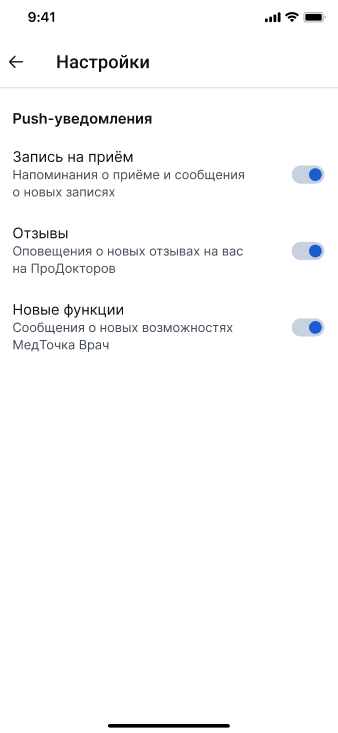
Types of notifications
- Make an appointment — you will receive push notifications.:
- about a new patient appointment, postponement or cancellation of an appointment in your schedule;
- reminders about setting up a schedule for online consultations according to the doctor's personal schedule;
- reminders about the online consultation 10 minutes before the start. - Reviews — you will receive push notifications about new patient reviews of you left through the portalProDoctorov.
- New features — you will receive push notifications about new features of the Medtochka Doctor app.