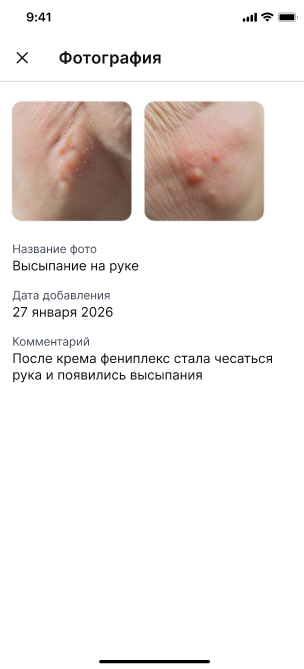


You can send a photo or a document to the doctor's chat.
These may be the results of tests, conclusions of other specialists, or photos of a body part or external symptoms.
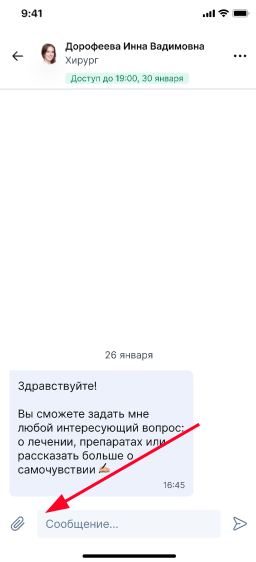
1. To send a file to the chat, go to the desired chat with the doctor, click on the paperclip icon next to the message sending window.
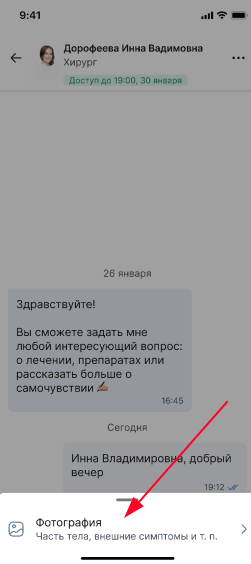
2. Select «Фотография»to download the file.
3. To download the file, click on the icon«+».
Important! You can upload PNG, JPG, and HEIC files up to 16 MB in size.
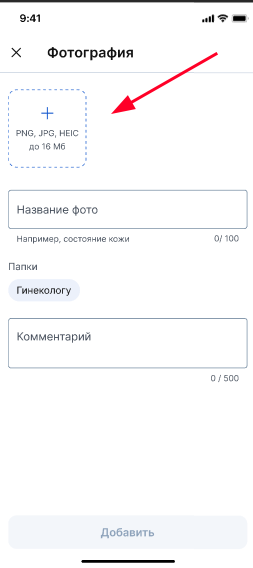
4. You can take a photo on your smartphone or download it from the gallery.
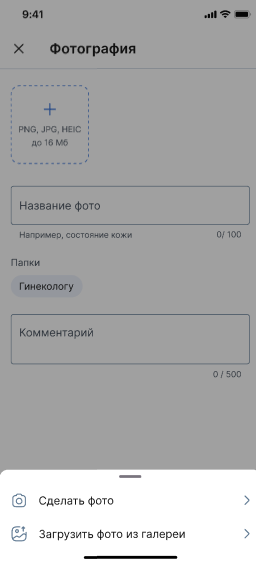
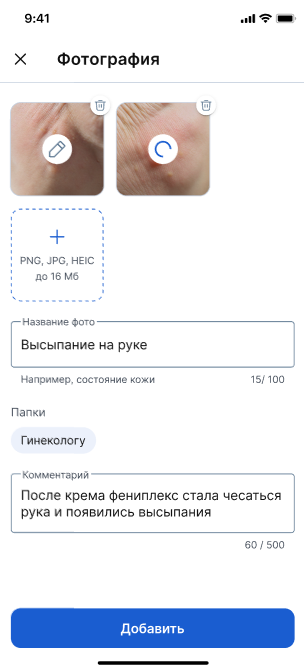
5. After downloading the selected files, specify their name, select the folder in the medical record where the files will be uploaded and provide a comment for the doctor.
Check the entered information and click the button«Добавить».
Important! Simultaneously with sending files to a chat with a doctor, these files will be automatically uploaded to your medical record.
=
6. After adding the file, it will be sent to the doctor's chat and will be displayed as a paperclip icon.
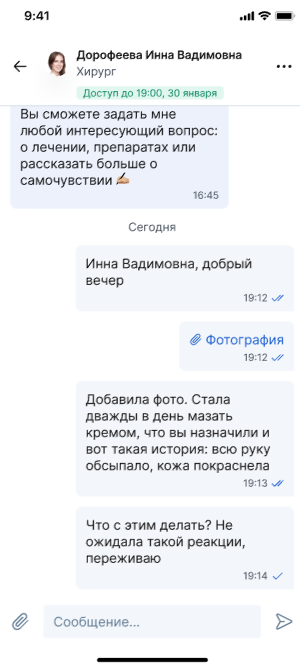
When you click on the file in the chat, you and the doctor will see the uploaded documents and photos.