


You can conduct an online consultation through the Medtochka Doctor application or through your personal account on the portal ProDoctorovfrom your computer.
Detailed Video Instructions on how to connect to an online consultation through a Doctor's point.
There are two online consultation formats available in Medtech: telemedicine and information.
The difference between them is that after the information, the doctor can only leave recommendations, and after the telemedicine, he must write a conclusion.
- Instructions for completing an online information consultation
- Instructions for completing a telemedicine consultation
How to conduct an online consultation through the Medtochka Doctor app 
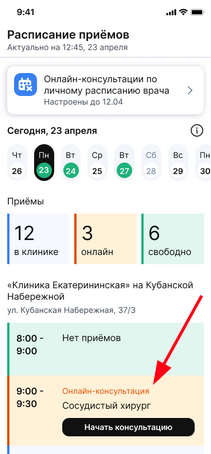
- Open the schedule in the Medtochka Doctor app.
- Select the appropriate consultation and click «Начать консультацию».
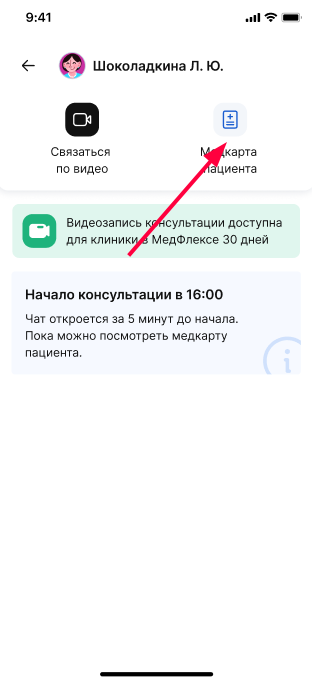
3. The chat page opens. You can write to the chat 5 minutes before the start of the online consultation. The patient's medical record will be immediately available to you.
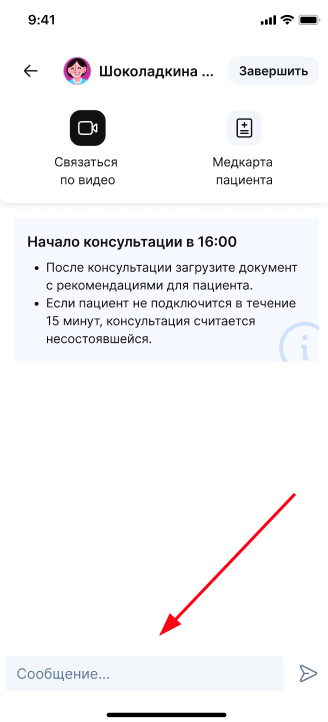
4. When the chat becomes available, you can write to the patient to confirm the consultation.
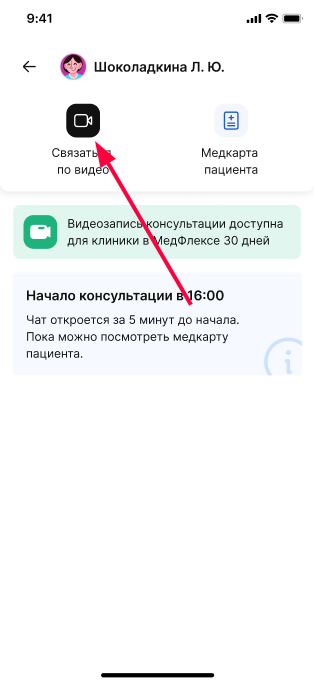
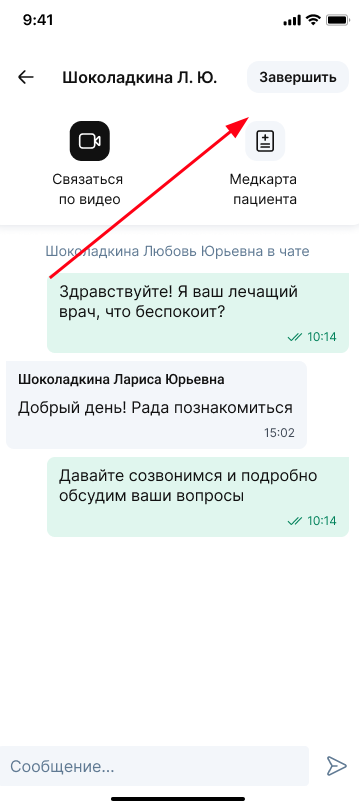
5. Click on the camera icon to start the call.
6. Allow access to your microphone and camera on the device.
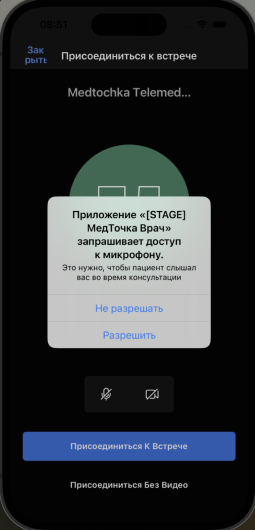
7. To end the consultation, click «Завершить».
Instructions for completing an online information consultation
After completing the information consultation, write recommendations for the patient and click «Добавить в медкарту». The document will be sent to the patient's medical center.
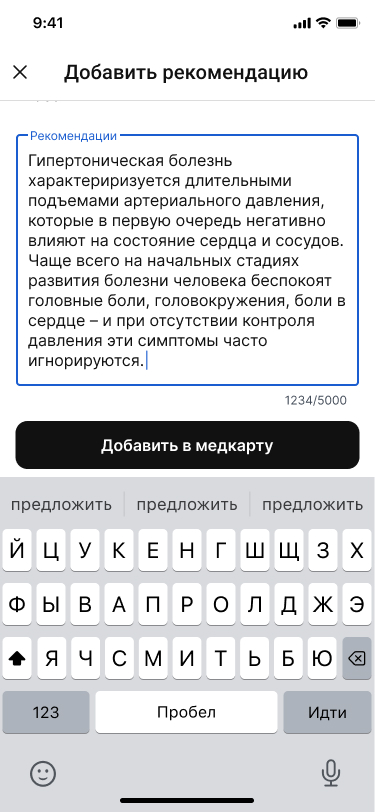
Important! According to the order of the Ministry of Health dated 04/11/2025 No. 193n, within the framework of an online information consultation, a doctor cannot diagnose, prescribe prescriptions and prescribe treatment. The doctor can only prepare recommendations based on the results of the consultation.
We recommend using the following formulations: «При данных симптомах обычно рекомендуют...», «В подобных случаях, как правило, диагностируют...»and the like.
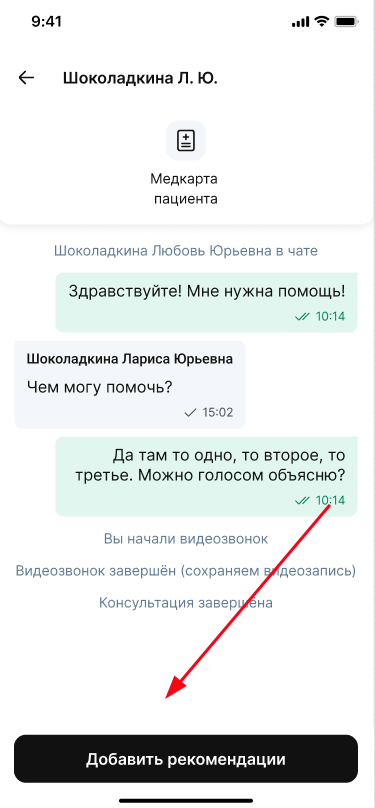
If you didn't write a recommendation immediately after the online consultation, you can do it later. For this:
- In the schedule, select the appropriate consultation and click «История консультации».
- The chat history with the patient opens.
- Click«Добавить рекомендации».
- Write recommendations and click «Отправить в медкарту».
Instructions for completing a telemedicine consultation
After completing the telemedicine consultation, you need to prepare a conclusion.
- You can add it immediately after completing the consultation by tapping «Добавить»on the screen that opens.
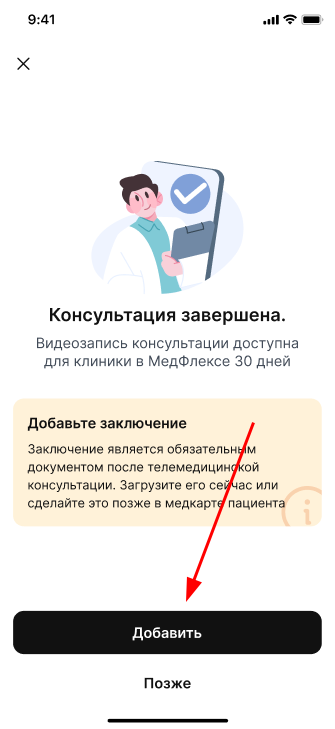
2. If the conclusion is not ready yet, select the button «Позже»or click on the cross in the upper-left corner. Later, you can download the conclusion from the schedule. For this:
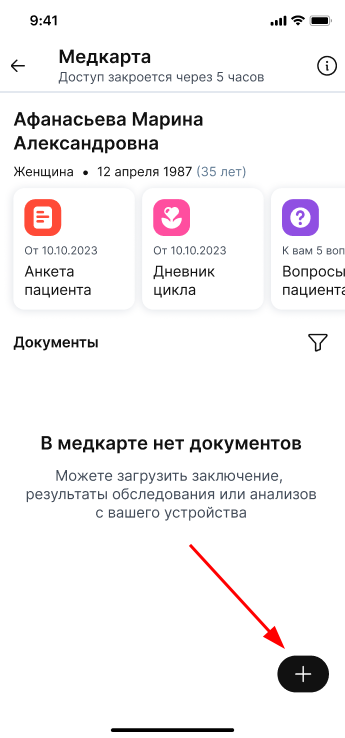
- In the schedule, select the appropriate consultation and click «Открыть медкарту».
- The patient's medical record will open.
- Click«+».
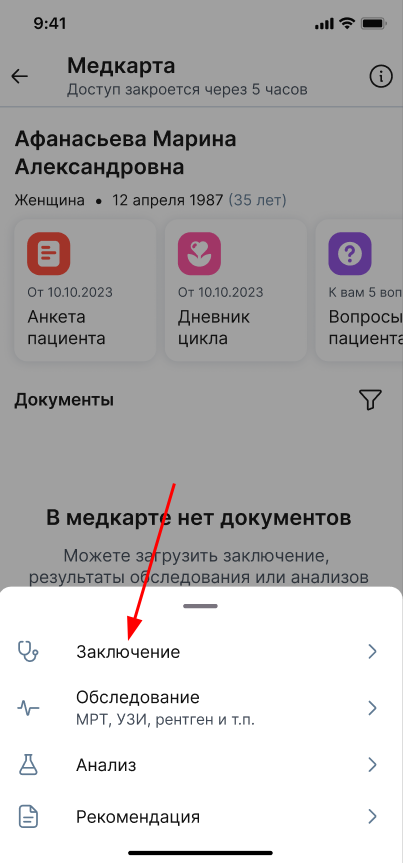
- Select it from the list «Заключение».
- Select a specialty from the list and upload the report.
Important! The size of a single file should not exceed 16 MB. In total, you can upload no more than 9 files.
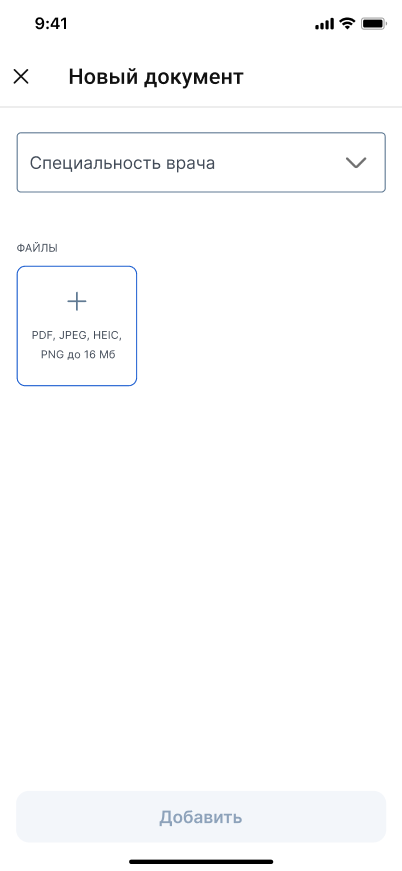
- After you have uploaded the conclusion, click «Добавить». The document will be displayed in the patient's medical record.