


The download link from the email is not working
I can't find or download the Honey card in the app store
How to set the region for:
iOS
App Store
Android
Google Play
If the app does not open when transferring via AirDrop
The download link from the email is not working 
Reason: the link is outdated.
What to do: Find the Honey card in the app store.
I can't find or download the Honey card in the app store
Reason #1: VPN is enabled.
- What to do: Disable the VPN and try again.
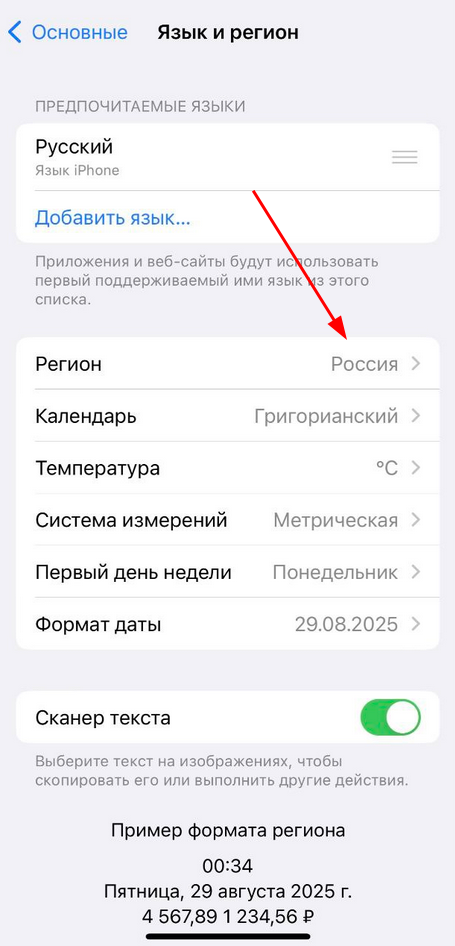
Reason #2: A region other than Russia is specified in the settings of your smartphone or the app store profile.
- What to do: set the region«Россия».
How to set the region
Important! Changing the region may reset your subscription or payment settings.
For iOS
- Open«Настройки».
- Choose«Основные».
- Next, select «Язык и регион».
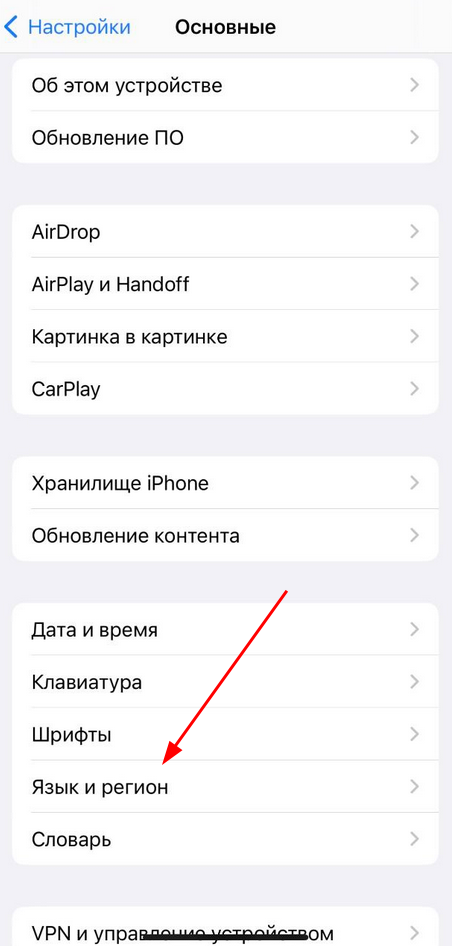
4. Set the region«Россия».
For the AppStore
Important! In the AppStore, the region can only be changed once a year.
1. Open «Настройки»it.
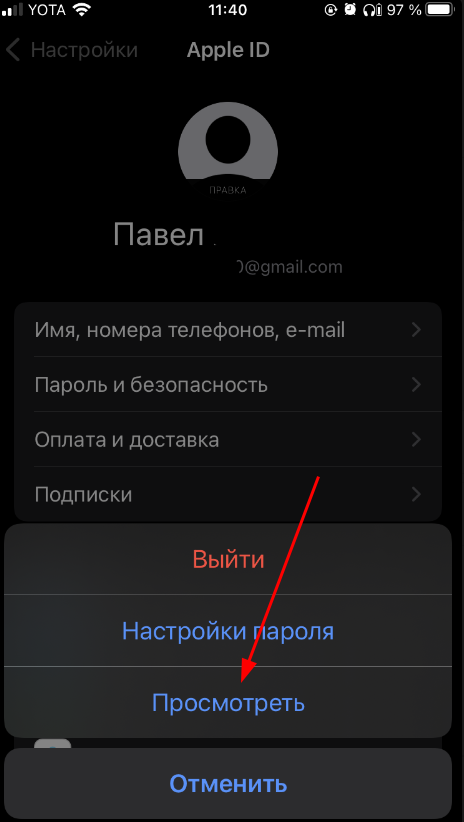
2. Log in «Apple ID»to .
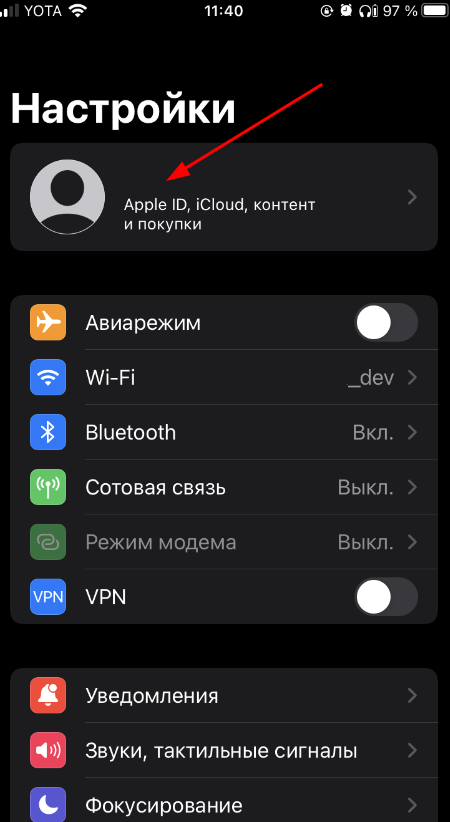
3. Go to the section«Контент и покупки».
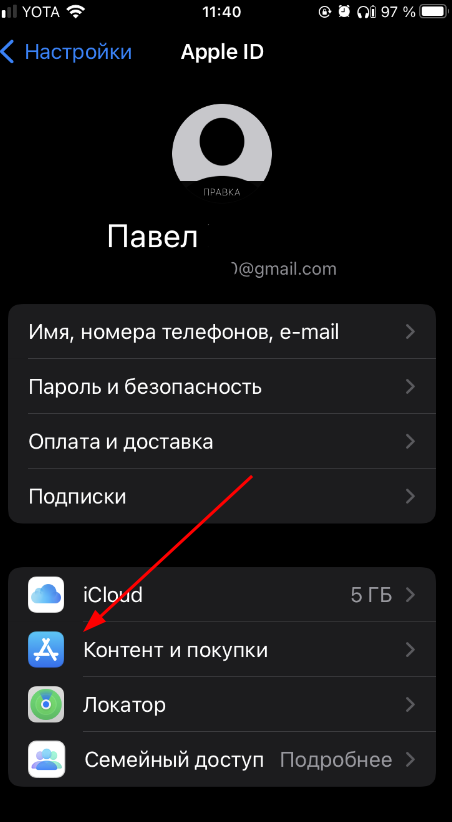
4. Click «Просмотреть».
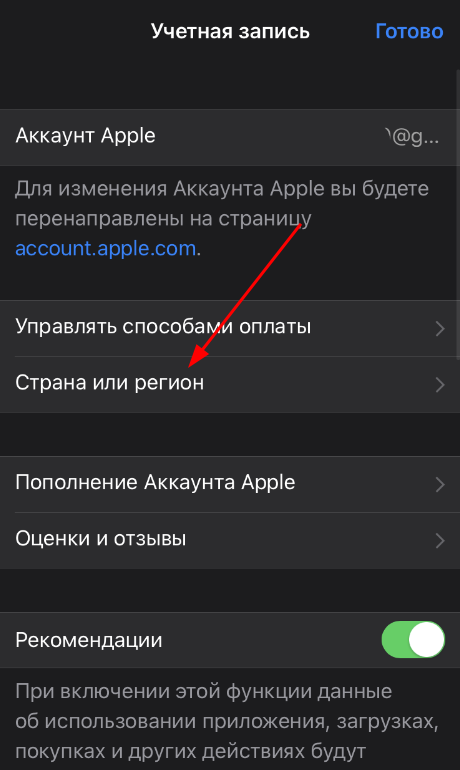
5. Select «Страна или регион».
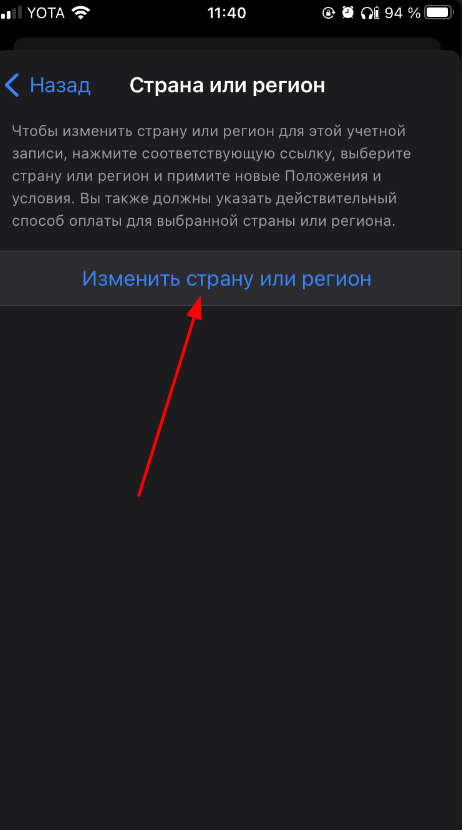
6. Set the region«Россия».
For Android
Important! On Android, you don't need to change the region, but download the app through alternative stores. For example, RuStore.
1. Open «Настройки»it.
2. Go to «Система и обновление».
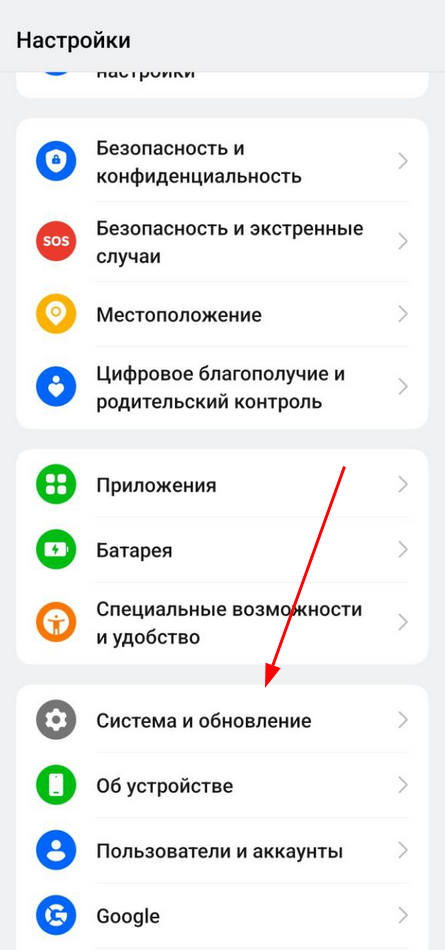
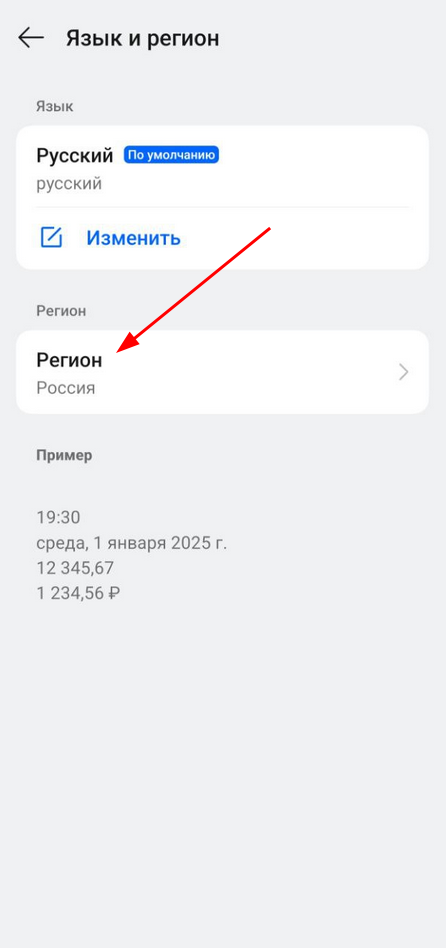
3. Select «Язык и регион».
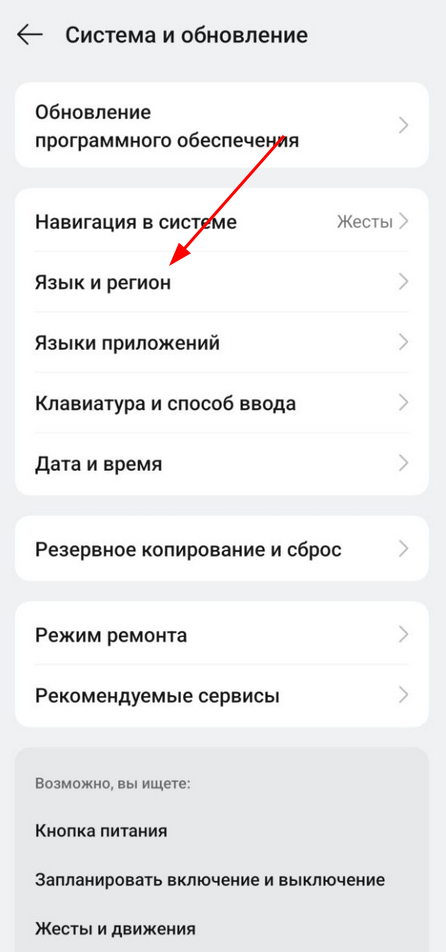
4. Set the region«Россия».
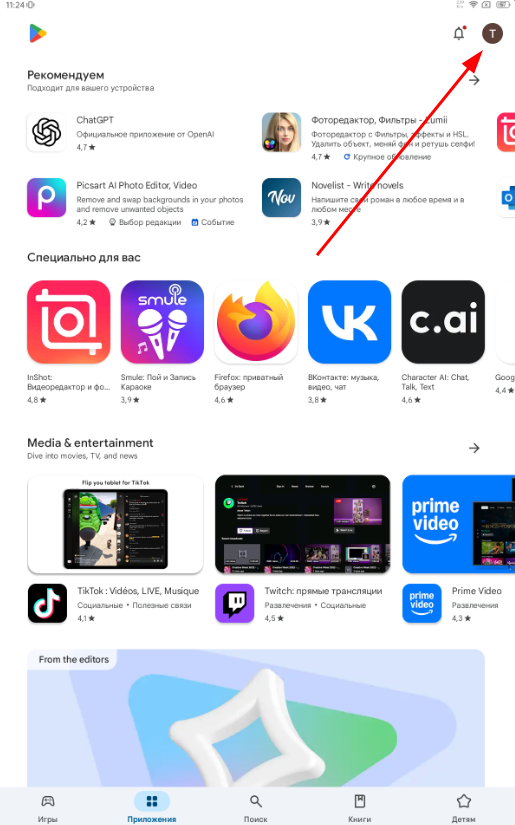
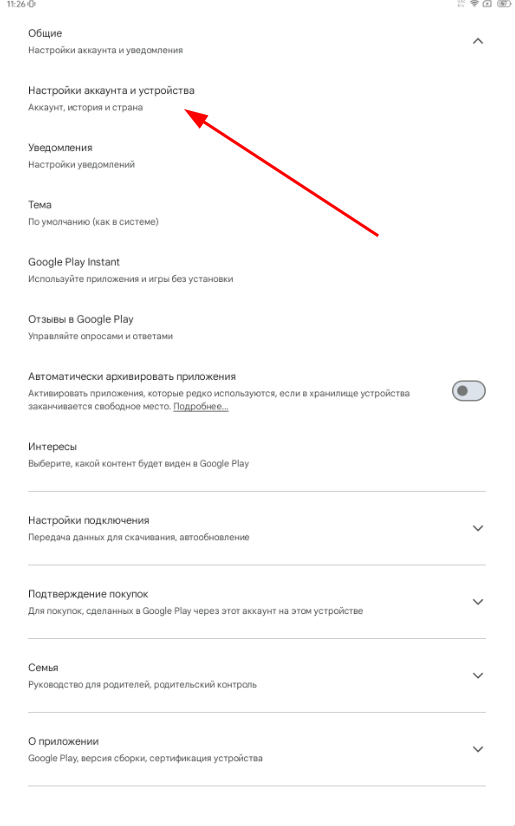
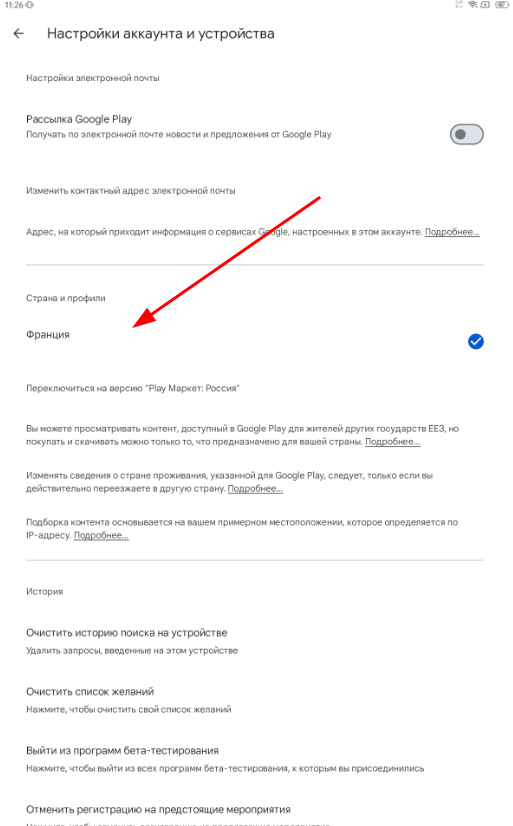
For Google Play
1. Log in to your profile.
2. Select «Настройки».
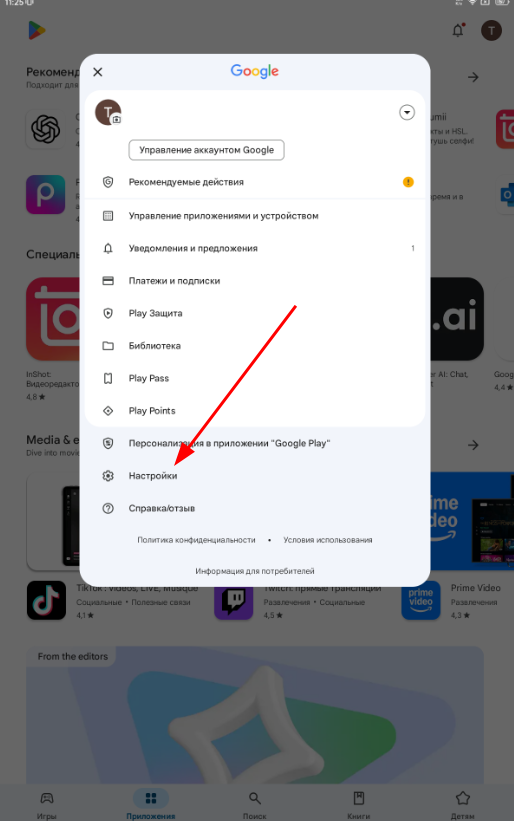
3. Select «Общие»and press «Настройки аккаунта и устройства».
4. In «Страна и профили»the install section«Россия».
If the app does not open when transferring via AirDrop
- Delete the app from your device.
- Install it again.