


Online consultations according to the clinic schedule
Online consultations according to the doctor's schedule
How to set up an online consultation schedule
Single price for online consultations: schedule from the clinic and personal schedule of the doctor
How to conduct online consultations
There are two types of online consultations: according to the clinic's schedule and according to the doctor's personal schedule.
Important! If you do not have a valid medical license, the patient will not be able to pay for an online consultation through the app. This is a temporary technical issue that will be fixed soon.
Online consultations according to the clinic schedule 
To conduct online consultations according to the clinic's schedule, the clinic representative must make settings in the personal account of Medflex. For more information, see the article Online consultations: clinic schedule.
The patient can cancel or reschedule an appointment for an online consultation created according to the clinic's schedule. For more information, see the article Cancellation and postponement of an online consultation.
Online consultations according to the doctor's schedule
In order for this type of consultation to be available, your clinic must enable the appropriate integration in the medical Complex and give you access to schedule settings. The connection is free of charge.
The patient can only cancel an appointment for an online consultation created according to the clinic's schedule.
For integrations «Онлайн-консультации: расписание клиники»and «Онлайн-консультации: личное расписание врача»a general agreement.
How to set up an online consultation schedule
You can set up a schedule through the Medtochka Doctor app or from your computer through the Medtochka Doctor personal account.
Where to download the Medtochka Doctor app: RuStore, GooglePlay, AppStore.
When setting up a schedule according to the doctor's personal schedule, the time of the clinic where you work is taken into account.
- In the application, on the schedules page, click on the section to configure the schedule«Онлайн-консультации: личное расписание».
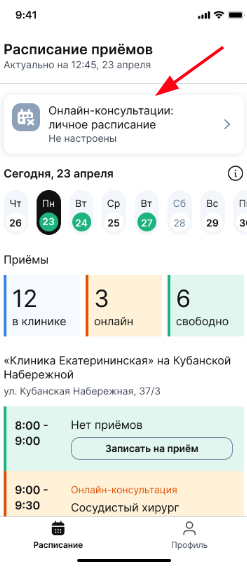
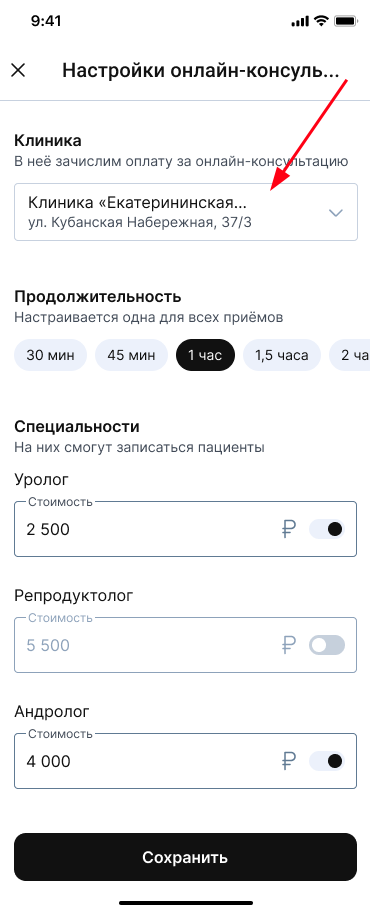
- On the settings page, select the clinic or branch from which you will conduct online appointments.
You can set up a schedule for only one clinic where you work. Payment for online consultations will be credited to the billing account of this clinic.
- Choose the duration of admission: the time will be the same for all admissions and specialties.
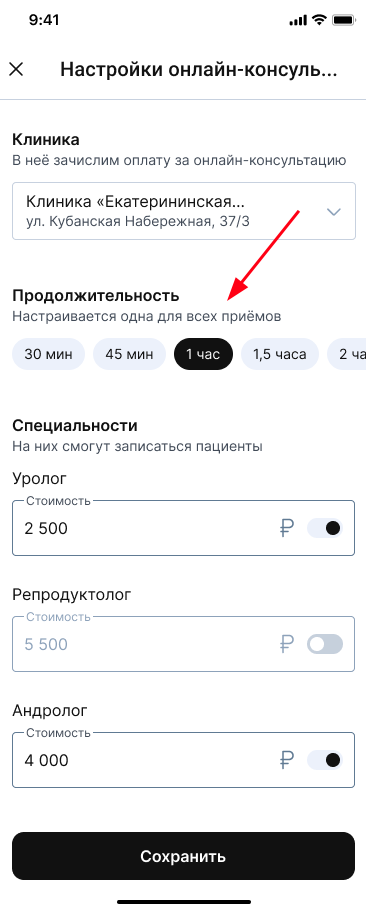
Important! You can set up a schedule without restrictions, but if the schedule from the IIA clinic intersects with the schedule in the Doctor's office, the schedule from the IIA will be downloaded as a priority.
- Click the button«Сохранить».
- Select the days in the schedule when you are ready to provide online consultations, and click «Настроить». You can select it starting from the current day.
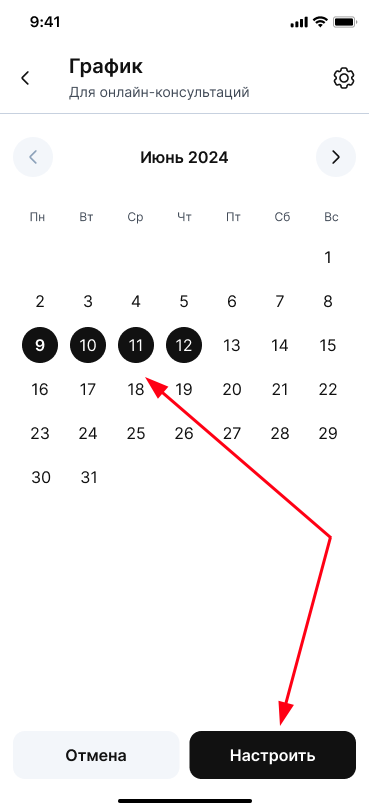
Important! In the calendar, only the next 30 days are available for customization.
- Specify the time period in which you are ready to conduct online consultations, and click «Сохранить».
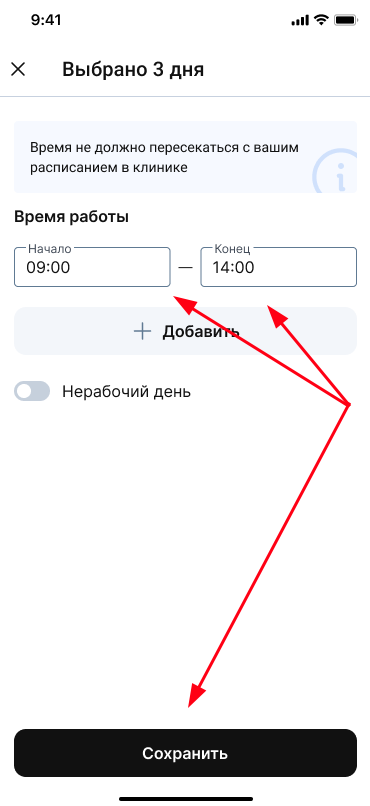
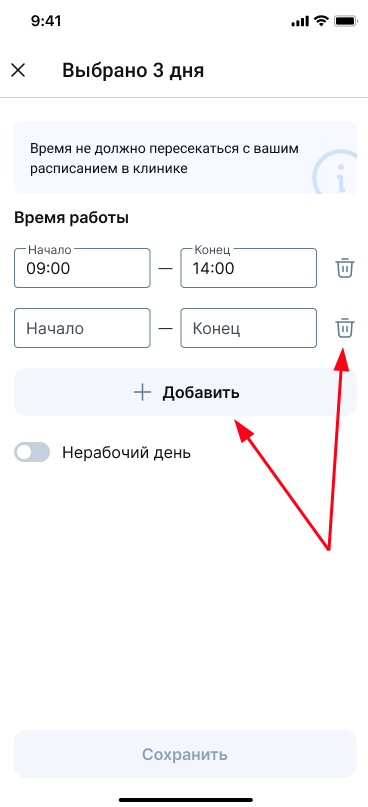
You can specify several time intervals.
To do this, click the button«Добавить», and you will see an additional line to indicate the time.
If you need to delete a time period, click on the trash icon to the right of the line.
The configured days will be shown in blue on the chart.

You can edit the opening hours for each specific day. To do this, select it in the schedule and set the time.
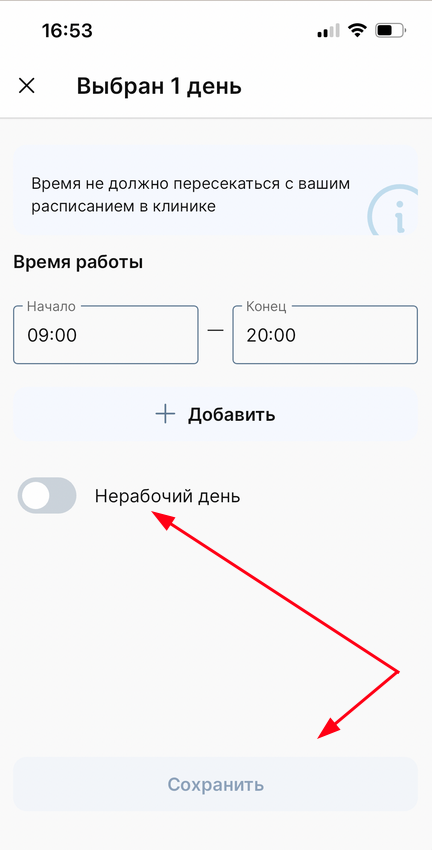
You can also quickly make a day off. To do this, turn «Нерабочий день»it on and click «Сохранить». The day will no longer be displayed for patients as possible for recording.
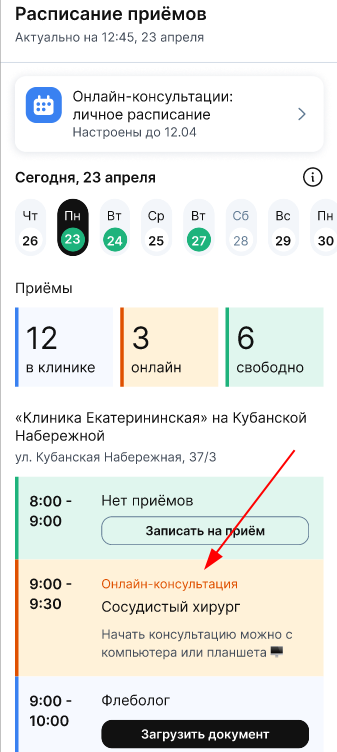
All patient records for online consultations in your schedule in the Doctor's Office will be highlighted in orange.
Important! If it is necessary for the portal ProDoctorovto display only free slots according to a personal schedule for online consultations, it is necessary to disable the transmission of schedules for a specific doctor in the clinic's medical information system. However, online recording will not be available for all Medflex partners (for example, the online recording widget).
Single price for online consultations: schedule from the clinic and personal schedule of the doctor
- If you have both your personal schedule set up at the Doctor's Office and the schedule at the clinic:
The price is taken from the schedule of online consultations at the clinic.
If there was a different price in your personal schedule earlier, it will be automatically replaced with the clinic's price. - If you only have a personal schedule:
Nothing changes — you set the cost yourself.
The online consultation price can be adjusted manually. - If the schedule in the clinic was created after you set up a personal schedule in the Doctor's Office:
If you set your own price for an online consultation in your personal schedule, and then set up a schedule in the clinic's medical information system, the price will automatically change to the price from the clinic - it cannot be changed.
How to conduct online consultations
Before the consultation, you will have access to the patient's medical record, and during it, a chat for correspondence with the patient and a video call.
You can conduct online consultations.: