


Authorization using a phone number that was not specified in the clinic during the appointment
Test results from the clinic
If the documents are not displayed in the medical card after email confirmation and login
If you do not see the document that the doctor/clinic uploaded in your medical record, check the profile (phone number) from which you logged into the Medtochka application.
It is possible that when you visited the clinic, you provided a different phone number from the number you are currently logged in to the medical center.
To check this, go to «Профиль», click on the avatar at the top of the page or the corresponding icon in the menu at the bottom.
If your full name is not specified in the medical card, the phone number will be visible immediately at the top of the page.
Authorization using a phone number that was not specified in the clinic during the appointment 
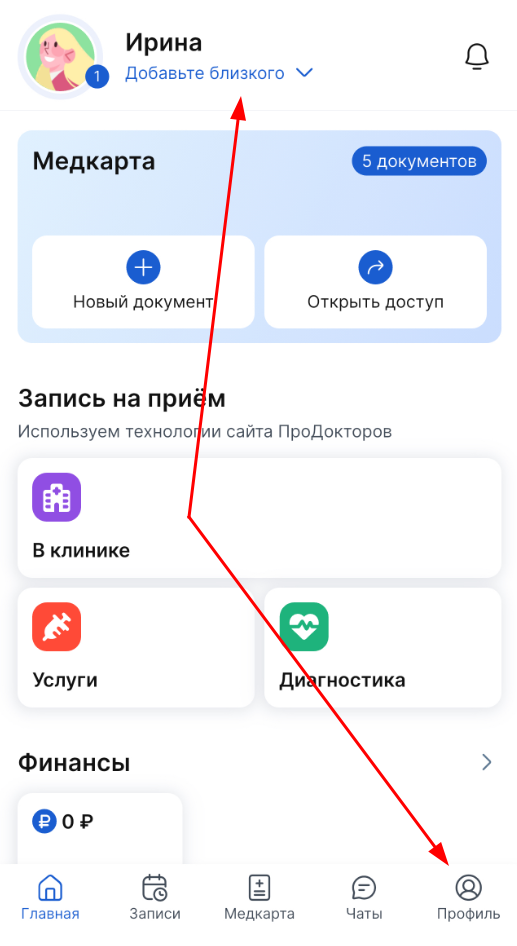
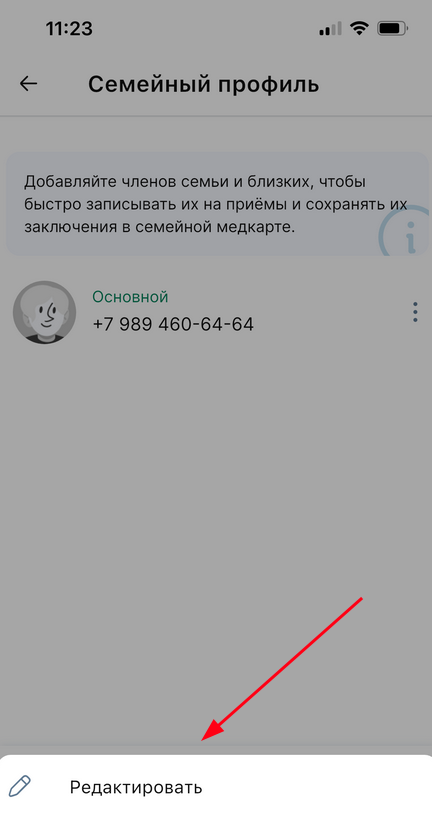
If your full name is specified in your profile, click on the avatar. The screen opens «Семейный профиль».
Click on the profile picture again and select «Редактировать».
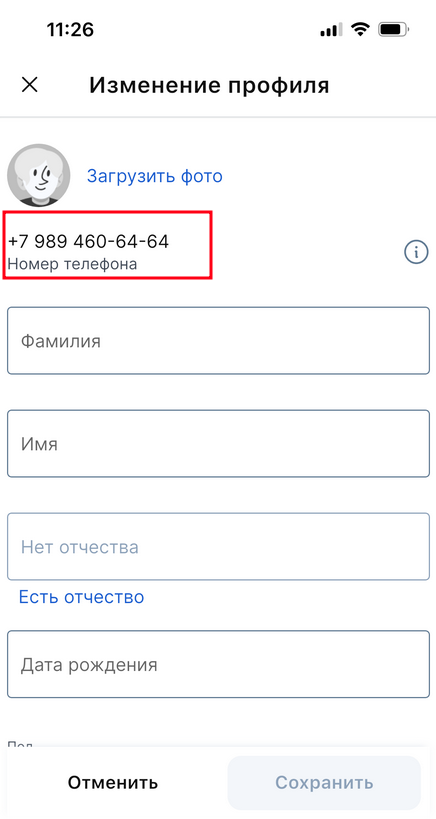
The profile data page opens.
The phone number is displayed at the top of the page.
Test results from the clinic
All the test results will be displayed in a medical point in the document. Research results
.
To check what updates the clinic has sent you, you need to go to the section«Медкарта». There will be a document marked in the document list«Анализы»«Новое».

Go to the analysis document, it will contain the new results sent by the clinic.
If the documents are not displayed in the medical card after email confirmation and login
If the clinic has sent the documents to the medical card, but they are not displayed after email confirmation and login, the following reasons are possible:
- The email has not been confirmed within 90 days of sending the document. After admission, some clinics send documents directly to your medical record and you need to confirm your email address within 89 days to receive them.
- The phone number you provided at the clinic is linked to another person in your family profile.
What to do:
Please specify how long ago the documents were sent.
- If more than 90 days have passed, the documents have been deleted automatically.
- If the documents were sent recently, check if you have a family profile. For example, if a relative registered another person to his number, and this person indicated and confirmed his own phone number at the clinic, a separate personal account could be created for him. The documents then got exactly there. In this case, you need to:
- Log in from the phone number that was specified in the clinic.
- Confirm the email.
- Check the medical card in your personal account.