


There are two ways to opt out of an email newsletter 
Method 1
- Open the section «Профиль» in the Honey Card application.
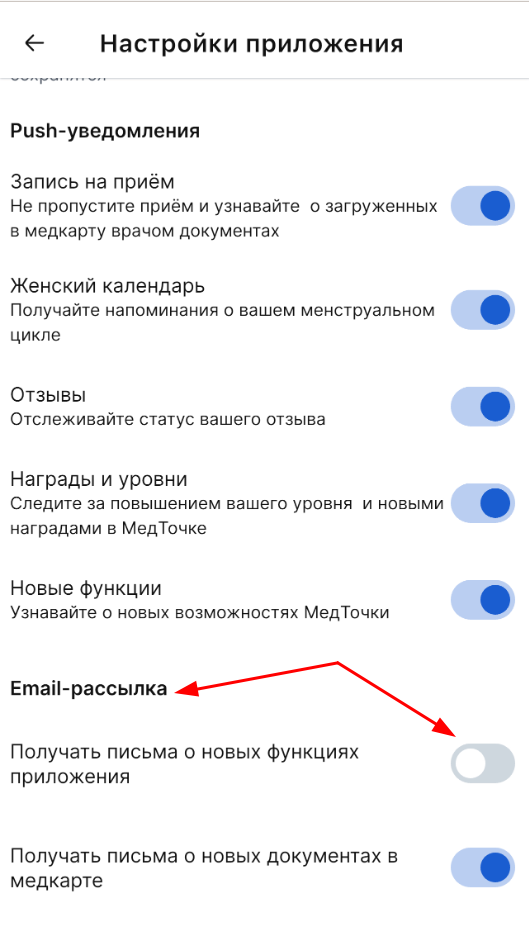
- Select a section «Настройки приложения».
- Scroll down the page to the Email Newsletter section.
- Turn off the slider next to the desired mailing type.
Method 2
- Open the email in the mail.
- Click «Отписаться от рассылки» under the mailing list text.
