


In the patient's medical record, you can view the questions that he has prepared specifically for the appointment.
To do this, the patient must give you access to their medical records.
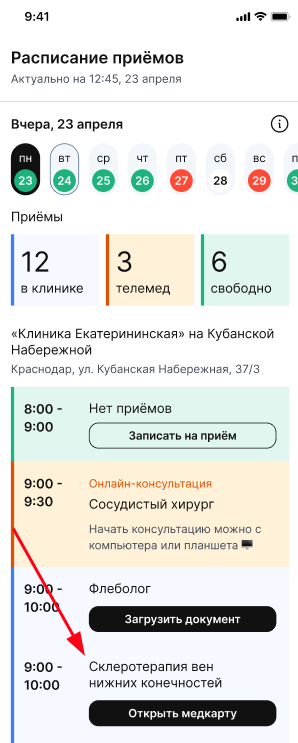
1. In the schedule for the desired appointment, click «Открыть медкарту».
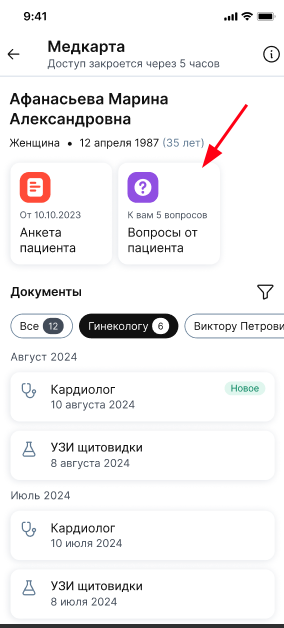
2. Click on the block «Вопросы от пациента». It is available automatically along with the questionnaire if the patient has given you access to the medical card.
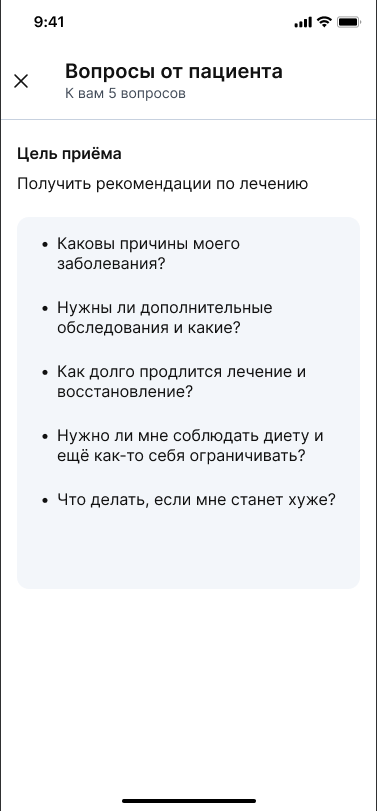
3. The patient's list of questions opens.
When forming questions, the patient indicates the purpose of the visit and related questions: a maximum of 20.
The block «Вопросы от пациента» will not be displayed in the medical card if the patient did not fill them out before the appointment.