


The doctor's automatic access to the medical record
How to set up access to specific folders or disable access altogether
By QR code
By the link
The results of examinations, analyses, and expert opinions are uploaded to the section«Медкарта».
You can give the doctor access to individual folders or the entire medical record in several ways.
The doctor's automatic access to the medical record 
Auto-check is possible in one of two cases:
1. If a doctor is registered on ProDoctorov and actively works with the electronic medical record of patients, he will automatically have access to your card. Access is valid for 12 hours from the moment the medical card is opened.
2. If you have made an appointment with a doctor for an online consultation. Access is valid for 24 hours from the moment the medical card is opened.
How to set up access to specific folders or disable access altogether
1. Log in to the medical center via a computer or an application.
2. On the main screen, select «Ближайшие записи» and tap on the desired one.

A page with detailed information about the recording opens.
3. Turn off the function «Открыть медкарту для врача».

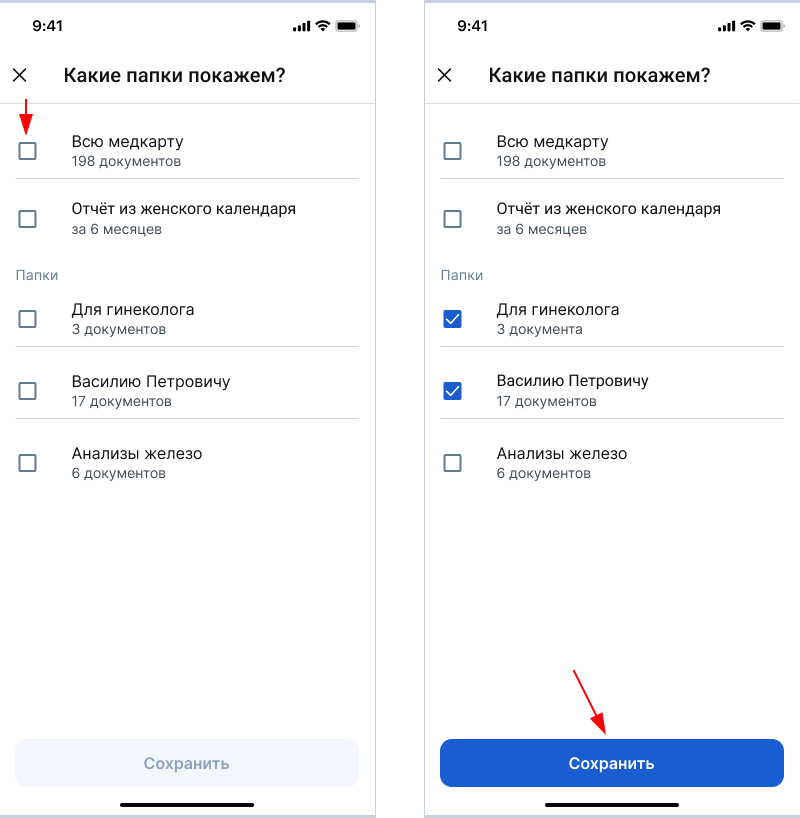
4. To limit the list of folders in the medical record that the doctor will have access to, click «Настроить доступ».

5. Select the folders that the doctor can see, and click «Сохранить».
By QR code
The method is only available at the reception. The doctor must have access to the Internet.
1. Log in to the Medtochka app.
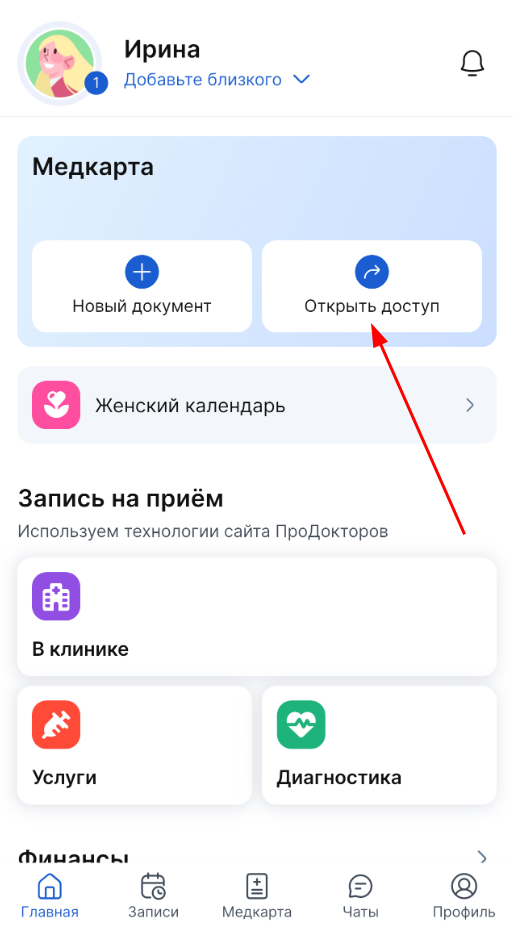
2. On the main screen, in the block «Медкарта», select «Открыть доступ».
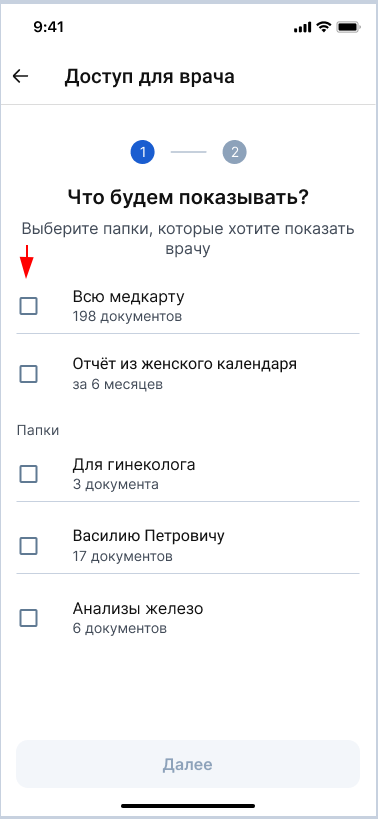
3. Mark all the folders with the documents that you want to show the doctor.
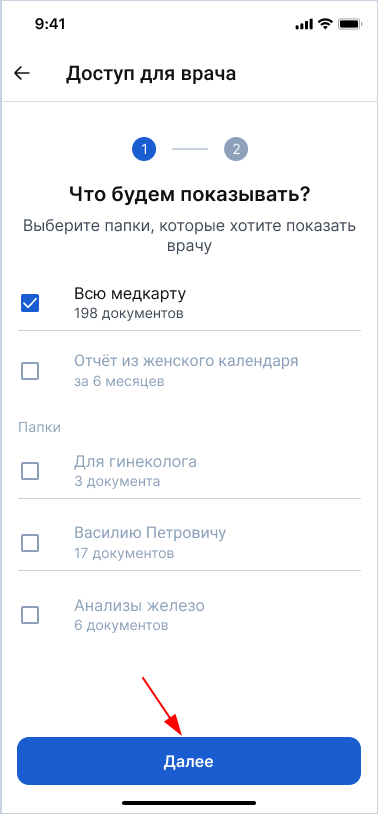
4. Click «Далее».
5. Select «Отсканировать QR-код».
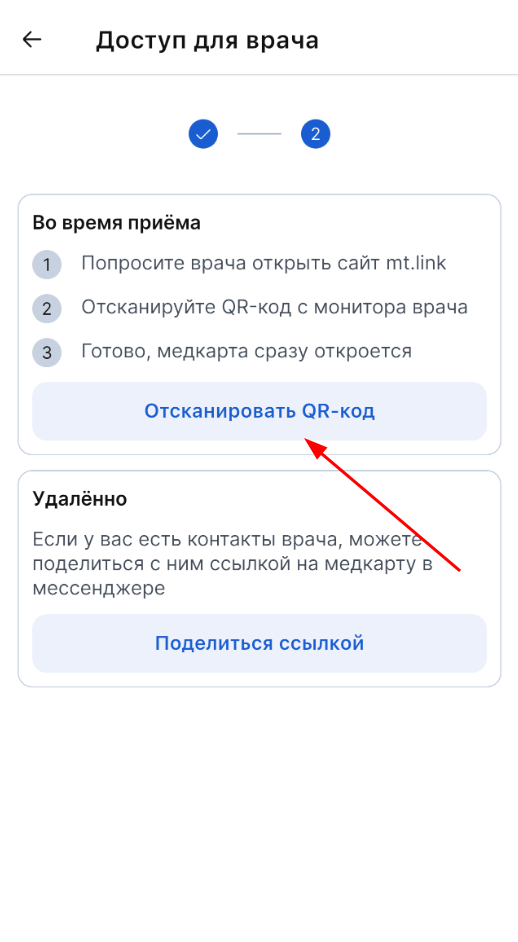
6. Ask the doctor to open the mt.link website.
7. Scan the QR code from the doctor's monitor.
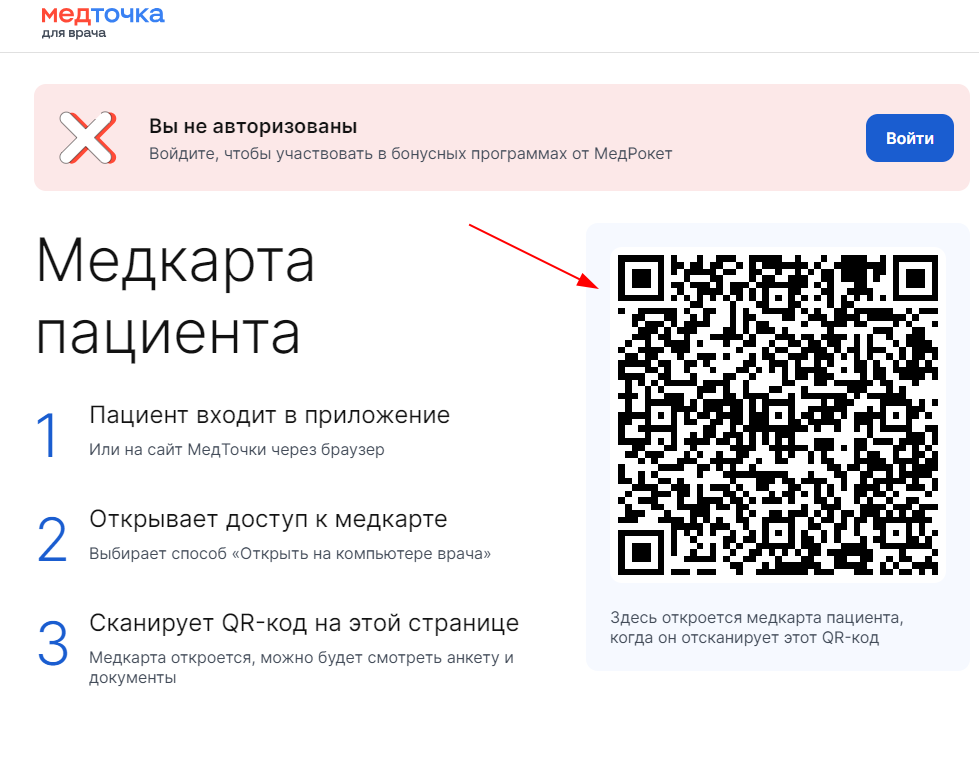
The doctor will have access to the medical record on his computer.
By the link
The method is available before and during the appointment. You must have some kind of doctor's contact: messenger, social network or email.
1. Log in to the Medtochka app.
2. On the main screen, in the block «Медкарта», select «Открыть доступ».
3. Select all the folders in which you want to show the doctor the documents.
4. Click «Далее».
5. Select «Поделиться ссылкой».
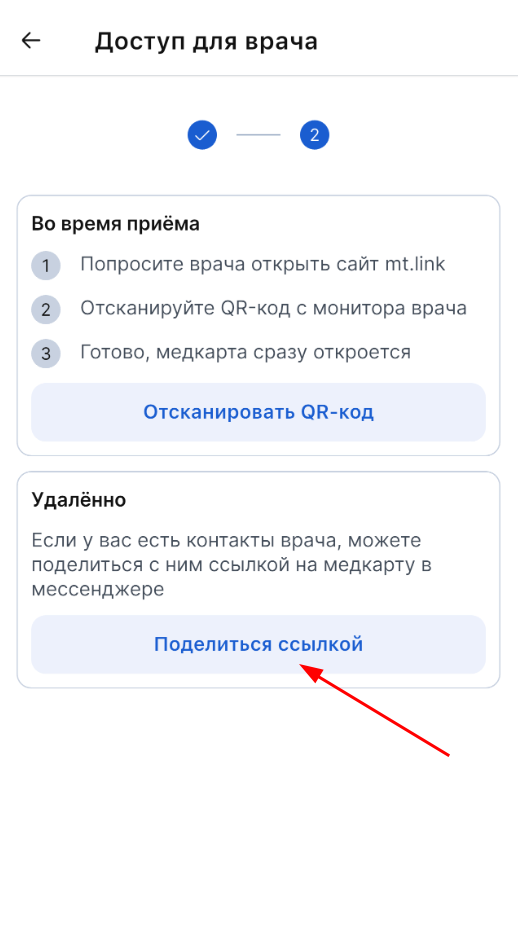
6. Choose where to send the link for: messenger, social network or email.
The doctor will get access to the medical record when he clicks on your link.