


You can manage access to your medical record based on your doctor's appointments.
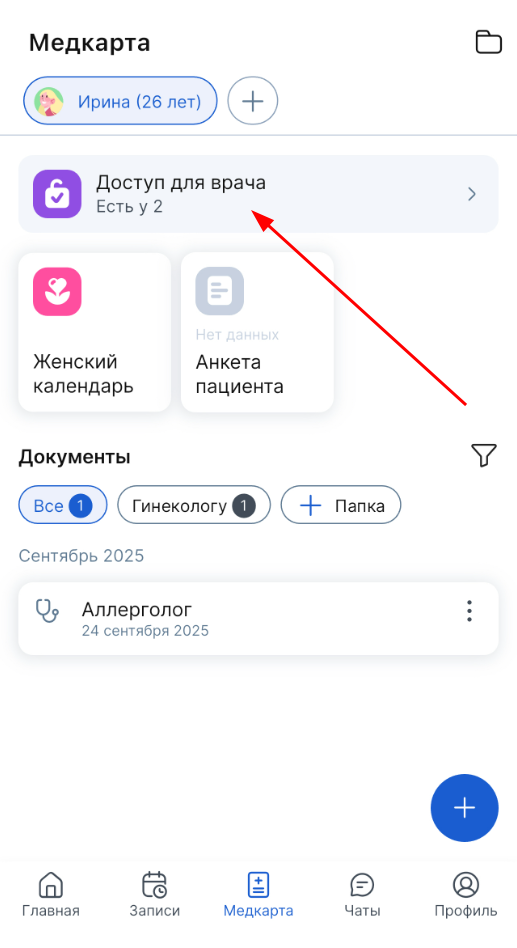
1. Open the section «Медкарта».
2. Click on the block «Доступ для врача». It shows the number of records for which doctors have active access to your medical record.
3. A list of doctor's appointments opens for which access to the medical record is granted.
Each entry has the date and time of access to the medical card.
4. Click «Закрыть» next to the desired entry.
Important! You cannot disable access to the medical card for online consultations. Since viewing and studying the medical record by a doctor during such a consultation is a very important step in the communication between the doctor and the patient.

Important! The doctor has 12 hours to review your medical records from the moment you open the documents you have given access to. Except for the online consultation, where the medical card is available 24 hours from the moment of opening.
Automatic access is possible in two cases:
1. If a doctor is registered with ProDoctorov, and actively works with, the electronic medical record of patients, he will automatically have access to your medical record.
2. If you have made an appointment with a doctor for an online consultation.