


Disabling it on the home screen
Disabling in profile settings
Disabling it on the home screen 
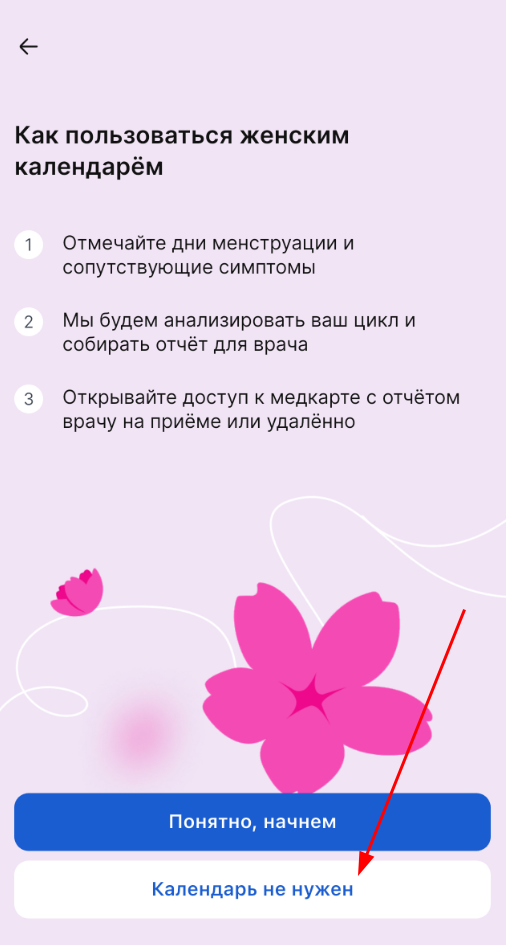
If you haven't set up a calendar before, click on the section «Женский календарь» on the main page. A selection screen will open.
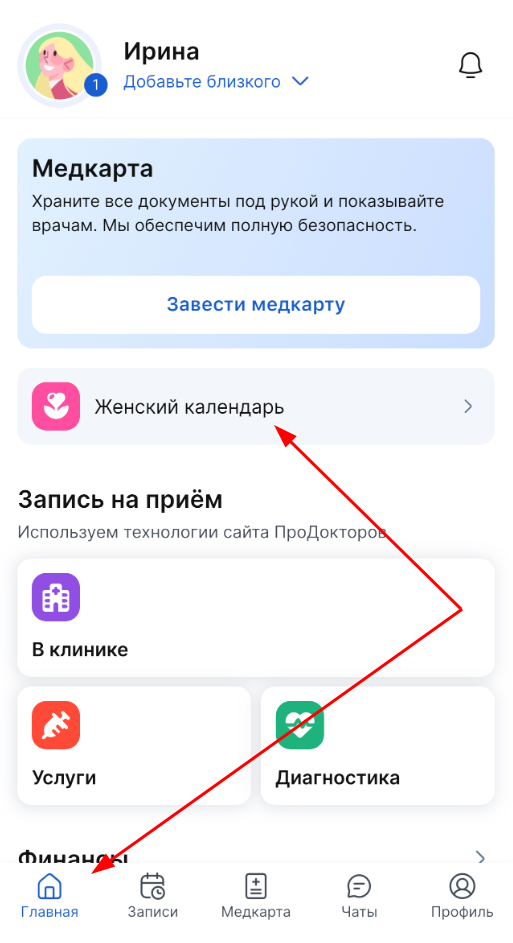
Click «Календарь не нужен» it and it will be hidden on the main page.
Disabling in profile settings
If you have already set up a calendar, you have entered cycle and monthly data.:
- Log in to your profile.
- Choose «Настройки».
- Turn off the slider opposite «Отображать женского календаря».
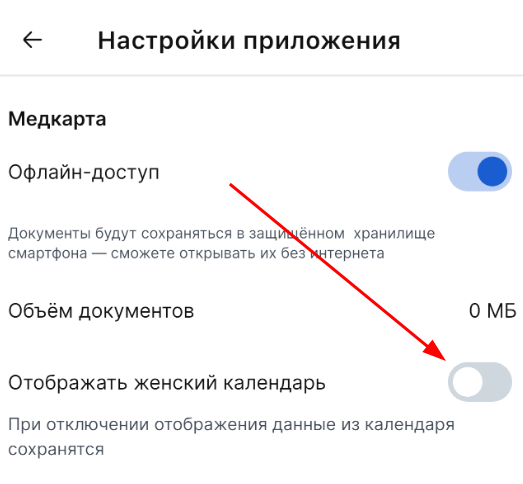
All previously entered data will be saved. They will be displayed if you decide to resume using the calendar.
If you disable the Women's calendar push notification slider, notifications will be disabled.