

How to change a profile's phone number
How to change your profile email
If the email confirmation code for creating a medical card is not received
If the recording was made to my phone number, and the full name was substituted from the additional profile
How to change the profile's phone number 
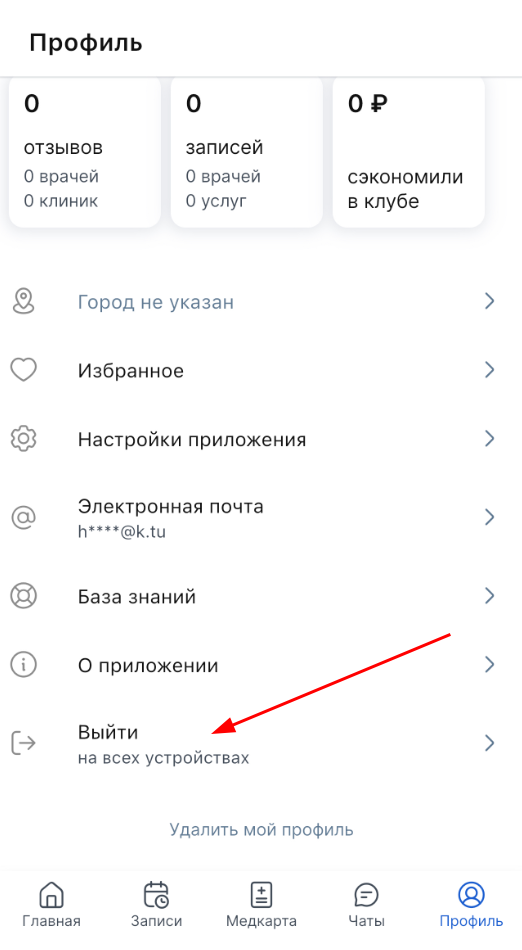
You can't change your phone number now. You can log out of the app and log in using your desired phone number.
Important! The data in the medical card is linked to a phone number, so when logging in from a new number, a new account with a new medical card will be created.
How to change your profile email
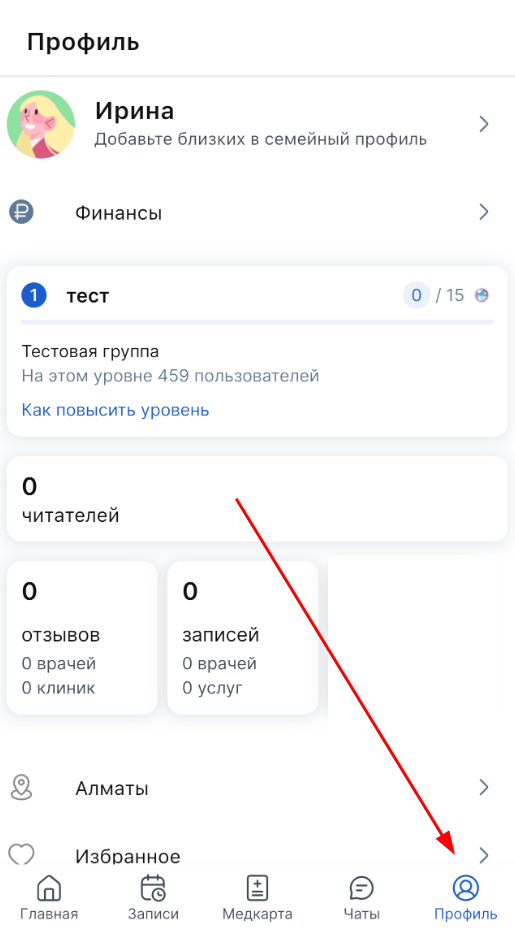
1. Log in «Профиль» to .
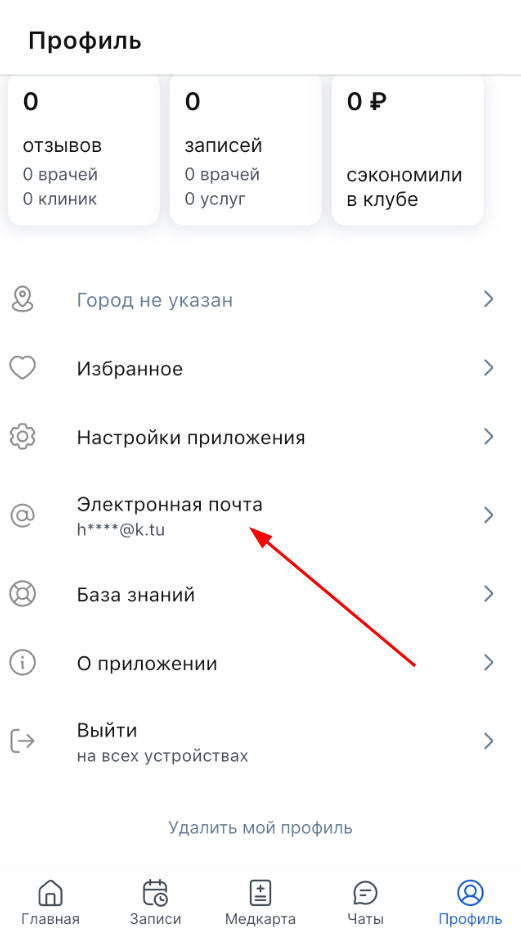
2. Scroll down and open the section «Электронная почта».
Choose the appropriate option:
- The first option is if you have access to the old mail:
1. Press the blue button «Изменить».
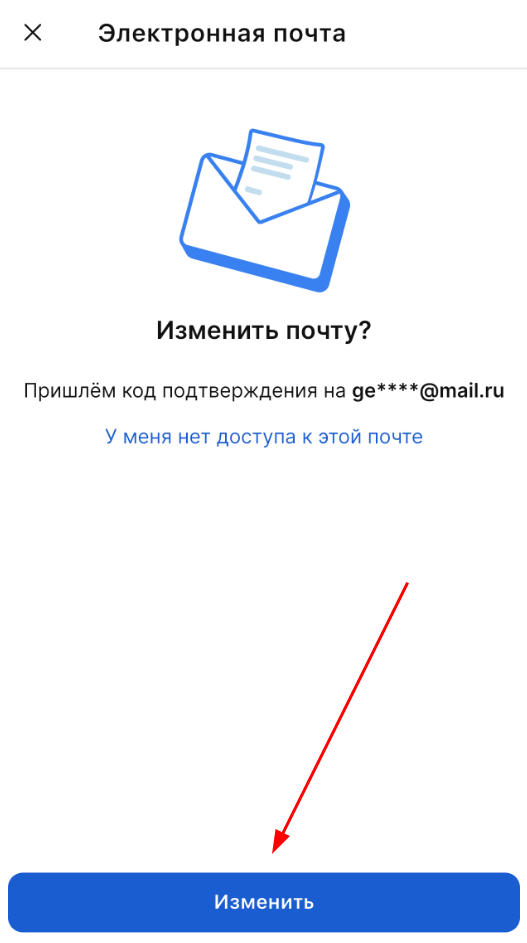
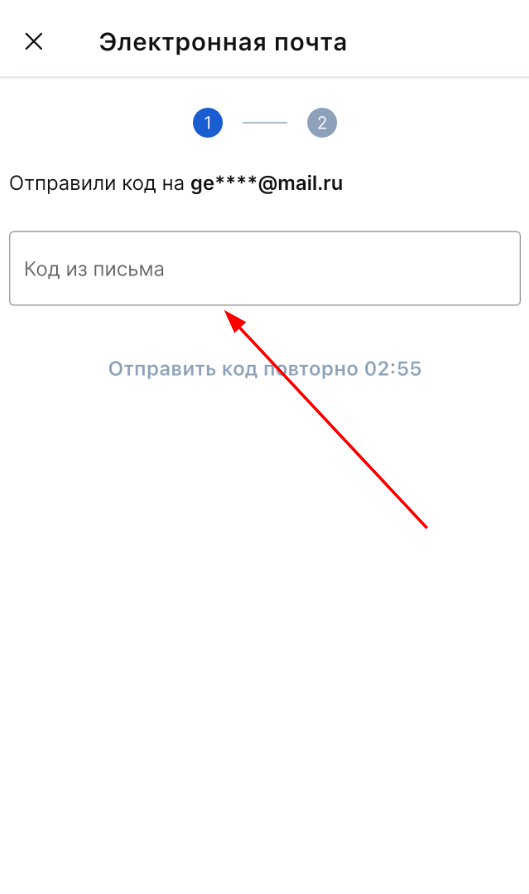
2. Enter the access code that will be sent to your email.
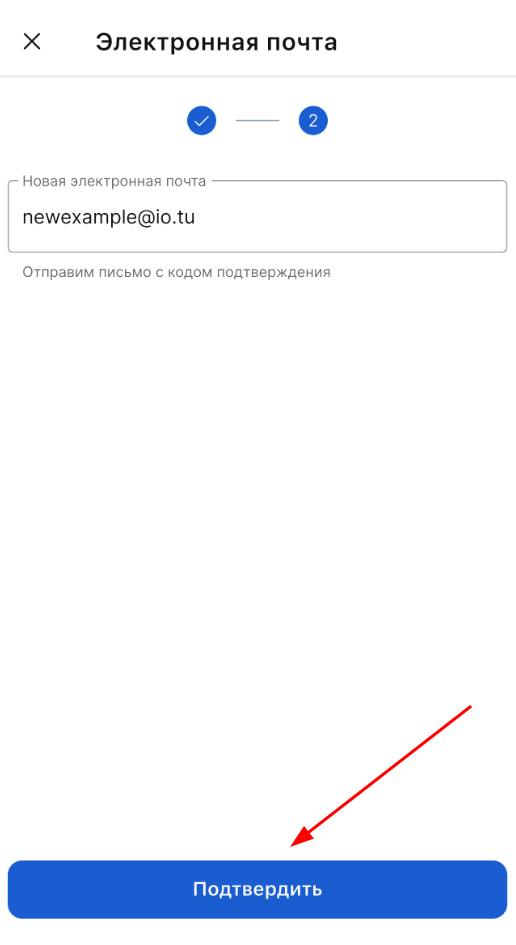
3. Enter a new email address and click «Подтвердить».
- The second option is if you don't have access to your old email.
1. Click «У меня нет доступа к этой почте».
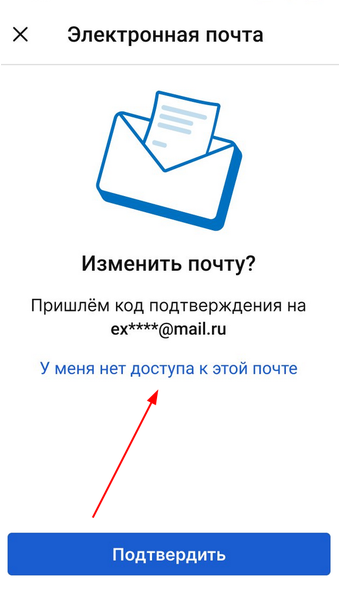
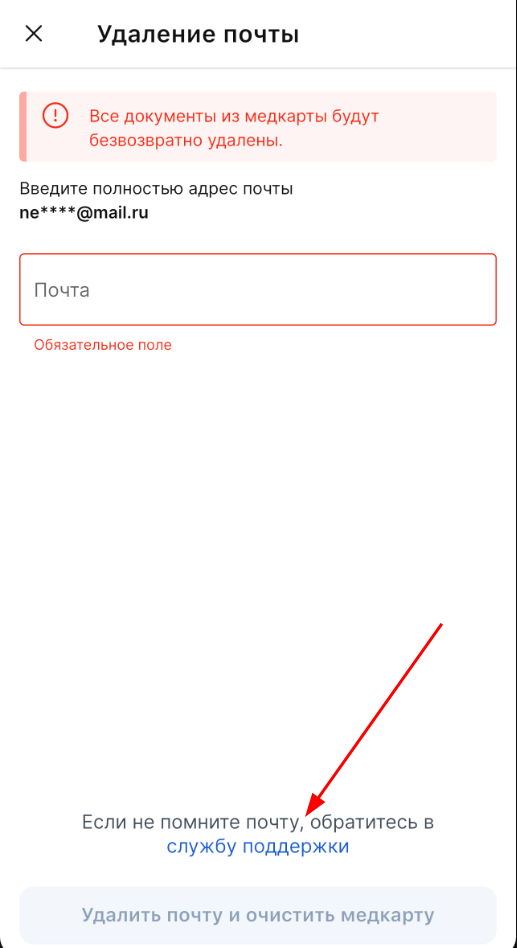
2. Enter your email address and click «Удалить почту и очистить медкарту»
Important! If the mail is replaced, all documents from the medical record will be permanently deleted.
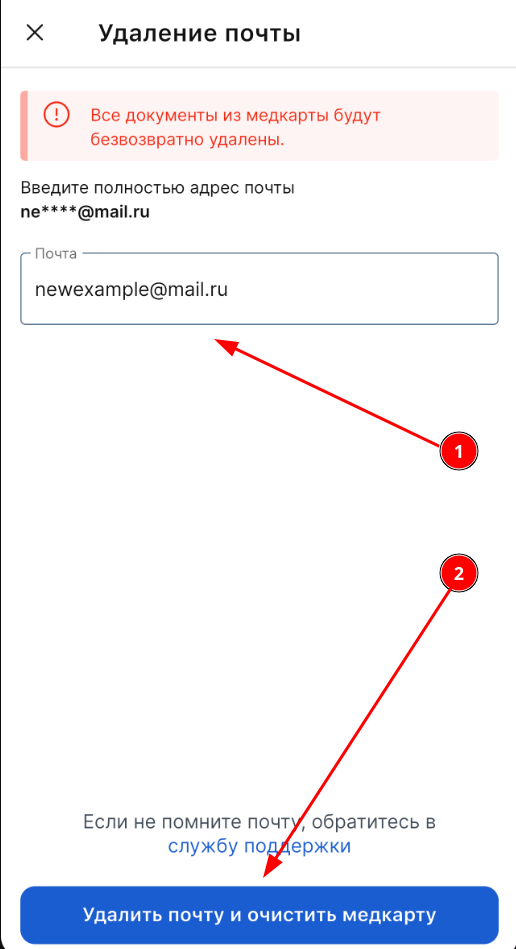
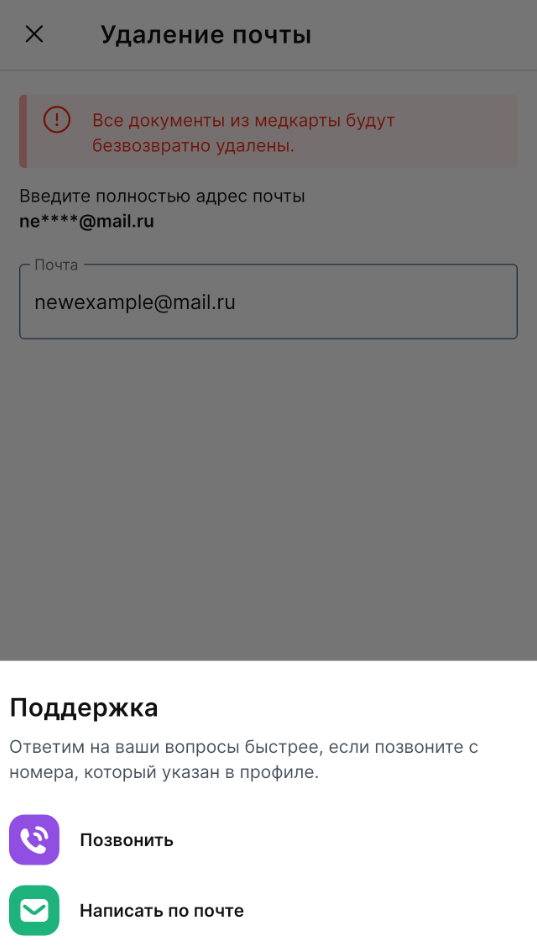
If you don't remember the email address, please contact customer support. help@medrocket.me
Important! In this case, the email address will be reset and all documents from the medical record will be permanently deleted.
If the email confirmation code for creating a medical card is not received
Check the following:
- Make sure that the VPN is disabled.
- Check the quality of your Internet connection.
- Open your mail and check the folders «Спам», «Реклама», «Рассылки».
- Try searching by email subject: «Код доступа».
- Make sure that you have not exceeded the attempt limit (you can request the code 3 times a day). If the limit has disappeared, contact Support.
- Check if the mailbox memory is full.
- Make sure that our address is not added to the blocked list.
- Verify the email address you provided. There may have been a mistake.
If the code still doesn't arrive, contact customer support. help@medrocket.me
If the recording was made to my phone number, and the full name was substituted from the additional profile
Possible reason: an additional patient is listed as the primary patient in the family profile.
What to do:
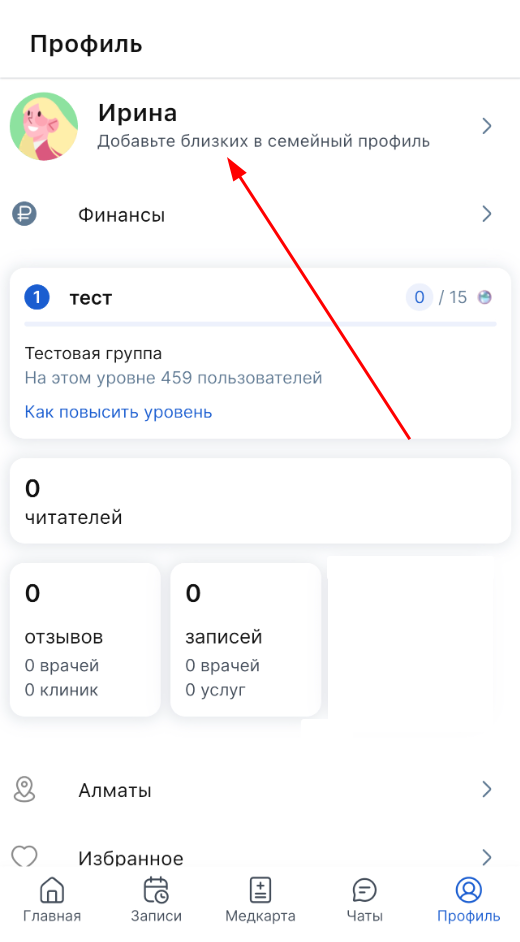
1. Open the section in the application «Профиль».
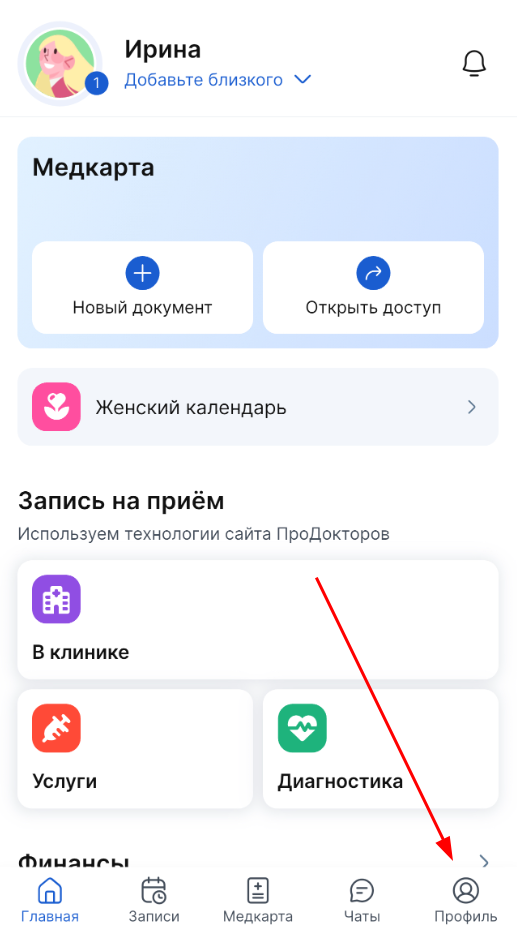
2. Click on the family profile icon.
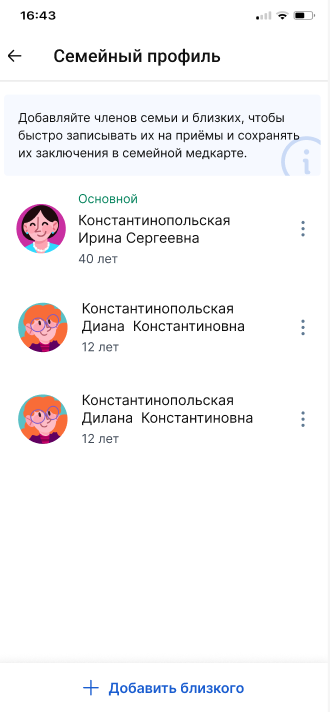
3. Select the user you want to make the primary user.
4. Click «Редактировать».
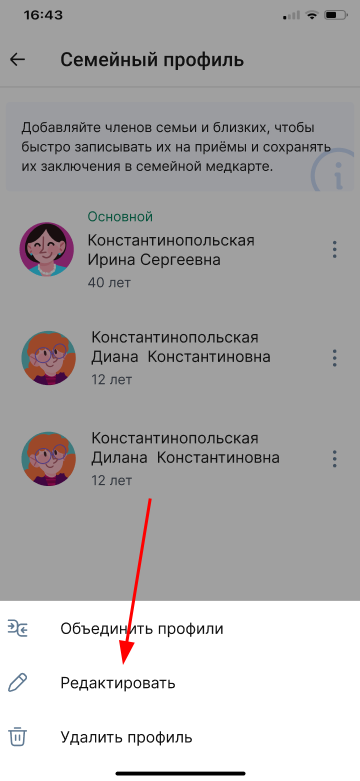
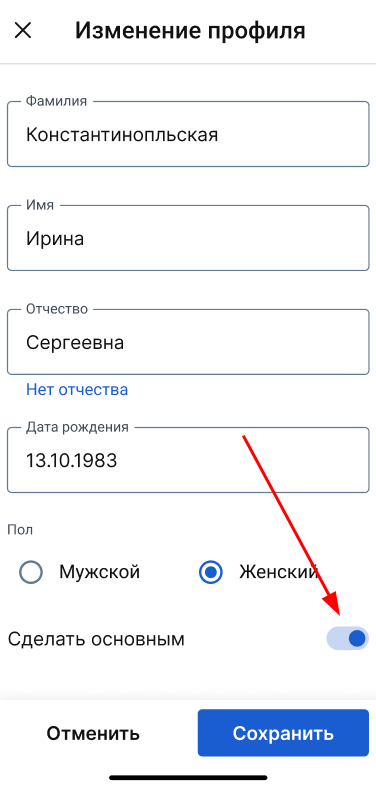
5. Make the user the primary user.