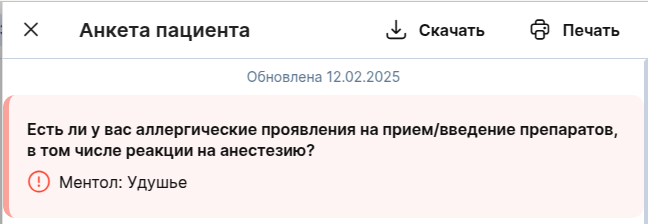


In the patient's medical record, you can view the questionnaire before or during the appointment via the mobile application and the web version (in the browser) of the Doctor's Clinic.
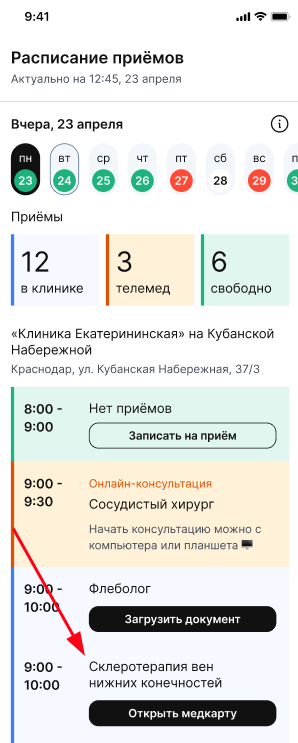
To open the patient's medical record, click on the "открыть медкарту" button from the schedule.
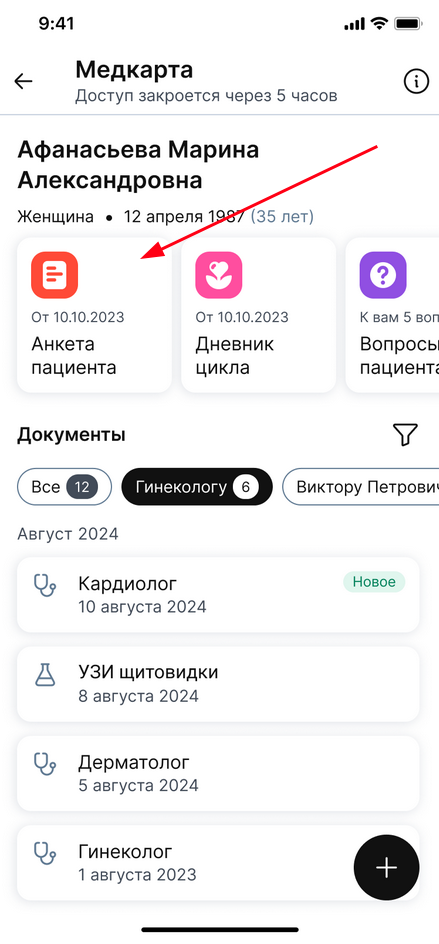
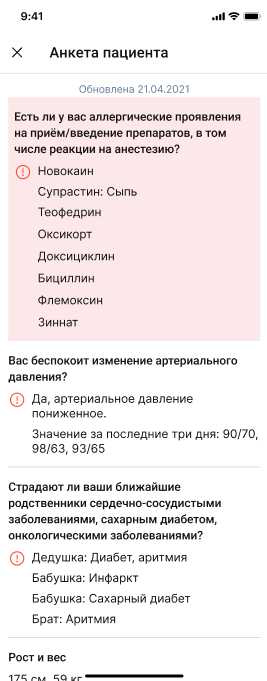
By clicking on the questionnaire icon in the medical card, you will be taken to the questionnaire page, where you will see the patient's answers.
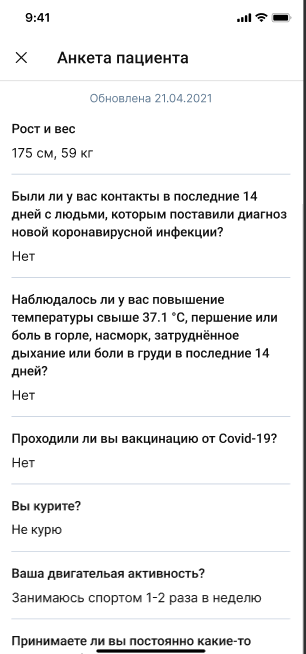
In the questionnaire, the patient fills in basic information about himself: height and weight, pressure changes, physical activity, taking medications, etc.
The questionnaire will highlight the alarming symptoms, including allergies and health conditions. The list of questions prioritizes the patient's features at the top, and general questions below. If the patient does not have allergies and/or health conditions, the list will be displayed starting with the question about height and weight.
Important! Viewing the questionnaire in the medical card is available within 12 hours from the moment of opening, unless the patient closes access before the end of this time.
The patient's profile in the medical record can be in three states::
- The questionnaire is standard, without specifics, when the patient has not noted any allergies or health problems.

- A questionnaire when there are special features.

These include changes in blood pressure, obesity, chronic diseases, alcohol consumption, and smoking.

- A questionnaire when you have an allergy. Provided that the user has special needs and allergies, the questionnaire will be highlighted in red with the status "есть аллергия", as this is a higher priority designation for the doctor.

Both features and allergies will be displayed in the priority list inside the questionnaire.