


Sign up for a service or diagnosis
How to cancel an entry
How to transfer an entry
Services include medical manipulations in addition to consulting a doctor: massage, injections, prosthetics, IVF, physiotherapy, removal and other procedures not related to research.
The diagnosis includes studies such as ECG, CT, MRI, ultrasound, X-ray, biopsy, puncture, and more.
To sign up for a service or diagnosis: 
- Choose what you want to sign up for: a service or a diagnostic.
There are two ways to do this.:
Method 1
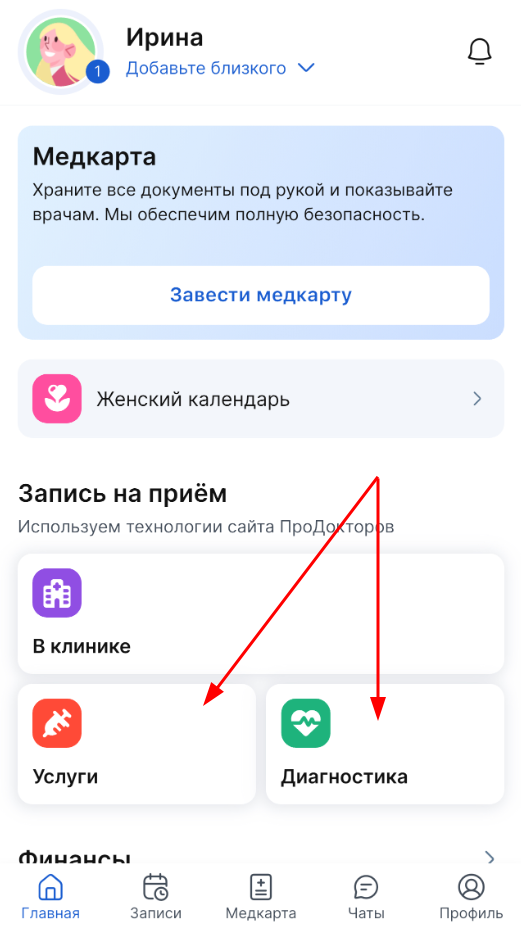
In the section «Главная»in the block «Запись на приём», select the type of record: «Услуги» or «Диагностика».
Method 2
In the section«Запись», select the type of record: «Диагностика» or «Услуги».

2. Choose who will attend the appointment: you or a loved one.
If you haven't added a loved one to your family profile yet, but you want to record it, click «Добавить близкого». Then follow the instructions «How to create a family profile».

3. Select the reception location.
You can set up a search for the entire city or the desired radius.
To search for clinics by radius, select the «Карта» section and the radius of the clinic search: 1, 2, 3 or 5 km.
Important! In order for the radius to be calculated from your location, don't forget to grant the app access to your location.
To search for clinics by radius, select the «Карта» section and the radius of the clinic search: 1, 2, 3 or 5 km.
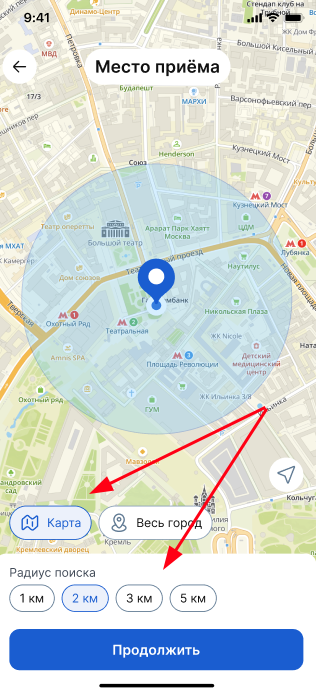
To search for a clinic throughout the city, select «Весь город».
After selecting it, click «Продолжить».
4. Select the desired service or diagnostic.
To do this, you can use the search.
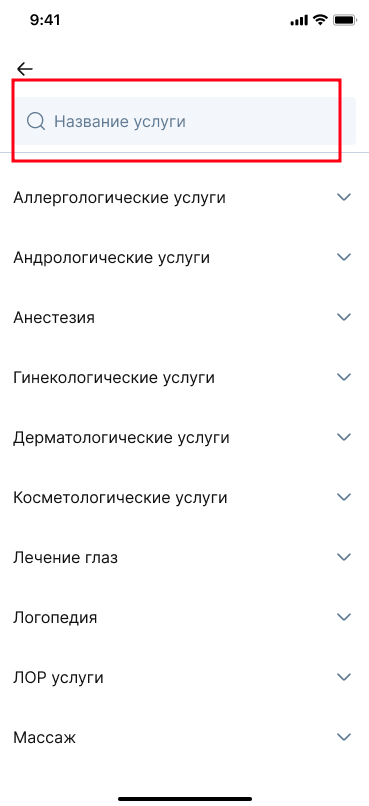
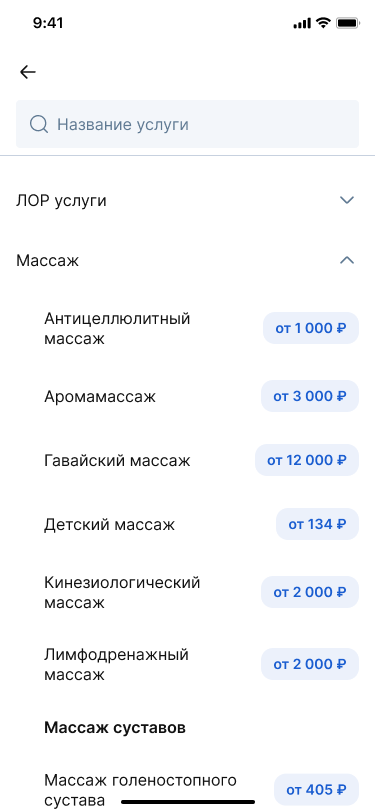
Or you can select the desired category in the catalog.
5. A list of clinics suitable for your request will open.
In the card of the clinic you like, select the date and time for the visit.
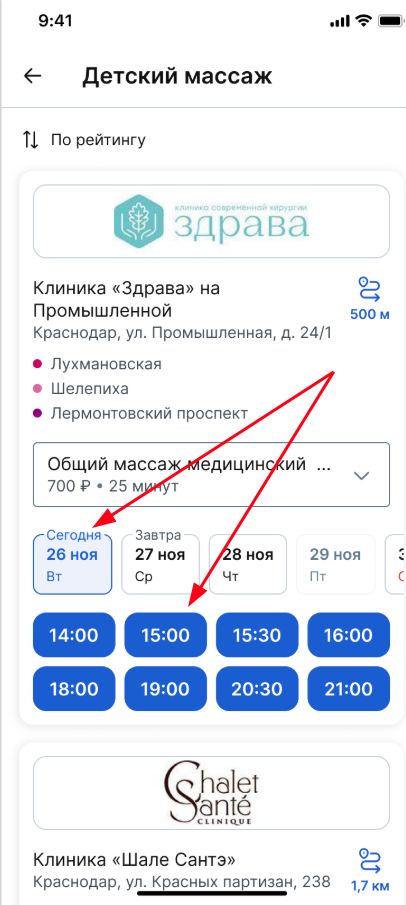
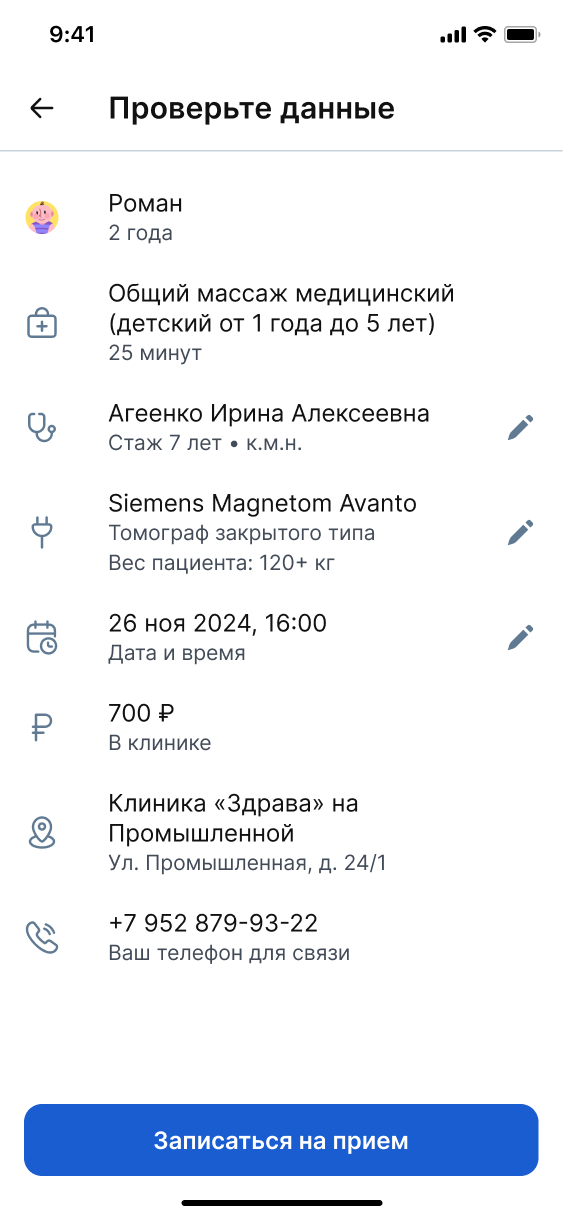
6. Check the record data.
If the clinic has options for changing the device or the specialist providing the service, you can change them. To do this, click on the pencil icon on the right.
You can select a specialist from the list that opens or activate the function «Специалиста назначит клиника».
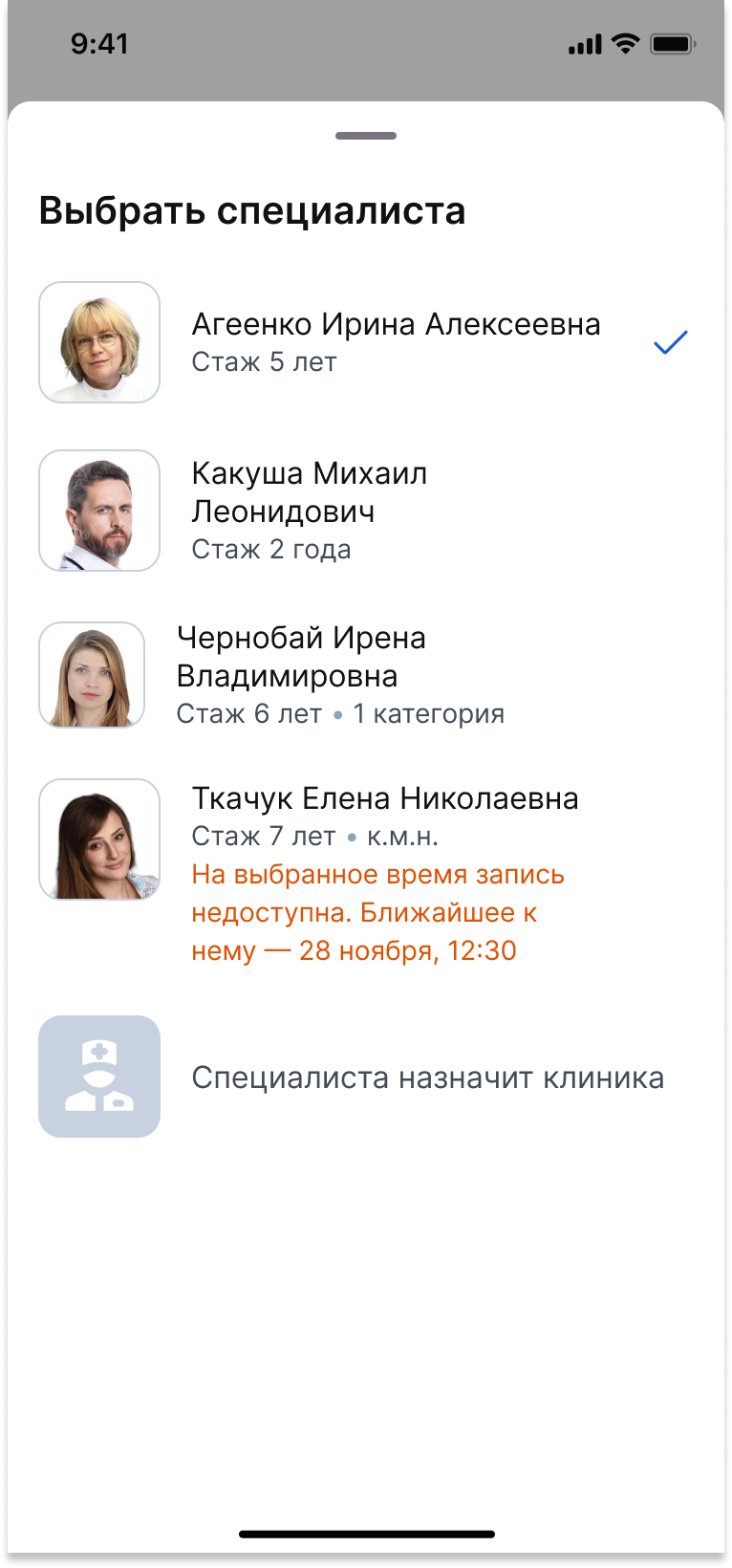
Important! When changing the doctor or equipment, the available date and time for the appointment may change depending on the available schedule.
7. After you have checked all the data, click «Записаться на приём».
A successful entry will be displayed in the block «Записи».
Some services require prior medical advice. He will collect an anamnesis, check for indications and contraindications, and then prescribe the procedure.
The honeybox will warn you about this.
To make an appointment for a consultation about the service, click «Записаться к врачу».
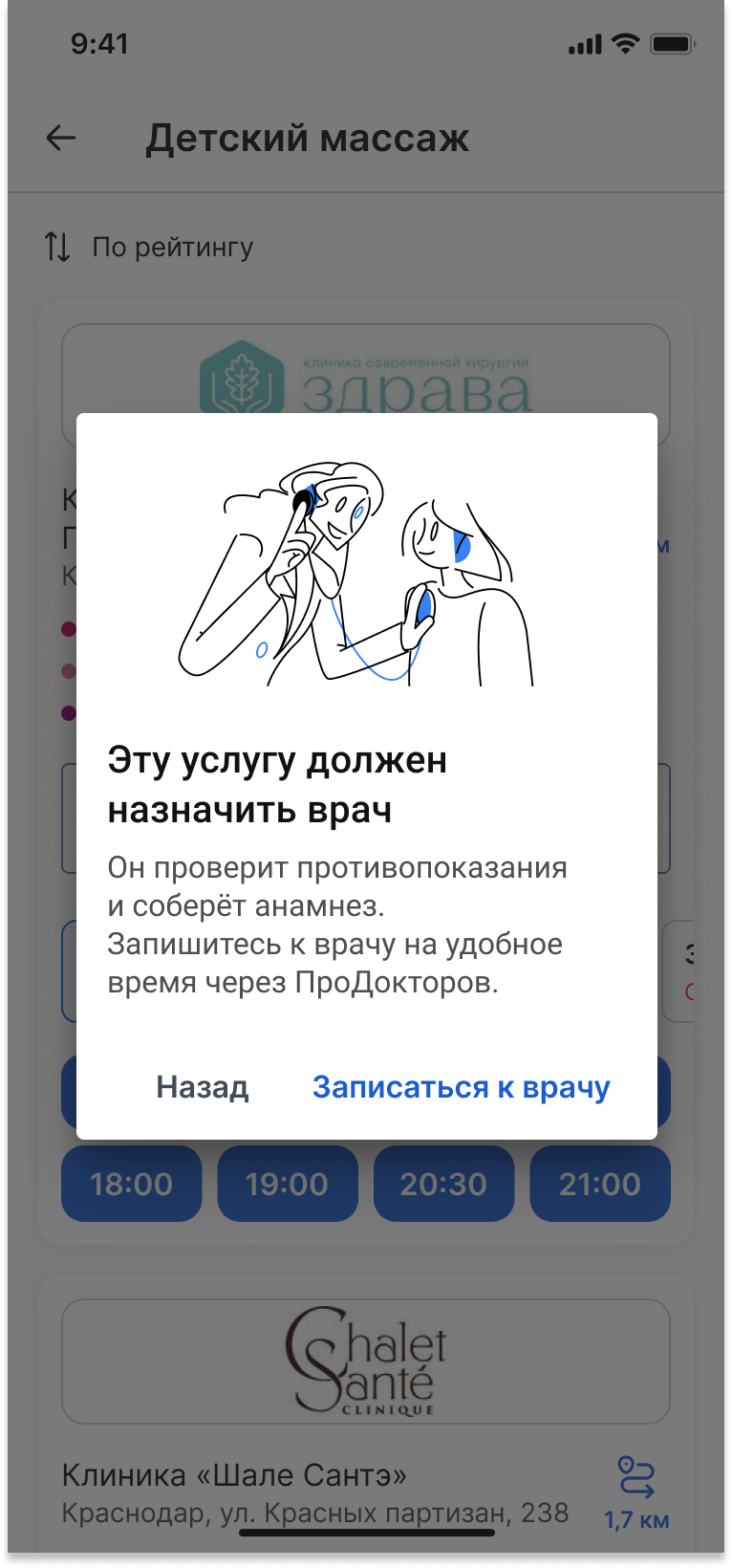
You will be redirected to YDoc, where the entry page will be generated.
Check all the data and click «Записаться».
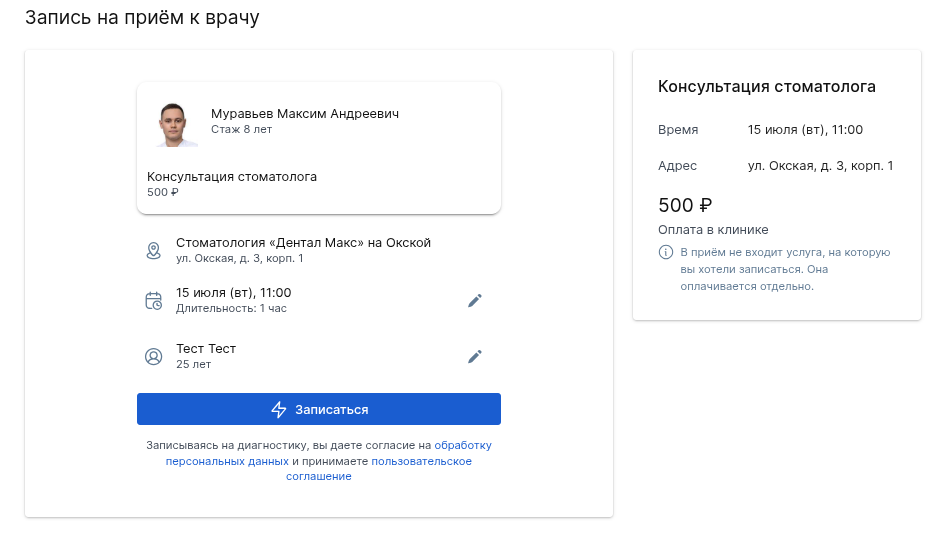
A successful appointment for a specialist consultation will be displayed in the section «Записи».
How to cancel an entry
You can cancel the recording in the recording details.
- Log in to the medical center via a computer or an application.
- Select «Ближайшие записи» and click on the appropriate one.
A page with detailed information about the recording opens.
- Click «Отмена».
Confirm the action.
How to transfer an entry
To reschedule the appointment, contact the clinic.