


How to send an invitation to family access:
How to find out that a loved one has accepted family access
How to accept or decline an invitation to family access
How to see what data a loved one shared
You can link your profile in a medical card with the profile of your loved one and share with them access to selected data and actions. For example, to see each other's recordings or to make appointments with each other.
How to send an invitation to family access 
If the profile is already in the Family
If you want to set up family access with a profile that your family already has, first pass it on to a loved one. For more information on how to do this, see the article Transferring a family profile to an independent account.
After transferring the profile, the medical card will immediately offer you to set up family access.
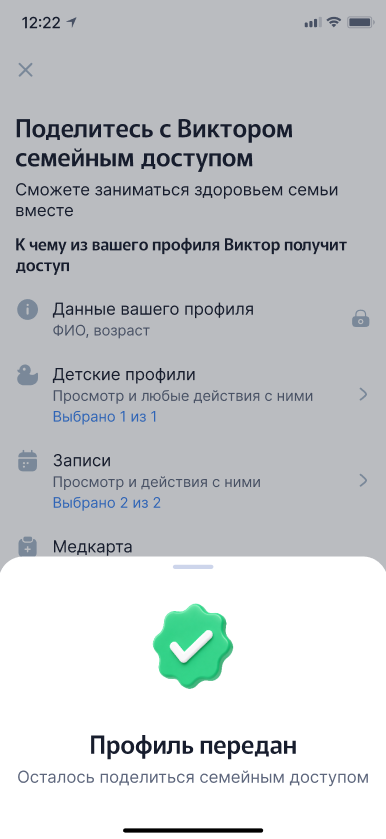
- To view or edit the list of information available to a loved one in more detail, click on the appropriate category.
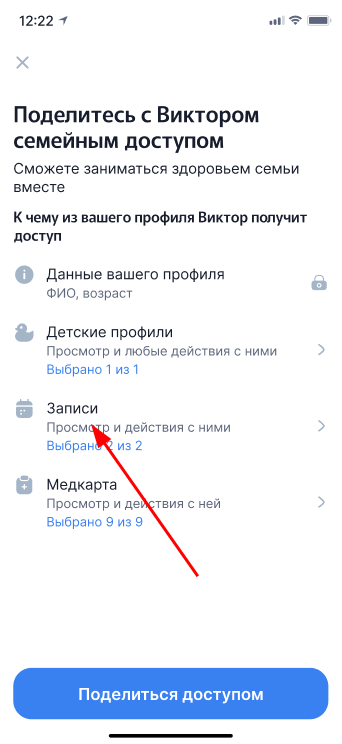
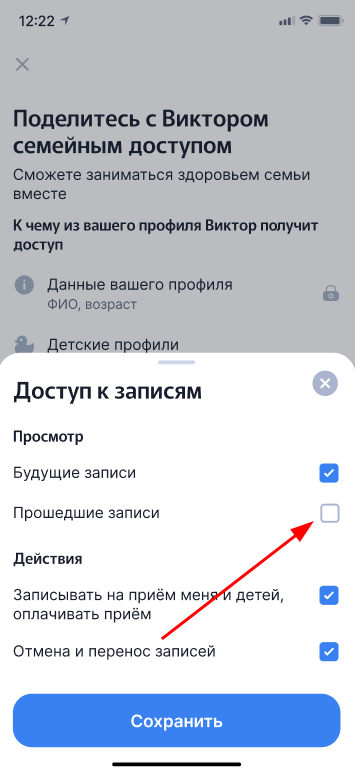
2. In the menu that opens, select what exactly you want to share. All items are enabled by default. If you don't want to share any data, uncheck the switch to the inactive position and go back.
3. Repeat these steps for all the sections that you want to configure. Then click «Поделиться доступом».
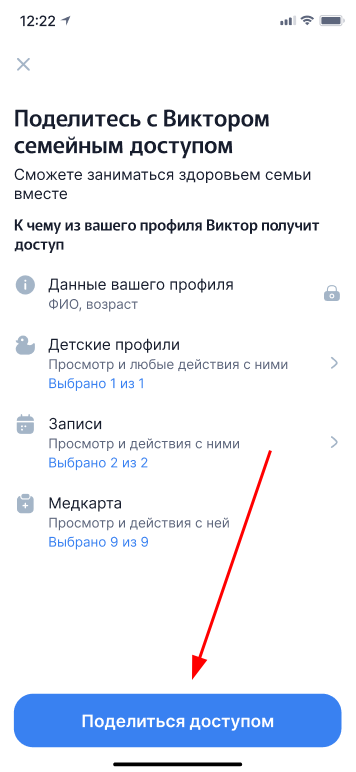
4. You can exchange family access only in the app. If you are not sure if your loved one has the HonEybox app installed, click «Поделиться ссылкой»and send the link to install it in a convenient way.
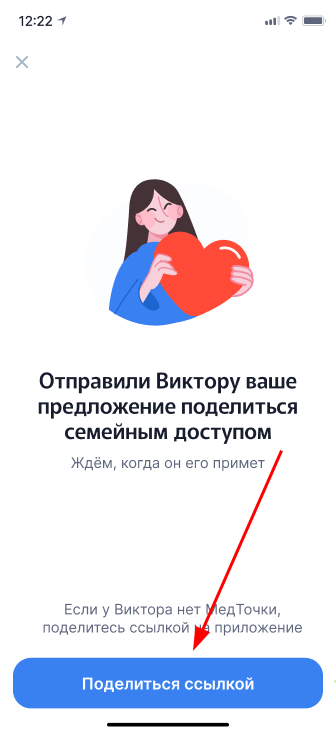
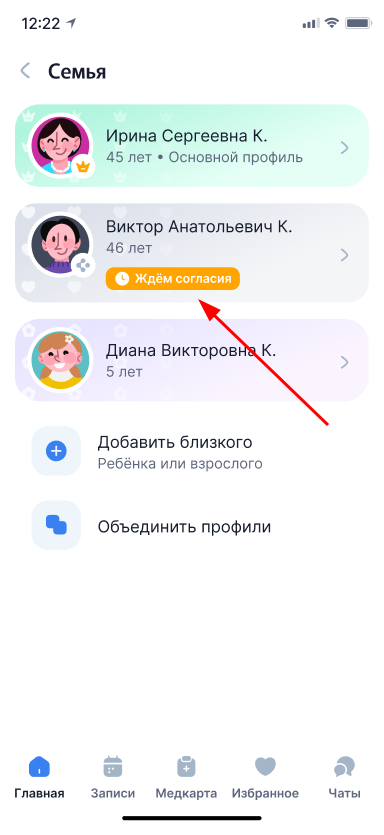
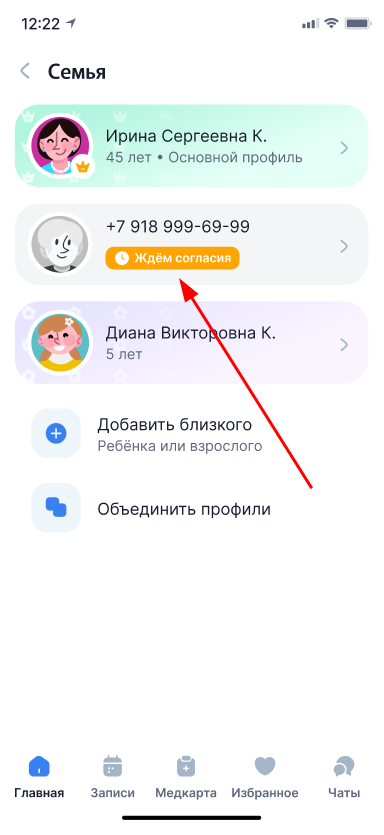
5. The profile status of a loved one will change to «Ждём согласия». Now you are waiting for a loved one to accept family access.
If there is no profile in the Family yet
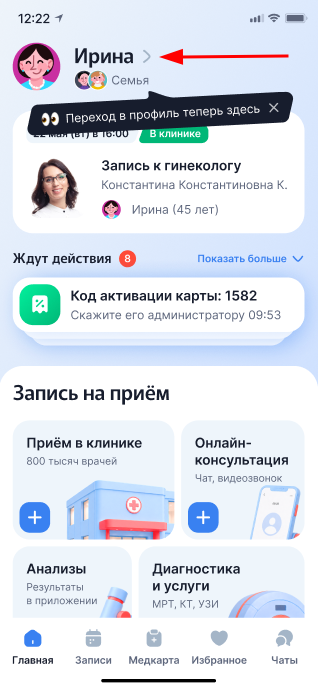
- If you want to set up family access with a user who is not yet in your family, click on your name on the main page.
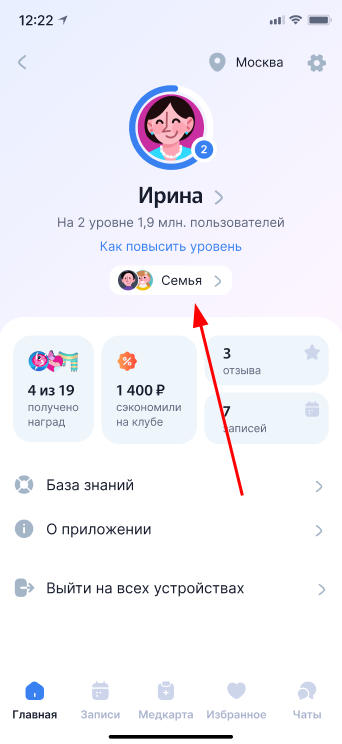
2. Go to the section «Семья».
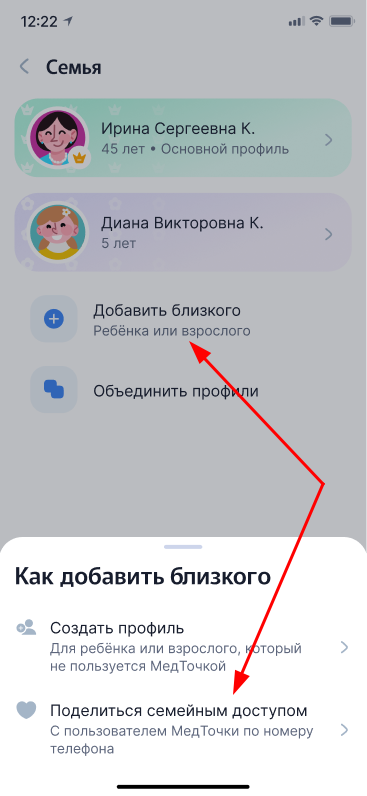
3. Click «Добавить близкого», and then select «Поделиться семейным доступом».
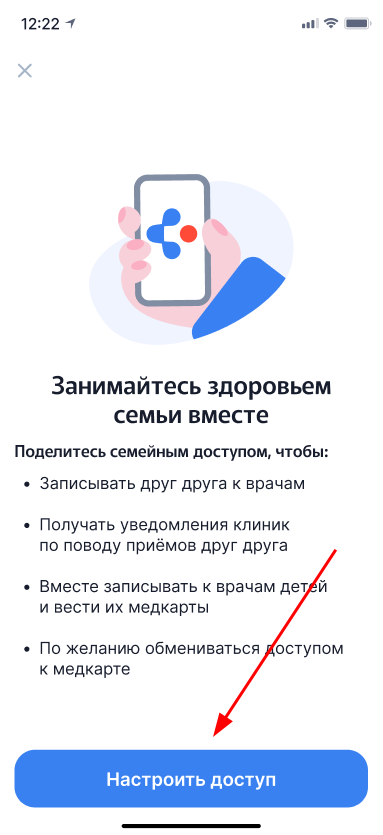
4. Read the information about family access and click «Настроить доступ».
5. Enter the phone number of the user you want to share access with.
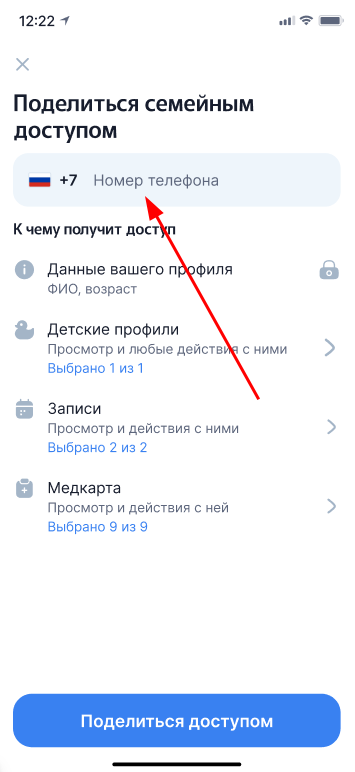
6. To set up data access, follow steps 1-4 from the section If the profile already exists in the Family.
After that, a new profile with the status will appear in the profile list«Ждём согласия».
How to find out that a loved one has accepted family access
After a loved one accepts access, the profile will turn green. The data that he has decided to share with you will be available to you.
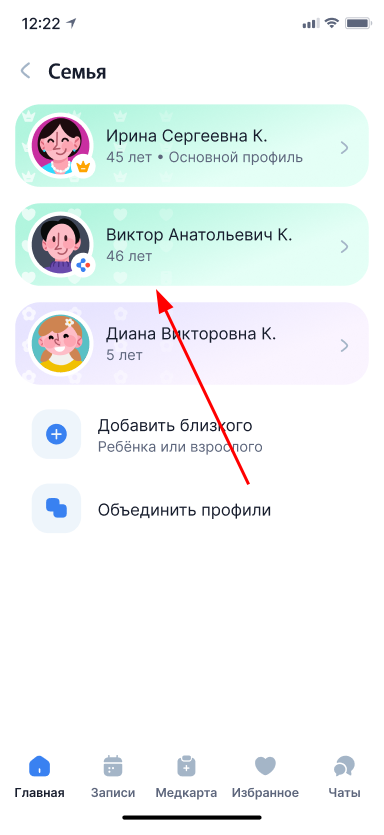
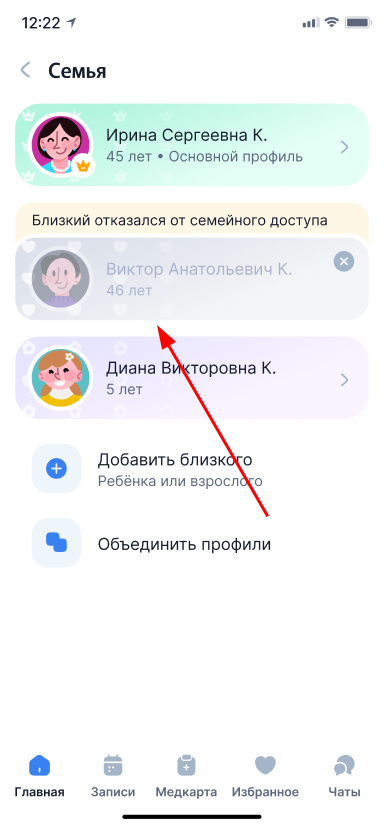
If a loved one refuses family access, the corresponding status will appear above the profile. To remove this profile from the family list, simply tap on the card.
How to accept or decline an invitation to family access
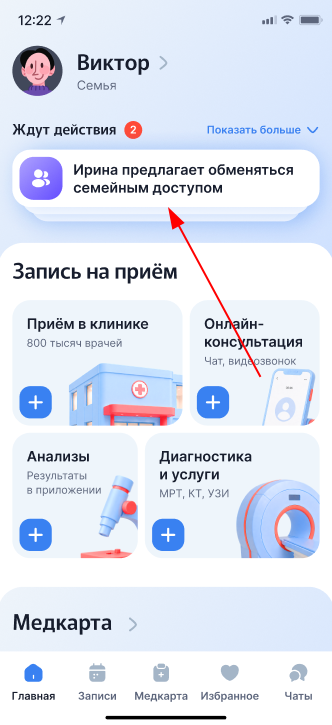
- If someone suggests that you exchange family access, a notification will appear on the Main Page in the block«Ждут действия». Click on it to go to the settings.
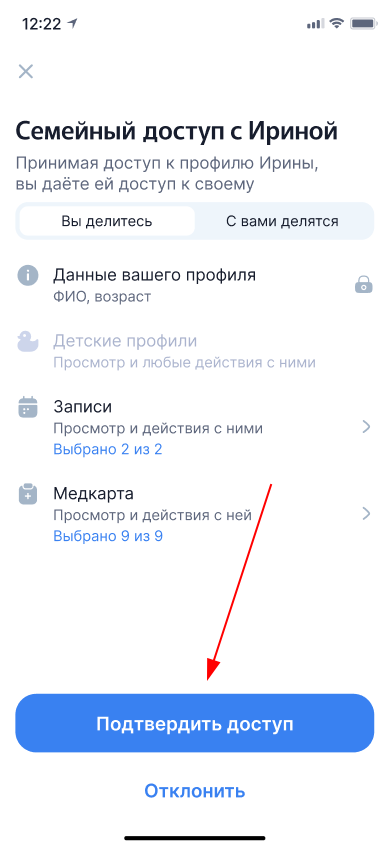
2. A screen with information about family access opens. Here you can accept or decline the invitation.
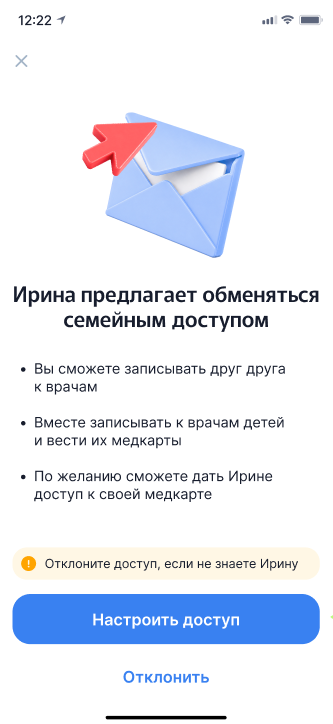
3. If you don't know the user who sent the invitation or don't want to set up family access with them, tap «Отклонить»and follow the on-screen instructions.
4. Click«Настроить доступ»,
Important! To enable family access, you will need to share your data. By default, the full name and age are transmitted — these fields cannot be disabled.
If you do not want to disclose other information, turn off the remaining switches. In this case, a loved one will only see your name and age, but will not be able to access your medical data or records.
5. Set up data access by following steps 1-3 from the section If the profile already exists in the Family.
6. After setting up all the necessary sections, click «Подтвердить доступ».
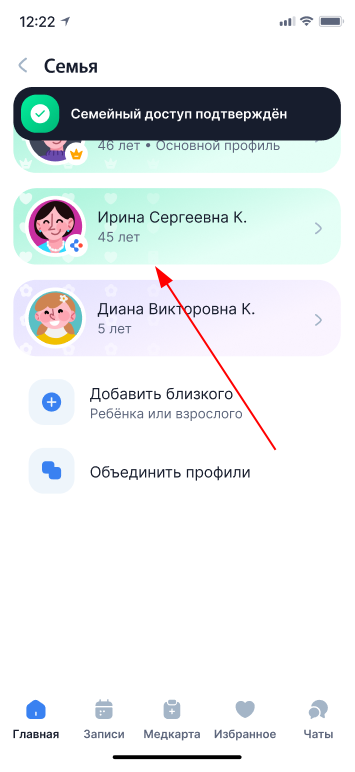
The profile of a loved one will appear in the section «Семья».
How to see what data a loved one shared
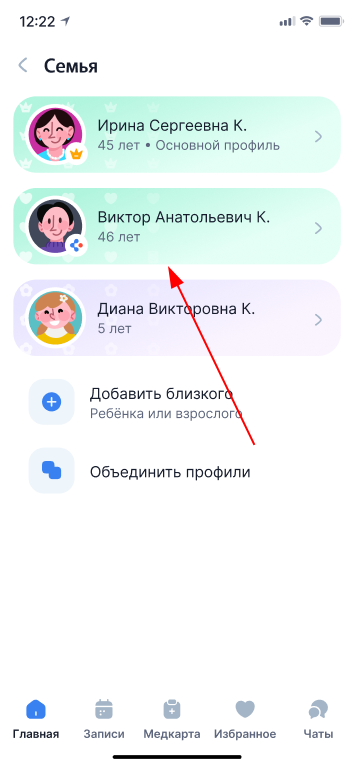
- Go to the section «Семья»and click on the profile of the user whose access you want to check.
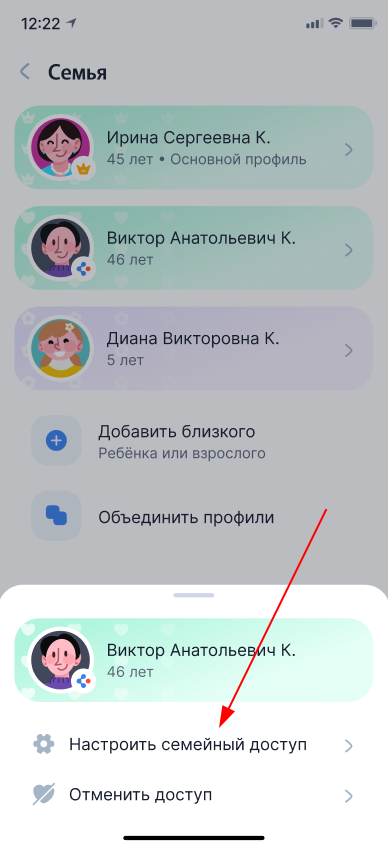
2. In the menu that opens, select «Настроить семейный доступ».
3. Switch to the tab«С вами делятся».
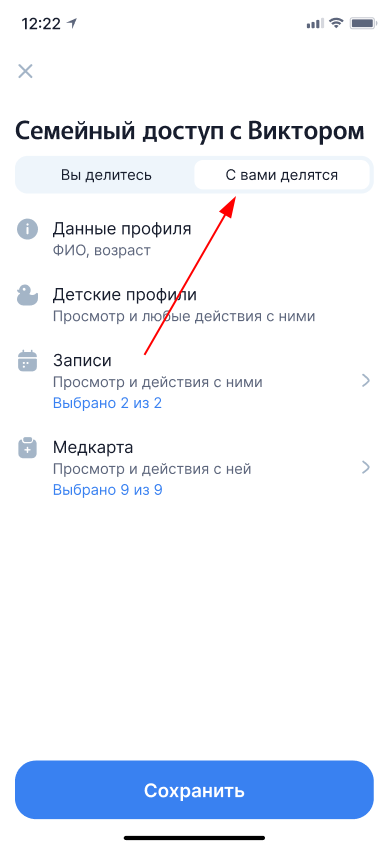
4. On this screen, you will see which sections and functions you have access to. Click on the appropriate category to find out more details.
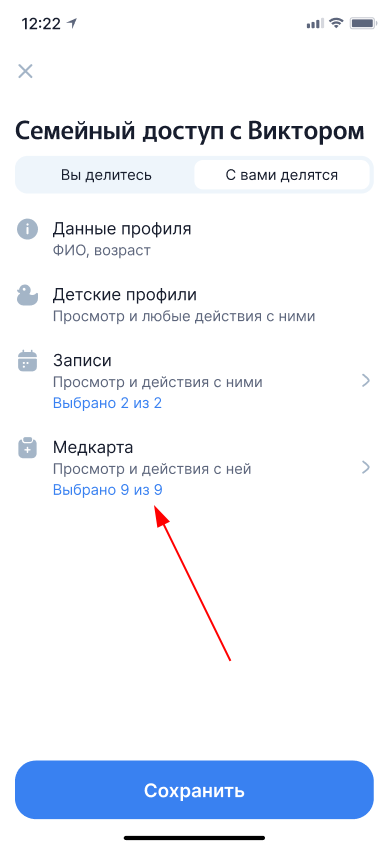
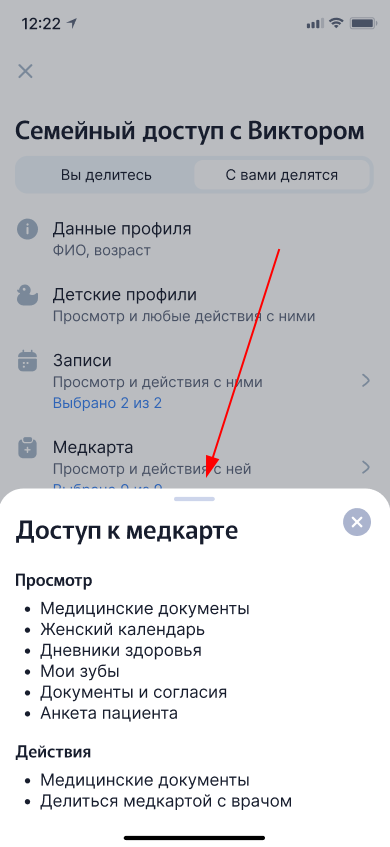
5. A screen will open where it will be indicated exactly what is available to you in this category and what actions can be performed with the profile of a loved one.
How to disable family access
- Go to the section «Семья»and click on the profile of the user you want to disable access to.
2. In the menu that opens, select «Отменить доступ».
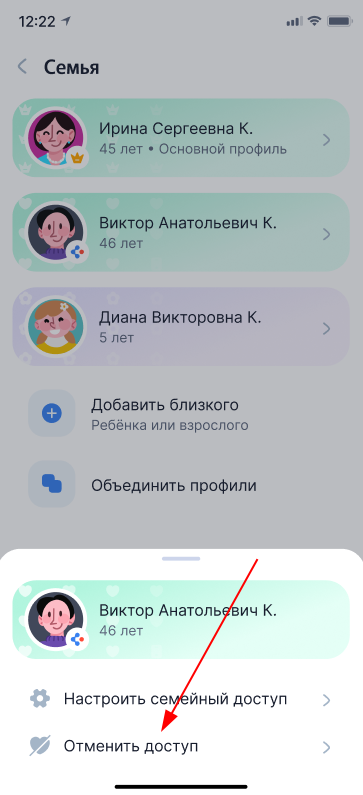
3. On the access cancellation screen, select «Не делиться доступом».
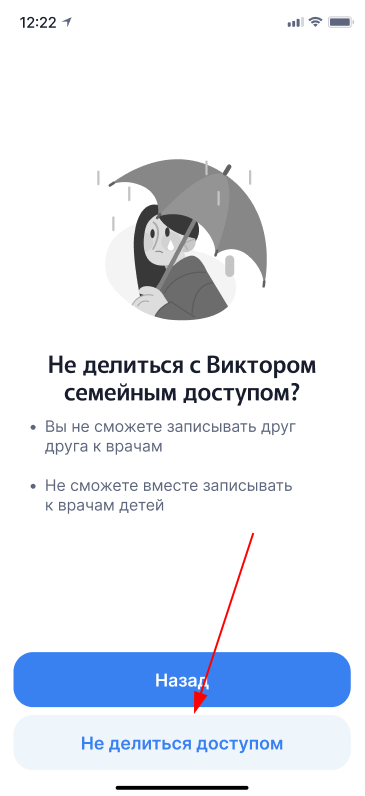
After that, family access will be disabled, and the user's profile will disappear from the list in the section«Семья».