- Send a profile to a loved one
- If you refused to transfer your profile earlier
- Accept or reject the submitted profile
Send a profile to a loved one 
If there is an adult user in your family profile, you can transfer their data to a separate personal profile. After the transfer, he will get full access to his personal profile and will be able to use the medical card on his own.
All appointment appointments, doctors, documents, and visit history added before the transfer will be saved and will be available in your personal profile.
Important! You cannot transfer the main profile. If you want to transfer it specifically, first make another adult user profile the main one.
There are two ways to access the profile management screen.
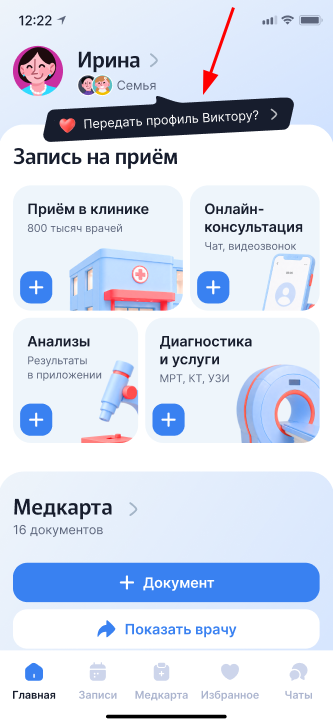
Method 1. From the main page
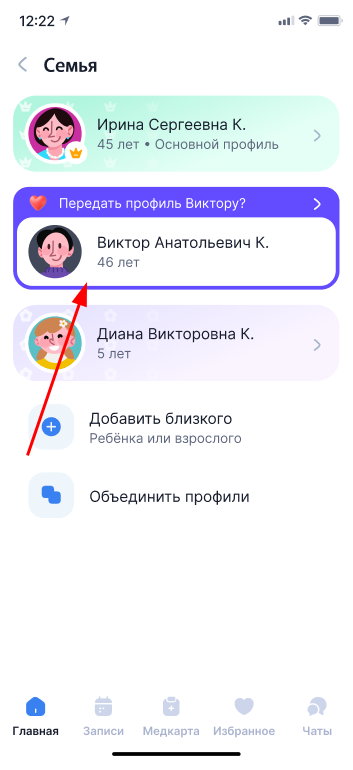
Click on the hint «Передать профиль». You will immediately go to the list of your family's profiles.
Method 2. From the profile
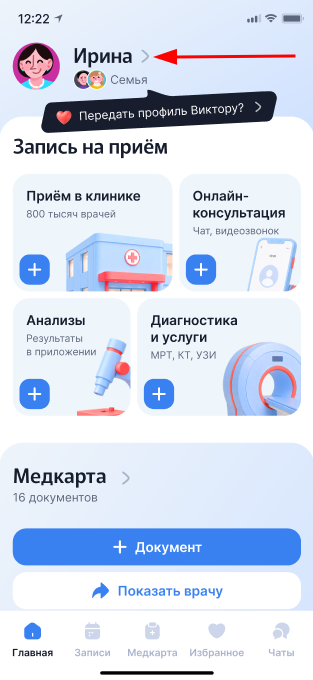
Click on your name on the main page.
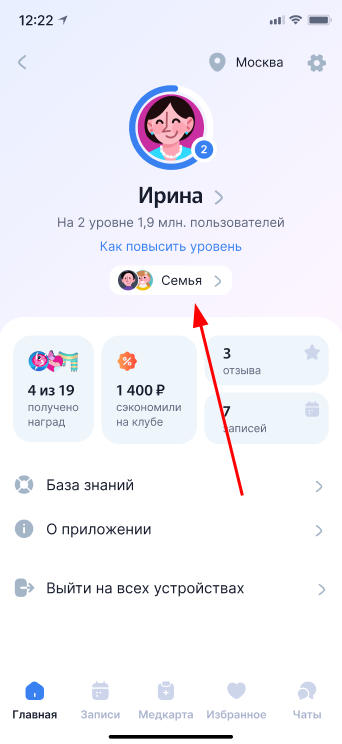
Click «Семья»to open the list of loved ones linked to your profile.
1. In both cases, a list of profiles will open. Click on the profile you want to transfer.
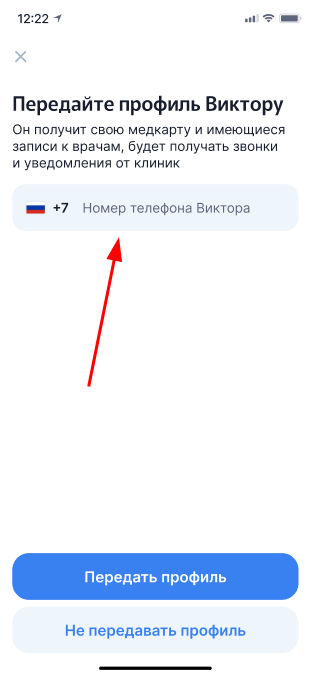
2. Enter the phone number of the user to whom you want to transfer the profile, and click «Передать профиль».
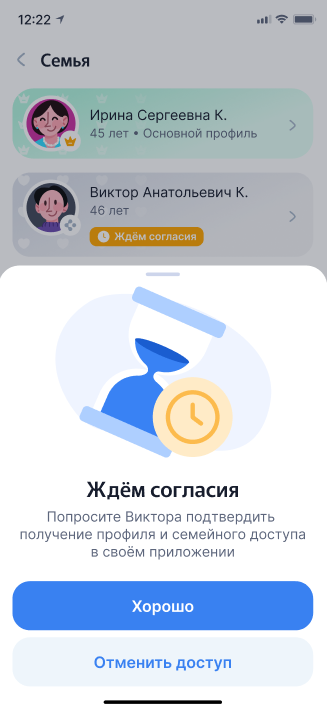
3. After sending the invitation, you will see a confirmation screen.
While the invitation has not been accepted, you can cancel the transfer. After the profile is transferred, it can only be returned through a new transfer — a loved one will have to transfer the profile back to you.
Important! If the user does not accept the invitation within 90 days, the transfer will be canceled automatically.
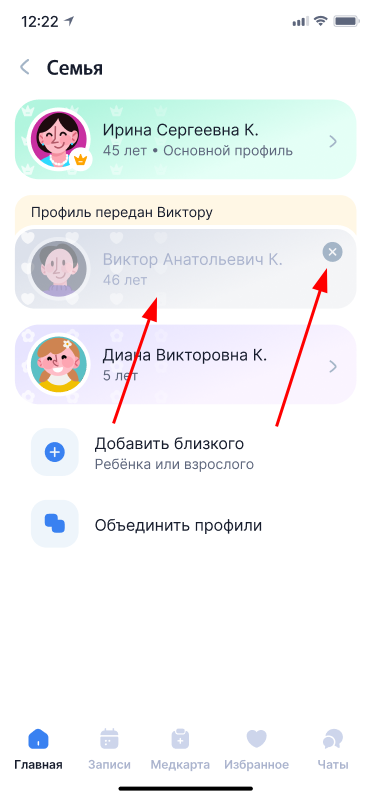
4. After accepting the invitation, the profile will remain in the family list, but it will be less vivid.
If you no longer want to see it in the list, click on the cross or on the profile card itself.
If the user rejects the transfer, a comment about it will appear above the profile.
Tap on the card to repeat the transfer or delete the profile from the family list.
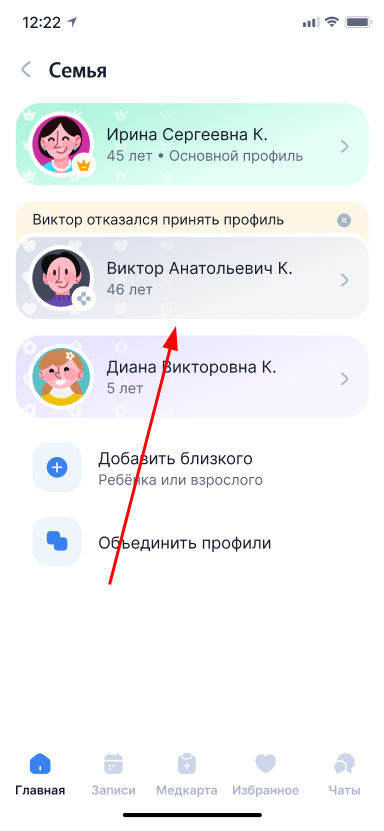
If you previously refused to transfer the profile
If you refused to transfer at step 2 or closed the phone number input screen, you can still transfer the profile. To do this, open the profile list again and click on the appropriate card.
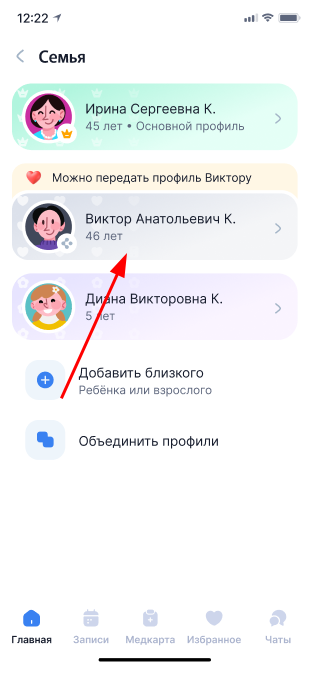
Choose«Передать профиль». Then follow steps 2-4 from the Send profile to a loved one section.
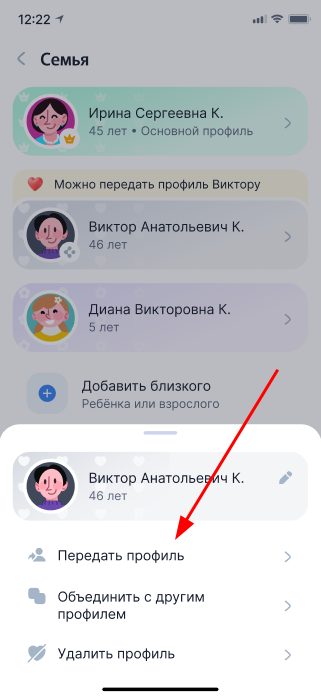
Accept or reject the submitted profile
If you have been given a profile, a notification about it will appear on the main screen of the medical card. You will be able to accept a profile and make an appointment with doctors yourself, view your records, keep a medical record and add documents to it.
If you don't need the profile, you can reject the transfer. In this case, the profile will remain with the previous owner.
Important! You will receive a push notification if you already have a medical card installed and have logged in to the app. If you haven't used the card yet, just log in using the phone number you sent the profile to. You don't need to do anything extra, the data will immediately appear in your profile.
1. Open the main page of the medical card and click on the notification about the transferred profile.
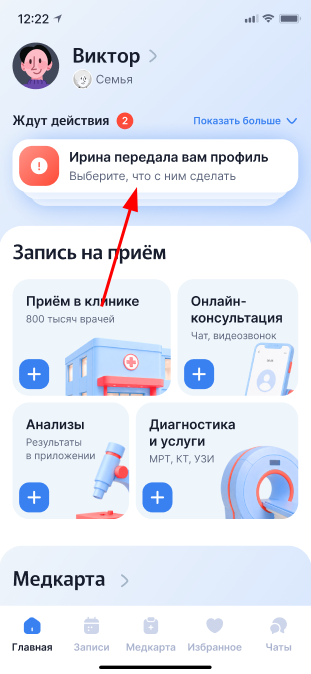
You can also click on the push notification that has arrived on your smartphone.
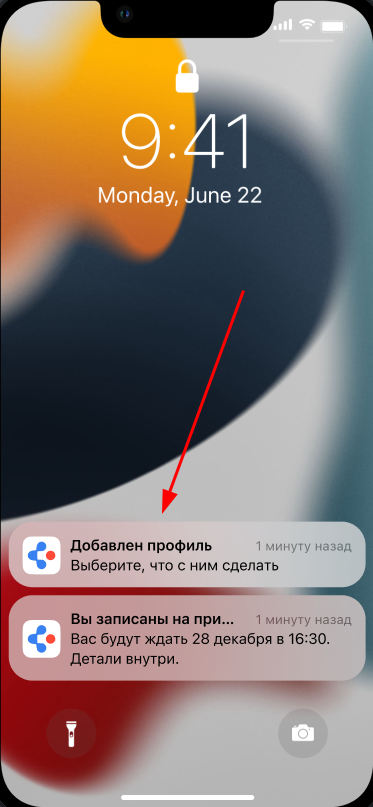
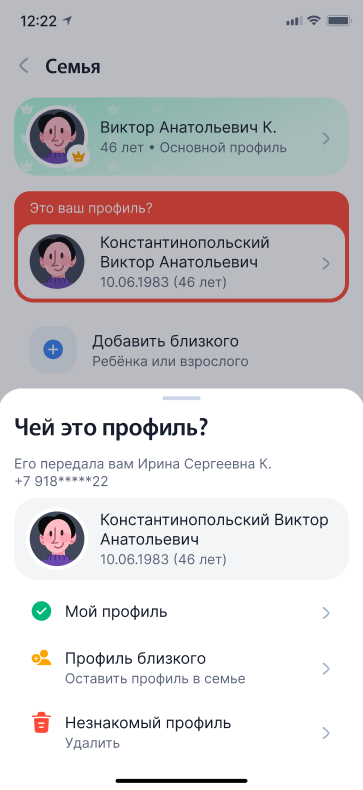
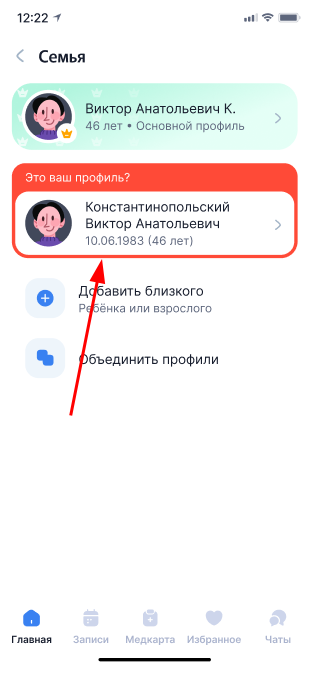
2. The screen opens«Семья». The profile sent to you will be highlighted in red and marked with an inscription«Это ваш профиль?».
Click on it to accept or reject the transfer.
Important! You cannot use the profile until you accept the transfer.
3. Select who owns the transferred profile.:
- «Мой профиль» — the profile belongs to you. After adoption, it will become the main one.
If the data in both profiles match or there is no data in your profile yet, the profiles will be combined automatically. As a result, you will have one profile with all the information.
If the data differs, for example, there is an error in the full name or date of birth, the Medical center will suggest combining the profiles manually. Follow the on-screen prompts.
Important! If the medical card in the transferred profile is confirmed, but not in the main profile, it will need to be reconfirmed before merging.
- «Профиль близкого» — the profile belongs to a relative. It will remain in the family profile, but it will not be the main one.
- «Незнакомый профиль» — you were given someone else's profile by mistake. The transfer will be rejected, and the profile will no longer be displayed in your list.